When writing queries, sometimes you have the pleasure of being able to pass a literal value, parameter, or scalar expression as a predicate.
With a suitable index in place, any one of them can seek appropriately to the row(s) you care about.
But what about when you need to compare the contents of one column to another?
It gets a little bit more complicated.
All About Algorithms
Take this query to start with, joining Users to Posts.
SELECT
c = COUNT_BIG(*)
FROM dbo.Users AS u
JOIN dbo.Posts AS p
ON p.OwnerUserId = u.Id;
The OwnerUserId column doesn’t have an index on it, but the Id column on Users it the primary key and the clustered index.
But the type of join that’s chosen is Hash, and since there’s no where clause, there’s no predicate to apply to either table for filtering.
jumbo
This is complicated slightly by the Bitmap, which is created on the OwnerUserId column from the Posts table and applied to the Id column from the Users table as an early filter.
The same pattern can generally be observed with Merge Joins. Where things are a bit different is with Nested Loops.
Shoop Da Loop
If we use a query hint, we can see what would happen with a Nested Loops Join.
SELECT
c = COUNT_BIG(*)
FROM dbo.Users AS u
JOIN dbo.Posts AS p
ON p.OwnerUserId = u.Id
OPTION(LOOP JOIN);
The plan looks like this now, with a Seek on the Users table.
petting motions
The reason is that this flavor of Nested Loops, known as Apply Nested Loops, takes each row from the outer input and uses it as a scalar operator on the inner input.
An example of Regular Joe Nested Loops™ looks like this:
SELECT
c = COUNT_BIG(*)
FROM dbo.Users AS u
WHERE u.Reputation =
(
SELECT
MIN(p.Score)
FROM dbo.Posts AS p
);
Where the predicate is applied at the Nested Loops operator:
and bert
Like most things, indexing is key, but there are limits.
Innermost
Let’s create this index:
CREATE INDEX ud ON dbo.Users(UpVotes, DownVotes);
And run this query:
SELECT
c = COUNT_BIG(*)
FROM dbo.Users AS u
WHERE u.UpVotes = u.DownVotes;
The resulting query plan looks like this:
did a cuss
But what other choice is there? If we want a seek, we need a particular thing or things to seek to.
SELECT
c = COUNT_BIG(*)
FROM dbo.Users AS u
WHERE u.UpVotes = u.DownVotes
AND u.UpVotes = 1;
name game
We seek to everyone with an UpVote of 1, and then somewhat awkwardly search the DownVotes column for values >= 1 and <= 1.
But again, these are specific values we can search for.
Thanks for reading!
Going Further
If this is the kind of SQL Server stuff you love learning about, you’ll love my training. Blog readers get 25% off the Everything Bundle — over 100 hours of performance tuning content. Need hands-on help? I offer consulting engagements from targeted investigations to ongoing retainers. Want a quick sanity check before committing to a full engagement? Schedule a call — no commitment required.

You probably have a bunch of nonclustered indexes that need to be read so that…
All those indexes can be modified, and written to the transaction log as well
If your database is synchronously replicated anywhere, you have to wait on that ack
There are no Batch Mode modifications
Usually when modifications need to hit a significant number of rows, I want to think about batching things. That might not always be possible, but it’s certainly a kinder way to do things.
If you can’t batch inserts and deletes, you may want to think about using partitioning to quickly switch data in and out.
And of course, don’t use MERGE.
Thanks for reading!
Going Further
If this is the kind of SQL Server stuff you love learning about, you’ll love my training. Blog readers get 25% off the Everything Bundle — over 100 hours of performance tuning content. Need hands-on help? I offer consulting engagements from targeted investigations to ongoing retainers. Want a quick sanity check before committing to a full engagement? Schedule a call — no commitment required.

In this post, I’m going to take a quick look at a very loud bug.
Normally, you can’t add a filtered index to a computed column. I’ve always hated that limitation. How nice would that be for so many currently difficult tasks?
I wonder if Oracle…
You Can’t Do That On Television
If you run this code to completion — and boy are you missing out if you don’t — you get an error.
CREATE TABLE dbo.ohno
(
id int NOT NULL,
crap AS id * 2
);
GO
CREATE NONCLUSTERED INDEX c
ON dbo.ohno
(crap)
WHERE crap > 0;
GO
Here’s the error:
Msg 10609, Level 16, State 1, Line 13
Filtered index 'c' cannot be created on table 'dbo.ohno' because the column 'crap' in the filter expression is a computed column.
Rewrite the filter expression so that it does not include this column.
Okay, great! Works on my machine.
Kapow, Kapow
However, you can totally create this table using the inline index creation syntax.
CREATE TABLE dbo.ohyeah
(
id int NOT NULL,
crap AS id * 2,
INDEX c
(crap)
WHERE crap > 0
);
GO
However, if you try to query the table, you’re met with a buncha errors.
SELECT
id
FROM dbo.ohyeah AS o;
SELECT
c = COUNT_BIG(*)
FROM dbo.ohyeah AS o;
Even without explicitly referencing the computed column, you get this error message.
Msg 207, Level 16, State 1, Procedure ohyeah, Line 1 [Batch Start Line 29]
Invalid column name 'crap'.
Msg 207, Level 16, State 1, Procedure ohyeah, Line 1 [Batch Start Line 29]
Invalid column name 'crap'.
Msg 207, Level 16, State 1, Procedure ohyeah, Line 1 [Batch Start Line 29]
Invalid column name 'crap'.
Msg 207, Level 16, State 1, Procedure ohyeah, Line 1 [Batch Start Line 29]
Invalid column name 'crap'.
Msg 207, Level 16, State 1, Procedure ohyeah, Line 1 [Batch Start Line 29]
Invalid column name 'crap'.
Msg 4184, Level 16, State 2, Line 30
Cannot retrieve table data for the query operation because the table "dbo.ohyeah" schema is being altered too frequently.
Because the table "dbo.ohyeah" contains a filtered index or filtered statistics, changes to the table schema require a refresh of all table data.
Retry the query operation, and if the problem persists, use SQL Server Profiler to identify what schema-altering operations are occurring.
You see what? See you what that error message says? “[I[f the problem persists, use SQL Server Profiler to identify what schema-altering operations are occurring”
If this is the kind of SQL Server stuff you love learning about, you’ll love my training. Blog readers get 25% off the Everything Bundle — over 100 hours of performance tuning content. Need hands-on help? I offer consulting engagements from targeted investigations to ongoing retainers. Want a quick sanity check before committing to a full engagement? Schedule a call — no commitment required.
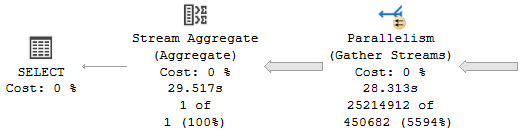
I see a lot of scripts on the internet that use dynamic SQL, but leave people wide open to SQL injection attacks.
In many cases they’re probably harmless, hitting DMVs, object names, etc. But they set a bad example. From there, people will adapt whatever dynamic SQL worked elsewhere to something they’re currently working on.
Here’s a simple script to show you how just sticking brackets into a string doesn’t protect you from SQL injection:
DROP TABLE IF EXISTS #t
CREATE TABLE #t(id int);
DECLARE
@s nvarchar(max) = N'[' + N'PRINT 1] DROP TABLE #t;--' + N']';
PRINT @s
EXEC sys.sp_executesql
@s;
SELECT
*
FROM #t AS t;
GO
DROP TABLE IF EXISTS #t
CREATE TABLE #t(id int);
DECLARE
@s nvarchar(max) = QUOTENAME(N'PRINT 1] DROP TABLE #t;--')
PRINT @s
EXEC sys.sp_executesql
@s;
SELECT
*
FROM #t AS t;
GO
You can run this anywhere, and the results look like this:
[PRINT 1] DROP TABLE #t;--]
Msg 2812, Level 16, State 62, Line 572
Could not find stored procedure 'PRINT 1'.
Msg 208, Level 16, State 0, Line 583
Invalid object name '#t'.
[PRINT 1]] DROP TABLE #t;--]
Msg 2812, Level 16, State 62, Line 587
Could not find stored procedure 'PRINT 1] DROP TABLE #t;--'.
In the section where square brackets were used, the temp table #t got dropped. In the section where QUOTENAME was used, it wasn’t.
When you’re writing dynamic SQL, it’s important to make it as safe as possible. Part of that is avoiding the square bracket trap.
Thanks for reading!
Going Further
If this is the kind of SQL Server stuff you love learning about, you’ll love my training. Blog readers get 25% off the Everything Bundle — over 100 hours of performance tuning content. Need hands-on help? I offer consulting engagements from targeted investigations to ongoing retainers. Want a quick sanity check before committing to a full engagement? Schedule a call — no commitment required.
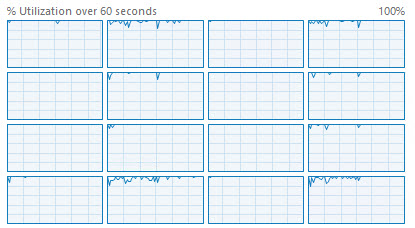
If you’re on a new-ish version of SQL Server, using STRING_AGG is your best bet for this. Please use it instead.
Unlike STRING_SPLIT, it’s not compatibility-walled. You don’t need to be on level 130+ to use it.
If you’re on an earlier version, your most reliable bet is using XML. Using the local variable method can have quite unexpected results at times. I’ve seen it go from returning a full list of values to only returning the last value more times than I can count.
Let’s look at the XML version, though. Just in case you’re not on SQL Server 2017.
Weirdoverse
The purpose of these queries is to show you hot to remove XML elements, and handle XML control characters like &, <, >, etc. All of these results return a single row, just to keep the examples simple.
SELECT
x =
(
SELECT
b.Name
FROM dbo.Badges AS b
WHERE b.Id = 100564
FOR XML
PATH('')
);
This will return two things we don’t want:
XML elements
An ampersand turned into &
monkeybone
To get rid of the XML elements, we can alias the inner results as [text()]
SELECT
x =
(
SELECT
[text()] =
b.Name
FROM dbo.Badges AS b
WHERE b.Id = 100564
FOR XML
PATH('')
);
That will give us this back, still with the ampersand all mangled up.
malt shop
To fix that, we need to add a little bit to the XML-ing:
SELECT
x =
(
SELECT
[text()] =
b.Name
FROM dbo.Badges AS b
WHERE b.Id = 100564
FOR XML
PATH(''),
TYPE
).value
(
'./text()[1]',
'nvarchar(max)'
);
First, we need to add TYPE to the XML PATH syntax. That’ll give us an XML typed return type to use the .value method on.
From there, we can grab the text element, and give it a data type. You don’t specifically need to get ./text()[1] though, but I tend to use it because I’ve seen some very weird performance issues when using less verbose expressions like .[1] or just . instead.
Plans
Here are the plan differences, which are negligible for a single row.
monikers
Of course, local factors may require deviating from what generally works best.
Thanks for reading!
Going Further
If this is the kind of SQL Server stuff you love learning about, you’ll love my training. Blog readers get 25% off the Everything Bundle — over 100 hours of performance tuning content. Need hands-on help? I offer consulting engagements from targeted investigations to ongoing retainers. Want a quick sanity check before committing to a full engagement? Schedule a call — no commitment required.
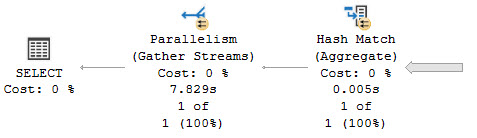
In this video, I delve into why the default Read Committed isolation level in SQL Server databases is often a suboptimal choice. Using a practical example, I demonstrate how using Read Committed Snapshot Isolation (RCSI) can provide more consistent results compared to the traditional Read Committed setting. By creating two simple tables with identical data and running a query that involves nested loops joins, I illustrate how RCSI ensures that we consistently get the same result set even when the underlying data is being updated. This example highlights why RCSI should be preferred over Read Committed for most scenarios, as it offers better consistency without the drawbacks associated with the inferior isolation level.
Full Transcript
Erik Darling here with Erik Darling Data, as usual. And today we’re here to talk about why read committed to default isolation level for most SQL Server databases is garbage. Well, this is just one of many reasons. There have been other reasons that I’ve talked about before in other blog posts and videos why it’s crappy, but this is one that I stumbled on while working on something for SPBli. So let’s first over in the first responder kit. And I was a bit surprised. I was even a bit surprised by this one. So let’s just get right into it. I’m going to create two tables and you may find this demo unrealistic, but it’s good enough for me to give you an overview of what I was running into. So we have two tables, tables one and table two. And in both of those tables, all I have is the numbers one through 10. So if you go down here and run these queries, you can verify that. Table one has the numbers one through 10 in it and table two has the numbers one through 10 in it. Good enough. Over in this window, I’m going to show you a couple of things before we, before we proceed with the query itself. Now, first I have read committed snapshot isolation turned on for this database that I’m in here, right? So if I go and look at sys.databases, I can see that my database lovingly named crap has read committed snapshot isolation enabled. But the query down here is the query.
Here has a couple hints on it. One is to read from table two with read committed lock. This is going to force the query to use the read committed isolation level. Just using set transaction isolation level read committed up at the top of the query is semantically different from using this locking hint for a few different reasons. I also have a force order hint down here. The reason I have a force order hint down here is to make sure that table two ends up on the inner side of a nested loops joint. I think I need to turn on query plans to do that. To show you that. And if I do, then you’ll see the shape of the query plan is about like this. So for every row that comes out of table one, we’re going to go into a nested loops join and then we’re going to hit table two down here. Okay. And that’s about that. So if I run this query, we’re going to see that all total for all of these columns is 55 over and over and over again. That’s because they’re not changing. If I come over to this window and I start running this update and I come back over here, we’re going to start seeing some interesting stuff happen. Namely that we’re going to be getting different values back in this column. So 65, 75, 85, 95, 105, 115. Weird, right? Read committed, reading all that good committed data. And this will happen repeatedly.
Every time we run this, we’ll get a different bunch of numbers back from all total over here. So we can see 45, 55, 75, 85, 95. What the hell is going on with this? I thought we were reading committed data here. What happened to us? This is bad news, right? This is terrible. So let’s kill this. And let’s talk about why read committed snapshot isolation is the greatest isolation level of all time. So let’s get rid of that. Let’s run this. And since no values are changing, this isn’t the biggest deal in the world. I just wanted to make sure I got things right.
Now let’s reset things over here. Let’s start these tables from scratch. We have IDs one through 10 and both tables two and tables one. So good for us there. And let’s run this query once more to make sure that everything’s golden. And now let’s come over here and run this update, right? Run that update in the loop. And every time we run this now, all of our numbers will be nice and lined up and in order and exactly the way that we want them. In other words, all the same.
Why did you change colors on me? How dare you? But we get consistent results back using read committed snapshot isolation. As soon as we stop using the inferior should be deprecated, destroyed, and forgotten for all time read committed isolation level, we do a lot better with result consistency, which I hear is important in databases. I hear there’s some rules that sound drug related that are supposed to make results in databases consistent. I forget exactly what it is. I don’t know. I don’t want to get busted by the DEA over on this channel talking about database rules and stuff. I don’t want to have the federales come after me. But this is just another reason why read committed is a garbage isolation level.
You know, apart from the fact that you can have readers block writers and readers deadlock with writers under read committed. And, you know, you can have all sorts of weird inconsistent results with it. This is just another example of inconsistent results with the read committed isolation level.
So, um, please don’t use it. Please use a real isolation level like snapshot isolation or read committed snapshot isolation. You know, isolation levels that give you correct results or something.
Going Further
If this is the kind of SQL Server stuff you love learning about, you’ll love my training. Blog readers get 25% off the Everything Bundle — over 100 hours of performance tuning content. Need hands-on help? I offer consulting engagements from targeted investigations to ongoing retainers. Want a quick sanity check before committing to a full engagement? Schedule a call — no commitment required.
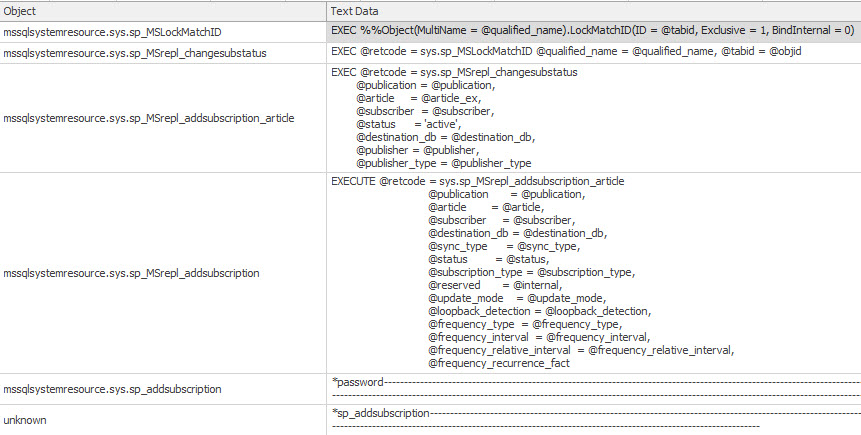
In this video, I dive into the intriguing world of collation in SQL Server, specifically focusing on a peculiar scenario that caught my attention. Using a lengthier string value to populate a temporary table, I demonstrate how different collations can lead to unexpected query plan behavior and performance issues, especially when creating or updating statistics. The video delves into the nuances of using non-default collations like Latin General CS AS WS (Case Sensitive, Accent Sensitive, with Supplementary Characters) versus the default SQL_Latin1_General_CP1_CS_AS, highlighting how these differences can result in misleading execution times and query plans that don’t accurately reflect the actual performance. Through this exploration, I aim to shed light on potential pitfalls for database administrators and developers who might be using non-standard collations without fully understanding their implications.
Full Transcript
Erik Darling here with Erik Darling Data. Still alive despite the best efforts of many, including so far the only person who the Customer Experience Improvement Program has actively tried to murder. Actually, there was an attempt on my life via the artificial intelligence built into the CEIP. It was vicious. Got into a knockdown, drag-out brawl with it. I’m lucky to be alive. Lucky to be alive. Anyway, today we’re going to talk about collation. Because collation is weird. Collation is bizarre. I’m not going to pretend that I understand a lot about it because I really don’t. Flat out, I just don’t understand a ton about it. But I do want to talk about something interesting that I found slash saw slash ran into. I don’t know why I’m slashing so many things. It’s a very violent video so far. The assassinations, slashings, it’s terrible. It’s like the 60s. Alright, so to get us set up for this, to repro sort of what was happening when I noticed this issue with a customer, we’re going to grab a fairly decent length of screen.
That length of string. That length of string is going to be a part of a query plan. We’re not going to represent it as XML, though. We’re just going to represent it as regular, regular old string storage. But the important thing is that we have one row in this temp table that has 50,000 characters or so in it. And we’re going to use that because it’s a nice low number where I can still get things to demo well. And I don’t have to come up with like all different length, lengths, lengths of lengths in the table that I’m going to create to get this thing to repro. And in real life, the table that I was looking at had like, you know, some columns had like two or three characters. Others had like 200,000 characters. So it was just like a lot of swing. And I don’t want to, I don’t want to work that hard. To be honest, this is a free video. Only so much I’m going to do. I’m kidding. Go to the end of the R3, people.
So what I’m going to do is use a collation that is not the database’s default collation. I’m using this Latin general, Latin one general, case sensitive, accent sensitive, and with supplementary characters to fill a table with just a whole bunch of that value over and over again. So the 50,000 characters from, uh, the first 50,000 characters that query plan, we’re just going to stick them into a, into a table. And then we’re going to look at a couple different things that happened. I think, I think are interesting. I mean, you, you might, you might not, I don’t know. Uh, we’ll see what happens.
It’s a, it’s a weird day. It’s the second day of June and it’s strangely cold, but I’m sweating. Uh, anyway, so we have that table all populated and, uh, I mean, it was sort of unimportant, but just so you see what I’m talking about, the regular collation that I would be using with this database is this one, the, uh, SQL underscore CP1 case sensitive access, accent sensitive. This is the default for, I think most, or I mean the SQL Latin one general is, uh, the default for, I think most databases.
Uh, they do generally use the case insensitive, accent insensitive version of this. Uh, but a long time ago, a really mean guy, uh, made me do all of my script development on case sensitive instances, just in case they had to get deployed on case sensitive instances out in the wild. Because, you know, I don’t, no one wants to deal with those errors.
So I have had case sensitive databases, uh, for the last, uh, six years now. Some good reason. Uh, so let’s take a quick look at why in some cases you might need a different collation for things.
So if we run this query, right, we get back, uh, the emoji that we select here. That’s no, that’s no big deal. That’s almost to be expected in any, uh, any, any collation that supports Unicode characters.
That’s not that big a deal. But where things change a little bit is, uh, notice that we’re using this here, uh, this here collation with the supplementary character font. And what this changes is if we need to, uh, work with this as a string, we get two different sort of weird results here.
Uh, the first result that we get back is a little question mark. It’s a little who’s he, what’s it? I don’t know who you are, what you are.
Uh, but for this one, we get back the emoji that we asked for. So there are some valid use cases for different collations outside of the regular old default one. Where this got interesting was when we needed, or when, not me, when SQL Server needed to, uh, update statistics or create statistics on these columns.
So what I’m going to do is, uh, run everything on this, in this, on this page. Uh, we’re going to look at what our session weights are, uh, at the start. We’re going to set statistics time and IO on.
And then we’re going to run this query where we’re going to get the length and the count from, uh, the test table grouped by the Envarkar character, uh, the Envarkar column in that table, rather. Uh, set statistics time and IO off, and then check out user statistics at the very end. So I’m going to get that running.
We’re going to see that we do not have much going on here, but when we go look over here, uh, this query has been running for about four and a half seconds. You can see it’s still executing over here. That’s still chugging along.
Uh, and if you run this a couple of times, we’ll see this still go and go and go and, you know, whatever. It’s going to run for a little bit. Uh, but if you go look at the execution plan, we sort of have a funny looking query plan. Now, if you were to look at this while the query was executing, you might think to yourself, oh, this is the query plan of the query that I’m looking at.
Would you be right? Would you be wrong? I don’t know.
But you see this query is still executing. We’re almost 40 seconds in, right? And it’s still just going and going and going. What could it possibly be up to for 40 seconds? This does not look like that big, bad or gnarly of a query plan, right?
Looking at this still going 50 seconds in. And it’s finally done after 50 seconds. Here’s the wild part.
Keep an eye on what this query plan is. We scan the clustered index. We compute a scale R. We sort some data. And then we stream aggregate some data. And that looks like a pretty reasonable execution plan for a query that just does a select len with a count and a group by. You might see that sort of pattern everywhere where you sort the data and aggregate it.
And then you’re done, right? But look what happens here. This is where things get very interesting.
Down in the bottom, which I’m going to have to maneuver this in some kind of weird way. Actually, you know what? Maybe I’ll put my video head somewhere else for this video. It’s not completely in the way.
But if we look down here, we can see that this query ran for 53 seconds on the wall clock. The wait stats before this thing ran were nothing, right? We had some memory allocation ext because, I don’t know, we opened a window in SSMS.
Down here, we can see that this query did not generate 53 seconds worth of waits anywhere. Maybe four seconds there total. Actually, maybe, I don’t even think there’s three seconds there total.
And now if we go look at the messages tab, the time that SQL Server reports, 54 seconds there. But look at all this chuggalug up here. All right.
And now, the mystery, the plot is going to thicken. Like Texas chili. This is the query plan that we get back for the query itself, which is a completely different query plan from the one that we just saw in that other window.
We have a clustered index seek and then a hash match aggregate. And this thing says that it took 53 milliseconds. What’s interesting is if we come over here and we look at the plan XML.
And I know, I know, I’m sorry. I apologize. Looking at XML.
Again, another video looking at XML. But look at what is buried in here. Statman. Again, we all know that means that SQL Server was doing something with statistics for this query. Look at this execution plan again.
This execution plan was for creating the statistics. Why that’s not a big deal, but why it’s an interesting deal is SQL Server 2019 introduced a brand new wait stat called wait on sync statistics refresh. This thing fires off when synchronous stats updates kick off.
This does not kick off, which I believe I covered in another video or blog post, when statistics are first created. So it can be very, very misleading, to say the least, trying to figure out what the problem is in this situation. Where you’re creating statistics for the first time when you’re waiting on it for 50 seconds.
I don’t know, nothing really. But it’s just a little bit odd that really nothing in the query plan or anything in here gives us any indication that this query actually executed for that long doing what it does. If we look at the query time stats, we’re still going to have 53 milliseconds right there.
And, you know, just to be clear, this doesn’t happen under the SQL collation. This only happens under this weird Windows collation. If I were to rerun this test and use the SQL collation that’s native to the database, or native to the, I don’t know, you want to say native to the database.
That’s misleading, too. If I were to use a SQL collation that, instead of the Windows collation, then this would execute just about instantly and not be misleading. So if you have anyone using the Latin collations here that don’t have SQL in front, coming up with statistics on string columns can be a rather brutish experience.
I’m not saying that you don’t have a valid use case for them and that they’re bad. But I am saying that you might hit some really weird performance issues, either when stats get created on string columns using this collation, or when stats get updated on columns using this collation. And I think that’s just about that.
I’m going to go do something completely different now. I don’t know. I don’t know what yet.
Thanks for watching. I hope you learned something. I hope you enjoyed yourself. And if you see the customer experience improvement program, you tell them I’m coming for them. All right.
Maybe you don’t say that. I don’t think that’s legally defensible at this point. It’s on video. I should probably just stop talking now. All right.
I’m going to go call my lawyer. Maybe I can get YouTube censored. All right. Goodbye.
Going Further
If this is the kind of SQL Server stuff you love learning about, you’ll love my training. Blog readers get 25% off the Everything Bundle — over 100 hours of performance tuning content. Need hands-on help? I offer consulting engagements from targeted investigations to ongoing retainers. Want a quick sanity check before committing to a full engagement? Schedule a call — no commitment required.
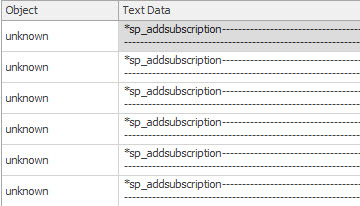
This bug has been reported to the proper authorities, and this blog post is not to dunk on the Summer Intern responsible for column store indexes, but to warn you to not do this, because I don’t know what it will break under the covers.
If you read the documentation for column store indexes, it says that column store indexes can’t be created on persisted computed columns.
And that’s true. If we step through this script, creating the column store index will fail.
/*Bye Felicia*/
DROP TABLE IF EXISTS dbo.cci;
GO
/*Hi Felicia*/
CREATE TABLE dbo.cci(id int, fk int, sd date, ed datetime);
GO
/*COMPUTER!*/
ALTER TABLE dbo.cci ADD cc AS id * 2;
ALTER TABLE dbo.cci ALTER COLUMN cc ADD PERSISTED;
GO
/*Rats*/
CREATE CLUSTERED COLUMNSTORE INDEX c ON dbo.cci;
GO
The error message we get is pretty clear:
Msg 35307, Level 16, State 1, Line 76
The statement failed because column 'cc' on table 'cci' is a computed column.
Columnstore index cannot include a computed column implicitly or explicitly.
80 Blocks from Tiffany’s
However, if we change the order of things a little bit, we’ll find that we can add a persisted computed column to a table with a clustered column store index on it.
/*Bye Felicia*/
DROP TABLE IF EXISTS dbo.cci;
GO
/*Hi Felicia*/
CREATE TABLE dbo.cci(id int, fk int, sd date, ed datetime, INDEX c CLUSTERED COLUMNSTORE);
GO
/*???*/
ALTER TABLE dbo.cci ADD cc AS id * 2;
ALTER TABLE dbo.cci ALTER COLUMN cc ADD PERSISTED;
GO
/*With data?*/
INSERT dbo.cci
(
id, fk, sd, ed
)
VALUES
(
10, 10, GETDATE(), GETDATE()
);
/*yepyepyepyepyepyep*/
SELECT
c.*
FROM dbo.cci AS c
/*Eh?*/
ALTER INDEX c ON dbo.cci REBUILD;
ALTER INDEX c ON dbo.cci REORGANIZE;
DBCC CHECKTABLE('dbo.cci');
And everything seems to work. However, if we drop the column store index, it can’t be re-created.
The key here is that the computed column is added, and then the persisted attribute is added second. That is where an error should be thrown.
But what do I know? I’m just a bouncer.
Bomber
Again, I’m telling you not to do this. I’m telling you that it might break things in gruesome and horrible ways.
I don’t think that this is a preview of upcoming support for persisted computed columns in clustered column store indexes.
If this is the kind of SQL Server stuff you love learning about, you’ll love my training. Blog readers get 25% off the Everything Bundle — over 100 hours of performance tuning content. Need hands-on help? I offer consulting engagements from targeted investigations to ongoing retainers. Want a quick sanity check before committing to a full engagement? Schedule a call — no commitment required.
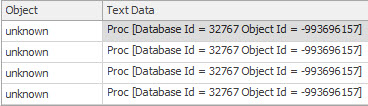
In this video, I dive into the functionality of my open-source stored procedure, SP_quickie_store, which allows you to search through Query Store in SQL Server for queries that caused specific wait statistics. I explain how it can be incredibly useful for troubleshooting performance issues by identifying the queries responsible for various types of waits, such as CPU, parallelism, and buffer IO. Although there are limitations, like not being able to pinpoint the exact query causing a block (since it’s usually the lead blocker), SP_quickie_store still offers valuable insights into query behavior and performance bottlenecks. I also discuss how to use this tool effectively, including navigating its results and understanding the context of wait statistics in SQL Server 2017 and later versions. For those interested in downloading the script or learning more about SP_quickie_store, you can find it on my website at erikdarlingdata.com under the scripts section.
Full Transcript
Erik Darling here with Erik Darling Data with a short video about how you can use my wonderful, beautiful, open source stored procedure, SP underscore, quickie store, to search query store for queries that caused certain white statistics. If you head over to, if I have this curse in the right place, erikdarlingdata.com, up at the top of my website, there’s a little header that says scripts, and if you click on scripts, there’ll be three of them there. One of them will be SP quickie store, and you will be able to find the GitHub download and everything else that you need there. Cool. So let’s talk a little bit about how neat of a feature this is. Now, for years, you needed to invest in a monitoring tool to get any sort of correlation between queries and wait stats. On its own, SQL Server never did a good job of putting those things together. There’s a lot of things I think that SQL Server could do a much better job of in general, where it comes to giving people views of performance and metrics on the server. But, you know, maybe that’s where that maybe that’s where all these expensive consultants and monitoring tool companies come in. I don’t know. Anyway, so what we’ve got is a lot of things that are going to be able to do.
So what we’ve got is this neat new thing that got added to query store, starting with SQL Server 2017, where it will start tracking wait stats. And more importantly, it’ll start tracking the queries that cause those wait stats. So it’s not as granular as regular query wait stats are. They’re sort of grouped together by like type, right? So you have like CPU, which is SOS scheduler yield. You have parallelism, which is the CX weights. You have, you know, like lock weights, which is all the lock weights. You have like buffer IO weights, which are all the like page waiting on page reading pages from disk into memory weights, all the page IO latch underscore weights. You have latches, but which are all the page latch weights. So there’s like they’re all kind of grouped together. They’re not as granular, but it’s still cool to have. And you can still get you can still figure out most stuff by looking at that. You know, the one thing that is, you know, I guess sort of, unfortunately incomplete is, I mean, this is true of anything, though. This is, you know, it’s like something very important to think about when you’re troubleshooting a blocking issue is that even if you know which queries caused lock weights, those are all the queries waiting. The query that caused the blocking is most likely not taking lock weights. I mean, you could get into a situation with a long blocking chain where certain queries that are waiting on locks would be blocking other stuff waiting on locks. But like at the head of it all, that lead blocker, that’s going to be the one that’s not waiting on a lock. That’s going to be the one that’s waiting on some other stuff, right?
CPU, memory, disk, latches, just completing, like getting every right log, getting everything that needs done. So that’s the one that’s going to be like the real culprit. Everything else was just sort of a victim of that lead blocker. But whatever, that’s nothing that we can really pin on query store. It’s just a limitation that you should keep in mind whenever you’re looking at queries and weight stats together. So yeah, there’s that. Anyway, so SP Quickie Store, my free open source store procedure, lets you do let’s you search query store in a lot of ways. There’s a whole bunch of other videos in this series about how to use Quickie Store to do other things. And sort of how SP Quickie Store works. And this one is pretty simple. Now, I recently had to clear out wait stats, or I recently had to purge out all my query store data to record a different video. So there’s not a whole lot going on in this one, unfortunately. But if we search query store for queries that caused a certain weight, what we’re going to end up with in this case is just I only have one query that’s been running in there, I had to cause a bunch of thread pool weights for a different demo. But if we look at what gets returned here, we’re going to see over in the top weights column, now this is going to be only again, only available in SQL Server 2017 plus, but you’ll see this top weights column get populated. And what it’s populated with are all the weights that this query generated. Now this is the average weights over all executions. Right? And so that’s what we’re searching on here. But it’s pretty nice to be able to figure out which query if we were looking for other stuff, you know, if we had other queries in here that cause other types of weights, we’ll be able to narrow narrow it narrow things down a little bit to there. Now. Within the top weights results set, I haven’t quite figured out a good way to order queries by this yet. I have to figure something out in there. But a workaround for now, if you also set the sort order for the type of weight that you’re searching for, if you have multiple result sets, this will still get ordered by this column over over I went too far duration, CPU, this will still be getting ordered by this column. So descending so you’ll at least get which which query caused the most weights in here, it may not be the most average weights in the top in the top weights column, but it’s better than nothing. So anyway, that’s my sort of short intro on SP quickie store searching for queries that cause certain weights. I hope you enjoy it. Again, if you need to download the script, it’s over at Erik Darling data.com. Up at the top, there’s a little header that says scripts, and that will lead you to my GitHub repo where you can download and run. And as long as you’re on a version of SQL Server that supports query store, and that supports and that you have query store enabled on, you’ll be able to analyze your query store.
With SP quickie store. Isn’t that lovely. And you know what, it runs a whole lot faster than the GUI does. Because I use query performance tricks. Secrets. Goodbye. where’d you go get?
0 There are no longer 0 8 9 9 9 9 9 OOM ș
Going Further
If this is the kind of SQL Server stuff you love learning about, you’ll love my training. Blog readers get 25% off the Everything Bundle — over 100 hours of performance tuning content. Need hands-on help? I offer consulting engagements from targeted investigations to ongoing retainers. Want a quick sanity check before committing to a full engagement? Schedule a call — no commitment required.

In this video, I delve into the intricacies of how thread pool weights do not appear in QueryStore, despite generating significant thread pool waits during execution. I walk through a detailed experiment using my custom `ThreadPooler` stored procedure and StackOverflow 2013 database on SQL Server 2019, running 150 concurrent queries to simulate high thread demand. Despite hitting the thread pool limits and experiencing contention, QueryStore fails to capture any thread pool weights, leading me to question the current implementation and documentation of the query store waitstats view. This video is a deep dive for my dear friend William at Microsoft, aimed at clarifying these details and potentially improving the user experience in the query store GUI.
Full Transcript
Erik Darling here with Erik Darling Data. Recently voted the consultant most likely to die in front of their computer by BearGut Magazine. So I’d like to thank the editors, the writers, and all the voters out there, all the BearGut heads out there who voted for me. I think what really pushed me over the edge was when I shared my Windows Update notifications where it said, we notice that you use your computer mostly between 5am and 9pm, so we’re not going to restart your computer. I think that’s what really sealed the deal for me, but, you know, just want to make sure, make sure they show everyone at BearGut Magazine my appreciation there. Love you guys and gals, all you fine people at BearGut Magazine. So, this video is for my dear friend William at Microsoft, and it is to hopefully clarify some details around how I think that thread pool weights do not actually end up in QueryStore. So, to kind of step through a couple things up front, this is QueryStore. I have recently purged all QueryStore data from here because I don’t, I want to start fresh. I had a little bit of a difficult time clearing that out. There were some really interesting things that I had created in there. That’s okay.
What was I going to do? Take a backup? Okay. So, that’s that. So, this is QueryStore. It’s on. The capture mode is on. The wait stats capture mode is on. Everything is good to go here. That’s StackOverflow 2013. The store procedure that I’m using to generate thread pool is a store procedure called ThreadPooler right here, and the query in it is written in kind of a funny, silly way in order to do a very specific thing. And that very specific thing is run at, come on, buddy, run at DOP8 and reserve eight threads per concurrent parallel branch, which brings us to 24 threads, because the best way to generate thread pool is to generate parallel queries and run a whole bunch of them at the same time.
In order to run a whole bunch of them at the same time, we’re going to be using Osterest, but we’ll talk about that in a minute. So, this is a freshly restarted SQL Server. I just restarted it before recording this because I want wait stats to be buck naked.
We have nine thread pool waits on the server. We have nine thread pool waits because the thread pool is an artifact of both of creating threads, which happens during SQL Server’s lifetime. It will create and trim the family of threads that run queries on here. So, when you create threads, you hit thread pool waits.
Not for a very long time. You can see the max wait time is one millisecond. And, you know, that’s pretty good. That’s pretty fast. Fast threads. It must be using lightweight pooling or something. It must have priority boost turned on to get threads created that quickly.
But we have these thread pool waits on the servers. We have a few of them. Not a lot, though. So, fine. In sys.queryStoreWeightStats, this should be completely empty because I haven’t run anything. WeightCategory2 is, of course, the one that would be responsible for tracking thread pool waits.
So, I have SPPressureDetector, my shameless plug for my store procedure here, which is going to tell us some information about CPU pressure on the server. I’m using the remote DAC so that I don’t get held up by the test that causes thread pool waits because there’s nothing more useless than sitting there waiting for DMV queries to finish.
So, my server is allowed… Oops, I didn’t do that very well. I didn’t frame that up very well. My server is allowed to use up to 744 threads. We have currently used 39 threads, and we have 665 threads available.
Nearly 666 threads available, which would be devil worship, which is the only way that consultants actually get business. So, I don’t know.
I don’t know what the correlation there is. Maybe I should worry about business if I only have 665 threads. But, yeah. So, this is the current setup for this. The way I’m going to be testing things is running my thread pooler procedure against the StackOverflow 2013 database.
Again, making sure that context is ultra clear here. This is the server we’re hitting, SQL Server 2019. And I’m going to be running 150 threads over 20 rounds of executions. So, 150 concurrent queries of thread pooler.
I was running this up higher before, but I was getting a lot of timeouts from Ostrust. And I don’t want timeouts. I want queries that hit thread pool, but complete.
I don’t want there to be failed executions getting into the mix and mucking things up. Because, even though I know Query Store tracks failed executions, this is a failure before anything even happens. So, there’s no way the Query Store would be able to say, oh, you were going to run that query, but you couldn’t get a thread.
So, there’s no way to put that together. So, I don’t want failures. I want contention, but not like timeout, disaster, the usual kind of thread pool stuff that I demo. So, let’s kick that off and get that working.
And we’re immediately going to see SP Pressure Detector telling us about thread pool weights. All right. So, you can see that we are the 704 threads that we are allowed to use. We have used 755 now.
We’re at negative 59. So, that’s a bad time. And we have 17 requests waiting for threads. And that’s going to be just about 17 down. Oh, wow. More than that. So, in the span of time between this query running and this query running, 10 extra threads got on a line waiting for CPU.
That’s fun. Or 10 extra tasks started waiting for the thread, rather. If we run this a couple few times during the course of things going, we’re going to see more thread pool weights here and there.
So, we’re going to see some. We’re going to see them come and go. And we’re going to see, if we look at Ostrass first, we’re not going to see anything timing out. When Ostrass has queries time out, it gets very, very loud about it.
There’s all sorts of messages and flooding and going on in there. But if we run this, you know, and we find some stuff with this thread pool, come on, baby, give me something. Anything.
One row, one row. Screw you. Make me look bad in front of my friend William. What we’re going to see over here is something kind of interesting. You know, there’s a bunch of queries executing at DOP8 that have 24 worker threads. But then as we get down a little bit lower, we’ll see SQL Server starting to force some queries to use lower DOPs because we’re hitting these thread pool weights.
Right? So, we’ll see DOP7, DOP3, DOP1, and then, you know, whatever. So, we can tell that we’re hitting thread pool. But we can also tell that queries are at least finishing.
Right? Like, queries are getting through and eventually completing. So, there’s that. Great. Wonderful everything. We’re going to see as this thing starts executing that weights are going to, or thread pool weights are going to go up on the server.
Not constantly because we’re not constantly hitting thread pool anymore. You know, it was sort of inconsistent in the pressure detector stuff where, like, some queries were and some queries weren’t. But, you know, we see that from the, I think, nine waiting tasks that we had before, we’re up to 616 now.
So, we added a whole bunch of them in. You know, if we run this, we might see some more. I don’t know. I forget. So, whatever.
This thing has been dragging on long enough. Oh, there’s a whole bunch more. Woo-hoo! We hit more thread pool. We did our job. Let’s come back over here and look. Okay. Maybe it hasn’t quite made it to that DMV yet. Consistency is an eventual thing, I suppose.
So, let’s kill that. And let’s poke around a little bit. We’ll see thread pool weights down here. We don’t see any weights in here.
We don’t see any thread pool weights in query store. And if we run here, we’re going to see, you know, queries and stuff running. We see all sorts of other weights get populated, but nothing for that weight category of thread pool. So, that’s a bummer.
And, you know, we can probably see if we poke through query store. Maybe. I mean, I hope we do anyway. If we go look at query store. And we go look at top resource consuming queries.
And let’s view those. And let’s see here. There’s our top resource consuming query. And that’s from our stored procedure thread pooler, which had 293 executions. All right.
So, it did a lot of work. Did a lot of stuff. Executed a whole bunch of times. We did a bunch of thread pool. But we have no thread pool weights in here. All right. If you look at wait time, query ID 37, you know, there’s no wait time. So, I don’t know.
Whatever. I’m exhausted. Give me a break. If the query store GUI worked better, that would be probably more illustrative that we didn’t have any of that in there. So, I don’t know.
Maybe that’s a separate issue that I’ll open up. Fix the query store GUI. Get some UX in the query store GUI. Something like that. User experience points. Tell a user story.
Great user story with the GUI. Anyway. William. I hope you enjoyed this video. I hope it helps you in your quest to fix the documentation in the query store waitstats view. Anyone else watching this?
You shouldn’t have watched it. This video was only for my best friend William at Microsoft. So, you’re a disgusting individual. And I’ve lost all respect for you. All the non-Williams out there. How dare you intrude on this special time that we had together.
Anyway. It’s Friday. So are you. I’m going to leave now.
Going Further
If this is the kind of SQL Server stuff you love learning about, you’ll love my training. Blog readers get 25% off the Everything Bundle — over 100 hours of performance tuning content. Need hands-on help? I offer consulting engagements from targeted investigations to ongoing retainers. Want a quick sanity check before committing to a full engagement? Schedule a call — no commitment required.