I Know You
None of your stored procedures are a single statement. They’re long. Miles long. Ages long.
If you’re troubleshooting performance for one of those, you could end up really causing yourself some headaches if you turn on actual execution plans and fire away.
Not only is there some overhead to collecting all the information for those plans, but then SSMS has to get all artsy and draw them from the XML.
Good news, though. If you’ve got some idea about which statement(s) are causing you problems, you can use an often-overlooked SET command.
Blitzing
One place I use this technique a lot is with the Blitz procedures.
For example, if I run sp_BlitzLock without plans turned on, it’s done in about 7 seconds.
If I run it with plans turned on, it runs for a minute and 7 seconds.
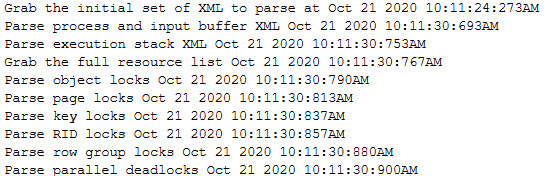
Now, a while back I had added a bit of feedback in there to help me understand which statements might be running the longest. You can check out the code I used over in the repo, but it produces some output like this:
If I’m not patient enough to, let’s say, wait a minute for this to run every time, I can just do something like this:
SET STATISTICS XML ON;

    /*Problem queries here*/

SET STATISTICS XML OFF;
That’ll return just the query plans you’re interested in.
Using a screenshot for a slightly different example that I happened to have handy:

You’ll get back the normal results, plus a clickable line that’ll open up the actual execution plan for a query right before your very eyes.
Thanks for reading!
Going Further
If this is the kind of SQL Server stuff you love learning about: these days I have AI do the annoying stuff for me. My new video course teaches you to work the same way, and I teach whole teams in a one-day workshop. Someone still has to know enough SQL Server to keep the robots in check, and that’s what my training is for.
Great post indeed! there is this option in Postgresql too FYI 🙂