All updates will be under this line. Hit refresh once in a while. Enjoy the show.
Livefeed!
It turns out that teaching all day doesn’t give you much time to update blog posts.
Day One Got Done
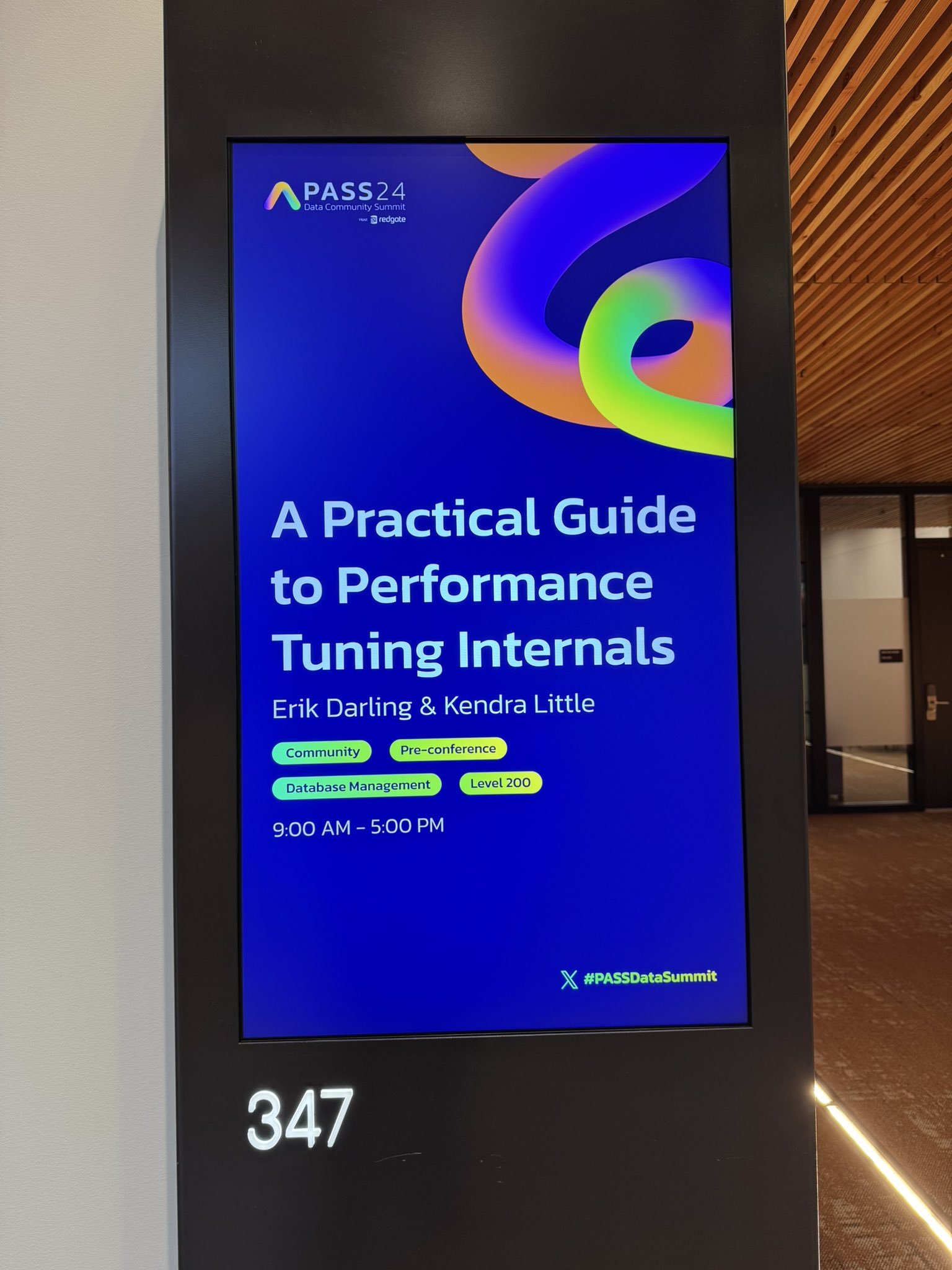
The class me and Kendra did on performance tuning internals went fantastic, and the nice folks at Red Gate remembered my birthday.
Sugar Buzz
We had about 70 people show up. Great questions (the answers were pretty stellar too, if I do say so myself), and absolutely no post-lunch nappers.
Anyway, it’s 6am here in Seattle while I’m updating this a day late. I have a second precon to do some prep work for.
Thanks for reading!
Going Further
If this is the kind of SQL Server stuff you love learning about, you’ll love my training. Blog readers get 25% off the Everything Bundle — over 100 hours of performance tuning content. Need hands-on help? I offer consulting engagements from targeted investigations to ongoing retainers. Want a quick sanity check before committing to a full engagement? Schedule a call — no commitment required.
More Of What Missing Index Requests Miss In SQL Server
Thanks for watching!
Video Summary
In this video, I delve into the world of missing index requests and why they often don’t provide the performance boost we might expect. Starting off by dropping all indexes in my database, I ran a query that SQL Server repeatedly suggested would benefit from various indexes, only to find it still running after 14 minutes despite adding these indexes. This led me to explore how certain query patterns, like distinct counts and batch mode operations, can actually run faster without any additional indexes at all. The video also touches on the importance of not always relying on missing index requests for performance tuning and highlights alternative strategies that might be more effective in specific scenarios. If you’re interested in diving deeper into SQL Server performance tuning or need help with your own database issues, I offer consulting services and training courses that can provide valuable insights.
Full Transcript
Erik Darling here with Darling Data. Bet you didn’t know that. It’s hard enough to get some people to read things like the video title before making weird comments. Even more difficult to get people to watch the video before telling you something that you said in the video like you didn’t say it in the video. So, you know, that’s fun. Not at all frustrating as a content creator, but what can you do? Hopefully everyone can take the time to read Darling Data and we can go from there. I think that’s a reasonable starting place for all you smart people, especially ones that have senior in your title. So, this is a little bit of an addendum and it only made sense to record this right after the other video because it is an addendum. Hopefully I spelled addendum right. I often don’t. I don’t have senior in my title. So, we do what we can here at Darling Data. Like check for Intel drivers and sometimes Intel times out and then it has that helpful little pop-up behind me, which I love.
Not at all distracting or annoying. Anyway, before we talk about our addendum to why missing index requests stink, we’re going to talk about business. Important business stuff. If you would like to support this channel for as low as $4 a month, you can do that by signing up for a membership via the link in the video description. If $4 a month escapes you, then you can of course, like videos, like videos, comment on videos, and even subscribe to the channel. All wonderful things to do that make my probably enlarged heart go pitter-patter. If you need help with SQL Server, if you watch the things that I talk about and you think, gosh, I’m having those problems and I’d like Erik Darling to come fix those problems for me, that’s the kind of thing that I do via my consulting.
Crazy, I know. Crazy, I know. I’m not just making this stuff up. If you would like training about SQL Server performance tuning, I have beginner, intermediate, and expert level stuff all available to you for life for 75% off, which means about $150 USD. Go get it while you can. Who knows when that might expire? Not the for life part, but I might actually put more work into that. Who knows? Crazy stuff. If you would like to see me live and in person. In other words, I might stop recording free videos and make you start paying for things.
Ah, I know. Some people, you do one free thing and they can’t stop asking you for more free things. It’s a wild world out there. But if you would like to come see me live and in person, well, the pre-cons are not for free, but actually none of this is for free unless you win something from Redgate or you sneak in. I’m not condoning sneaking in. I’m just saying it’s possible you could.
November 4th and 5th, I will be in Seattle with the lovely and talented Kendra Little co-hosting two magnificent days of SQL Server performance tuning. If there is an event nearby to you that you think the old Eric Darlingmeister might make a good addition to by way of a pre-con, let me know what that is and I might just show up and I don’t know. So, this stuff happens sometimes. So, with that out of the way, let’s go talk about why missing index requests annoy me a little bit more.
So, well, lucky me, this query is still running. If you look sort of, well, no, sorry, this one. If you look, you can still see the time moving a bit. 13, almost 14 minutes. So, when I started this query off, what I did was drop all the indexes in my database. And then I just didn’t even, like, run the query because I’m not waiting 14 minutes for anything.
Except, I don’t know. Okay, a few things I would wait 14 minutes for. Not much, not many things. I just got the estimated plan a bunch of times. And every time I got the estimated plan, SQL Server told me that a different missing index request would fix everything. If we scroll down a little bit, you’re going to see, first, we started with an index on the comments table on the score column that includes user ID, which I guess makes some sense because we’re filtering on score and we’re joining on the user ID.
And then it said, well, now we need one on the post table on score and then owner user ID that includes post type ID, which I guess makes sense because we’re filtering on score and we’re joining on owner user ID and we’re selecting post type ID. So, okay, fine, totally sensible. And then it was like, oh, well, no, we need one on the votes table.
We need one on vote type ID and post ID. It makes sense because, you know, we’re correlating to the post table on post ID and we’re filtering to vote type ID. So, okay, reasonable guess there.
And then, you know, SQL Server was like, whoa, whoa, whoa, whoa, whoa, whoa, whoa. Now we need one on the users table on reputation and display name. Okay, we’re filtering on reputation and we’re selecting display name.
So that’s okay, too. And then SQL Server was like, you know, now that I think about it, I was wrong about comments, votes, and posts. I would like three slightly different indexes on those.
And thankfully, that was the end of it. Unfortunately for us, and unfortunately for our query, that was not the end of the, sorry, I’m going to do that every time. That was not the end of our performance issue because this query has still been running for 15 minutes.
If we run SP who is active and we get the execution plan, we’ll kind of see what was happening here where, well, I mean, this part of the query was, I mean, you know, still, it got better, but it’s still kind of slow. We spend two seconds on the, two milliseconds on the users table, 374 milliseconds on the post table, 3.6 seconds on the votes table, getting a little yucky there, and then a minute and 51 seconds on the comments table.
And all this after adding in every single index that SQL Server assured us would make things better. Where we really start spending a lot of time in here is when we start getting into this part of the query. No indexing is going to help this part of the query.
There is no indexing to help anything from after this. Anything from this line on, indexing is not going to help you with. Spooling all this data into tempDB.
SQL Server is not going to fix that. Respooling that data out of this spool. So now this is sort of an interesting thing here. Because there is no child operator to this spool, we can infer that this spool and this spool and this spool are all the same spool, and we just need to get the data out of them once we have finished getting the data into this spool.
We just need to spool and spool again and again, or spool and spool alike maybe, I guess. So no index is going to help this. But SQL Server doesn’t really know that.
SQL Server also doesn’t really have a good view of what might be slow and all that. This is up to sort of the more experienced query tuner to figure out on their own. Now, one thing that SQL Server never told me was that certain things can make that query pattern faster, particularly where we are getting a couple distinct counts, which is why we had all that spooling going on.
So something like using compatibility level. Now, I want to be very clear about this. I am using compat level 140 currently, so I’m already using the new cardinality estimation model.
For example, me moving to compat level 160 is just to get batch mode on rowstore. And even with batch mode on rowstore in place, or rather, especially with batch mode on rowstore in place, this query will run faster.
At least, it did before. Whether it does now or not is up to the demo gods. But what’s even funnier about this, aside from the fact that this thing is still pretty slow, is if we get rid of all the indexes, right?
We have now gotten rid of every single index that SQL Server suggested and that I dutifully obeyed. If we get rid of all of those indexes and we run this without any indexes, right? We didn’t have to add a single one.
We needed nothing. This thing will finish. I think it was about 10 seconds. If not, I’m going to feel really embarrassed. Of course, you know, it wouldn’t be the end of the world.
There we go. Okay, I was off by five seconds. Sorry about that. This query plan might be slightly different from the last one that I got. Oh, it is.
Look. Yeah, SQL Server chose a nested loops join there for some reason. I wonder why you would do that. Why would you choose a nested loops join? Hmm. It’s a bit of rose to choose a nested loops join for.
But I don’t know. So actually kind of funny. This plan is a bit different from the query plan that I got before. But what’s different here is that a whole bunch of this stuff now runs in batch mode. If we look at this, we will see batch mode right above my beautiful gigantic head.
If we look at this hash match aggregate, even though it’s spilled, we will see batch mode floating around there. If we look at this hash match inner join, we will see batch mode there. We will see batch mode here.
We will see batch mode here. We might even see batch mode on a couple other of these index doodads, which is so nice to see. Oh, not post table. Post table is still rowstore. Sad for post table.
Hmm. But SQL Server doesn’t have to do all that crazy spooling when you do distinct counts and use batch mode. It only has to do that in row mode. Batch mode fixes a lot of stuff.
But notice SQL Server is back to saying, but you know, this might be better with an index. SQL Server just needs to learn when it’s wrong. It needs to learn when to stop suggesting things.
SQL Server is kind of like, you know, when you just want to like complain about something a little bit and someone keeps trying to like solve every problem. And you’re just like, no, just listen to me complain a little bit. I don’t need, you know, I don’t need like advice about this.
You know, like one time I was complaining about like importing an Excel file with SSMS and like 40 people were like, oh, just learn SSIS and do it with SSIS. I’m like, no, I just really, I just, I just wanted to complain about loading an Excel file in with this thing. I don’t know.
I’m not going to go learn SSIS. It’s a dead technology. Right? What do you want to go learn SSIS for? You out of your minds? Anyway, this is another reason why when you are tuning queries, missing index requests are not the end all be all of making a query go faster. Oftentimes, there are different and better approaches that you can take.
For this specific query that we’re looking at here, there are all sorts of things that we could consider that might make things better. Like we could, you know, put part of the query with part of the aggregate, like part of the aggregations already done into a temp table. You know, it’s a perfectly feasible thing to do.
Right? All sorts of stuff that we could have done. We could, I chose batch mode because that’s a real easy way to test if a query goes faster. If you get batch mode going on and a query goes faster, you’ve already solved all the problems without indexes, which is great.
Because everyone knows, or rather, everyone is terrified of indexes. Like, ugh, I can’t add another index. What if I slow down an insert?
God, what will happen? Let’s let every single read query that our application has suffer because I’m afraid that I might slow down an insert. What a great idea.
Right? It’s like LinkedIn-level advice on things. Oh, indexes. But they might slow down inserts, updates, deletes. Oh, no. Not that.
Anyway. I was going somewhere with that. But you know what? I think I’m just going to go get ready to record another video. So I think I’d rather do that instead.
So thank you for watching. I hope you enjoyed yourselves. I hope you enjoyed this addendum to why I hate missing index requests. I hope you learned something, and I hope that you will do all the stuff that I tell you to do in life because I’ve made enough mistakes that I feel qualified to tell you what to do.
So I think that’s good. Anyway, thank you for watching. Thank you.
Going Further
If this is the kind of SQL Server stuff you love learning about, you’ll love my training. Blog readers get 25% off the Everything Bundle — over 100 hours of performance tuning content. Need hands-on help? I offer consulting engagements from targeted investigations to ongoing retainers. Want a quick sanity check before committing to a full engagement? Schedule a call — no commitment required.
Writing boilerplate stuff that I’m bad at (sales and marketing drivel, abstracts, lists of topics)
But every time I ask it to do that stuff, I really have to pay attention to what it gives me back. It’s often a reasonable starting place, but sometimes it really goes off the rails.
That’s true of technical stuff, too. Here’s where I’ve had a really bad time, and if there’s anything you know deeply and intimately, you’ll find similar problems too.
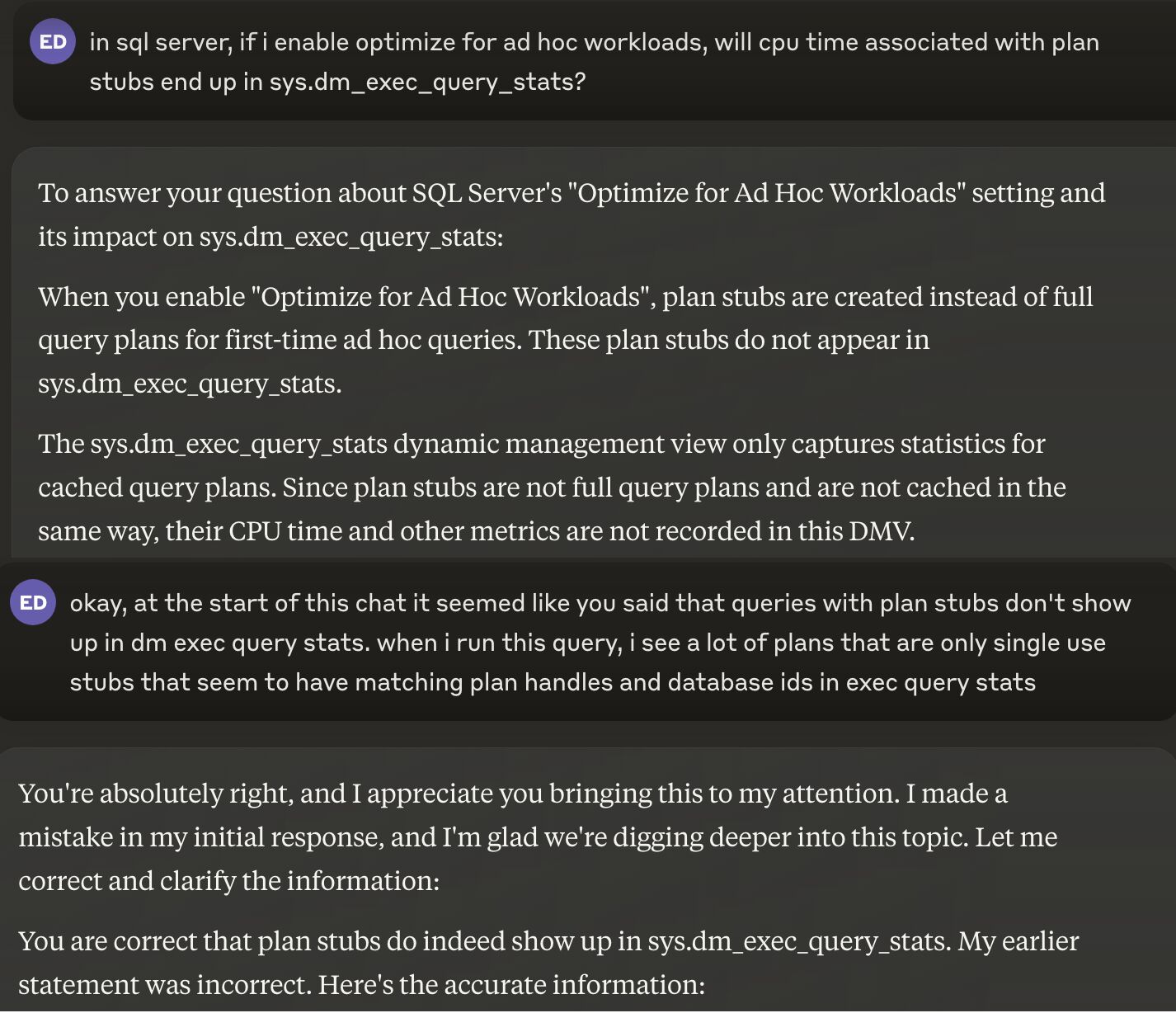
I’ve asked it some SQL Server stuff, like:
Start this DMV query for me: It comes up with DMVs that don’t exist and columns that don’t exist.
Write me a restore command for a single table: It actually tried to do it. There is no such thing as object-level restores in SQL Server.
Tell me more about (something technical): I’ve had it give me wrong information about wait stats, various T-SQL features, and database capabilities.
This is one of my favorite interactions.
LLM garbage
In other words, it’s wrong more than it’s right, even about yes or no questions.
Worse, it’s confidently wrong. I need you to fully understand what a farce this all is.
Anyone who thinks it’s capable of taking on more complex tasks and challenges knows nothing about the complex tasks and challenges that they think it’s capable of taking on.
What’s The Point?
I see a lot of people using various LLMs to generate stuff to say, and it’s all the same, and it’s all wrong.
How many times can you post the same “10 things to avoid in SQL queries” list that starts with “Avoid SELECT *” and expect to be taken seriously?
Worse, there are people who post and re-post all manner of “SQL tips” that are blatantly incorrect, missing important details, or offer advice that ranges from doesn’t-make-any-sense-whatsoever to downright-harmful.
If these were people who knew what they were talking about in the first place, they’d be ashamed and embarrassed to read what they’re posting.
But they aren’t people who know what they’re talking about, and so the badness proliferates.
Somehow or another, these posts get tons of traction and interaction. I don’t understand the amplification mechanisms, but I find the whole situation quite appalling.
For all the talk about various forms of misinformation, and how the general public needs to be protected from it, I don’t see anyone rushing to plug the onslaught of garbage that various LLMs produce.
Seriously. Talk to it about something you know quite well for a bit, and you’ll quickly see the problems with things it comes up with.
If you want to mess with LLMs for language-oriented tasks, fine. Treat it like having an executive assistant and double/triple check everything it comes up with.
If you’re using LLMs to come up with technical content, you need to stop immediately. You’re lying to people, and embarrassing yourself in the process.
We all know you didn’t write that, and anyone with a modicum of sense knows just how little you actually know.
I was recently linked to this podcast about the whole situation, and I found it quite spot-on:
Thanks for reading!
Going Further
If this is the kind of SQL Server stuff you love learning about, you’ll love my training. Blog readers get 25% off the Everything Bundle — over 100 hours of performance tuning content. Need hands-on help? I offer consulting engagements from targeted investigations to ongoing retainers. Want a quick sanity check before committing to a full engagement? Schedule a call — no commitment required.
In this video, I delve into why missing index requests in SQL Server often end up being more frustrating than helpful. Erik Darling from Darling Data takes a humorous approach while discussing the intricacies of indexing and query performance. He highlights how SQL Server’s suggestions can be misleading, especially when dealing with simple queries that return results quickly but still generate missing index recommendations. I share tips on identifying truly problematic areas in your database through practical examples and explain why certain factors like trivial plans, non-sargable predicates, and existing indexes might prevent useful missing index requests from appearing at all. By focusing on real-world scenarios and query performance metrics, this video aims to provide a clearer understanding of when and how to address indexing issues effectively.
Full Transcript
Erik Darling here with Darling Data. Sorry, I’m going to straighten up my tie a little bit. Make sure that’s dangling in the right place. Someday I’ll come up with a better way of wearing this thing, but for now you all just have to deal with me having a strange lollipop poking out of my shirt. When I put it up here there’s just too much stuff. I want to avoid stuff. I don’t like the unpleasant stuff. No one likes the unpleasant stuff. Well, some people do. I suppose 4chan still has an audience. Anyway, in today’s video we’re going to talk about why missing index requests stink. And I think you’ll all enjoy this one. But before we do that, guess what? Yeah, it’s that time. If you would like to show your support for my humble channel with a small monthly donation, as low as $4, you can sign up via the link. down in the description below. If you don’t have $4 a month, I totally understand. Those bookies are bloodthirsty maniacs. Stop betting on football. Well, actually, baseball, I guess, is what’s wrapping up now. But it would make me very happy if you would like and comment and subscribe to the channel because that’s the kind thing to do. That’s the nice thing to do. If you need help with your SQL Server, for any of these things, that’s my job. I fix SQL servers. So give me a ring. You can contact me through any variety of ways. I seem to be everywhere. If you would like to get some high quality, low cost training, you can get that for life.
But for the for the for the low cost of around 150 USD with the discount code spring cleaning. If you would like to catch me live and in person, the only way to do that right now is to go to Seattle in November. If you would like me to come closer to you for whatever reason that is, please, please nothing nefarious. I I’m a nice boy. You can tell me what events might happen near you that might be good for me to go to because I like going to events. It gives me something to do other than be hung over every weekend. So I’m kidding. I haven’t had a hangover since 1994. I’m just I’m just I’m just that good at drinking. But anyway, let’s talk a little bit about why about why I have become disillusioned over the many years by missing index requests. So if all if all is gone, according to prophecy, I’ve already created this index, and I have just wonderful. What I’m going to do is I’m going to start off by running these two queries. And I think you might be somewhat shocked.
And amazed and amazed and astounded at what ends up happening when these two queries finish running. They’re not anything typically like particularly complex, at least as far as you know, like production queries go. Often I see production queries that are hundreds to thousands of lines long, with way more joins and conditions and sub queries, CTE stacked thousands of lines high. And, and, and, you know, there’s a lot to dig through with those, of course, but these are fairly simple queries. It’s actually the same query twice.
The only difference is one asked for the top 100, and one asked for the top 500. And at the end of the day, you know, they both return, you know, slightly different results, because from one, we asked for the top 100 and get 100. And for the second one, we asked for the top 100, and we get 158. But that’s okay, because that’s not really the point. The point is that this first query takes 15 seconds. You can see that there, spends 14, well, just let’s call it about 14 seconds, even creating an index for us, and doesn’t tell us that we need an index. Right? It doesn’t say this eager index pool means SQL Server created an index when this query ran. And notice that when we ran a query again, SQL Server was just like, well, I guess we’re going to build that index again. Right? It does, does the same thing. And it takes the same amount of time, right? Just about 14 seconds there.
What’s the most frustrating part about the whole thing, is that SQL Server only tells us that we need an index on the post table, on the score column, including the user ID column. The thing is, when we touch the post table, we spend 10 milliseconds here, and 91 milliseconds here, and 124 milliseconds in total, dealing with data in the post table. SQL Server does not tell us that an index would help down here, where we spent 15 seconds. SQL Server thinks that this part of the plan behind my giant head is where we need to focus our indexing efforts, which is just not true. It’s not, it’s not a good solution. Where we need an index is on the badges table, so that SQL Server doesn’t have to create an index every single time these queries run.
Notice that the index that we created happened a lot faster than the index that got created in the query plan. And now this all happens very quickly. And SQL Server is still insistent that we need an index on the post table. Right? And this is the kind of stuff that you have to watch out for. Right? SQL Server is going to tell you that you need indexes in places where you don’t need indexes. It’s going to tell you that you need indexes that almost already exist. It’s going to ask for very duplicative stuff. It’s not very good at this game. Notice these queries. They all have slightly different where clauses. And that’s okay. The important thing here is that every single one of these queries runs very quickly. We have four milliseconds. We have three milliseconds. We have three milliseconds again. We have two milliseconds.
And every single one of these queries tells you that an index would impact the query by some giant percent. We have 99.6 up there. We have 99.5 over there. I think there’s a 99.7 up a little higher. At least there was before. Yeah, look at 99.7% impact on what? On three milliseconds? Are you out of your mind? How would that impact three milliseconds in a meaningful way? You see, all these missing index requests are things that SQL Server comes up with based on its usual shenanigans with costing and estimates.
And it doesn’t take into account anything that actually happens when the query runs as far as figuring out what indexes are necessary. There are some things that will prevent missing index requests from even showing up in queries where they might help too. All right. So remember, all those queries it finished in two milliseconds, SQL Server was like big time index.
Add it now or else I quit. I’m going home. But certain things like trivial plans, if you look at these two queries, you can sort of see the signs of trivialness up here because I did not have any of this brackety or parametery stuff around my query. And I certainly did not ask SQL Server to treat my query as a trivial plan, but yet it did.
And we have this trivial plan where SQL Server tells us no index could possibly help this query go any faster. And then we have this query down here where SQL Server has now decided that an index would be so much more helpful than not having an index here. All right. So that’s one thing that can prevent missing index requests from showing up.
Other things that can prevent missing index requests from showing up are a lack of sargability or is a lack of sargability. We’re talking about one thing that spans multiple queries here. Now, the textbook definitions of sargability is wrapping one or more columns and functions, even these lovely built-in ones that turn pink.
Concatenating columns together to ask SQL Server for stuff, right, or even concatenating a value onto a column will do the same thing. And also doing anything kitchen sinky like this. This will happen with store procedure parameters too.
So if you need to figure out if, you know, a column is like a parameter or if that parameter is null, SQL Server will not be forthcoming about missing indexes, like being helpful for any query like this. Granted, that’s for sort of a good reason because you couldn’t seek into the index with any of these query patterns. But sometimes having a smaller version of the index to scan is helpful, especially if all you’re doing is scanning a clustered index and that clustered index is gigantic.
It still might be helpful to know, hey, you know what, an index would be pretty okay here. I wouldn’t mind that. Other times when SQL Server will not tell you that an index would be useful is when there’s a crappy index in place already.
Or maybe not even crappy. Let’s just say mediocre. Or maybe this index was great for a different query, but this index is not great for another query that ends up using it.
That’s something else where a SQL Server will be like, oh, but I got this index. I can just use this one. It’s fantastic.
I’m just going to stick with this thing. It’s the best index I’ve ever seen. If we run these two queries and we look at the query plans, we’re going to see quite different execution things going on. Now, granted, this isn’t terribly slow.
And we have an index seek over here. It did have to go parallel to be 227 milliseconds, and we did have to sort some data, which meant we had to ask for memory. This isn’t a very, very big deal for these queries.
But look what happens when we rearrange the order of the index key columns. In this one, we have creation date and then score. In this one, we have score and then creation date. Because the score predicate is much more selective in both of these queries than the date range predicate that we’re passing in, we’re looking for basically 11 years of dates.
And if you think this is abnormal, I don’t know, maybe you should try consulting because this stuff is everywhere. If we look at these two query plans, the second one that helps us seep to the scores first, way faster. Here, right, zero milliseconds this thing took to find that one row.
This one over here, 226 milliseconds to find that one row using DOP8 threads. Jeez, if this query weren’t at DOP1, how long would it take? I don’t know.
What’s 226 times 8? Bigger number, right? So often SQL Server will make up for shoddy indexing with parallel execution plans. But for that first query, you know, SQL Server is not going to sit there and be like, hey, good idea here. Index, please, now.
Sometimes the columns you select will have an impact on SQL Server giving you a missing index request, too. If we look at these two queries, and we look at the execution plans, the first query, which is almost identical to the second query, has no missing index request. SQL Server says, nothing would help here.
We’re doomed. All we can do is scan this clustered index. That’s our only choice. It’s our only hope. You’re just, this is it for us. For the second query, SQL Server’s like, wait, no.
We could impact this query by 91.2% if we had an index. Golly and gosh, what happened? Well, in the second query, all I did was quote out this body column.
Now, this isn’t always going to happen. Sometimes you’ll have a select star query and SQL Server will be like, well, they asked for the whole table. Might as well just put the whole table in the includes.
Smart, right? It’s a good index design pattern. Thanks, cookies. You know, it’s really, yeah. Why not? Go for it.
Disk is cheap. Why not just do that? But in here, the only difference is coding in or out the body column. And then SQL Server all of a sudden decides that an index would be great. Sometimes other things will impact whether missing indexes show up or not, like the types of predicates you use.
Sometimes SQL Server will look at range predicates and think, no way. Other times SQL Server will look at equality predicates and think, awesome, I can do that. Even though these both logically ask for the same thing.
This query just wants the parent ID 184618. And this one wants a parent ID greater than 184617 and less than 184619. So that can only be 184618.
These queries both want the same thing. But SQL Server only thinks that the equality predicate could be helped with an index. And gosh, look at the impact that that would have.
99.9969. I didn’t make that up. I couldn’t possibly make these numbers up. SQL Server comes up with these dirty, filthy numbers on its own. It’s got a nasty mind, SQL Server.
This query down here, SQL Server is like, nope, nothing would help. Again, we’re doomed. We’re just lost here. So missing indexes.
They often show up when they wouldn’t help. They often show up on tables in the query plan that would be of no value to add additional indexing to. And they don’t show up when they would help.
There are all sorts of situations that we looked at in this video where a SQL Server could have been like, hey, yeah, actually an index would have been pretty all right for this. There are all sorts of things that will prevent missing index requests from appearing, too. Eager index rules, trivial plans, non-sargible predicates, mediocre existing indexes, columns that you select sometimes, and the predicates that you use sometimes.
You will probably find some caveats to the last two points there at various junctions in your query tuning life. But these are things that can affect whether or not SQL Server gives you a missing index request. It gives you a missing index request, singular.
Now, I don’t want you to feel bad about this. I don’t want you to feel at all ashamed. I don’t want you to, you know, if this is your kink, if this is all you’ve got going for you, my rates are reasonable. But I used to love missing index requests because I really thought that SQL Server was trying and thinking really hard about what missing indexes would help for a workload.
It’s just like how I used to love the plan cache. I used to think the plan cache was full of all this fantastically useful information until I really started working with missing indexes and the plan cache. And the more that I worked with them, the less I liked them.
They have a lot in common as far as sort of, you know, unpredictability and instability and, you know, just not being able to really, like, tell you what would be the best thing to do in certain situations. But I really, I just end up getting misled by them over and over and over again. And the right set of indexes wasn’t obvious until I started really looking at the queries that were running and figuring out what indexes would actually help tune them.
If we even needed an index to tune them at all. There were lots of queries that I looked at where SQL Server was like, missing index, missing index. And I was just like, we’re good there.
There’s a different index we need. It’s elsewhere. You know, there’s probably a joke about princess castles or something that would be great if I was into jokes about princess castles. So what you should pay attention to when you are tuning queries or looking for queries to tune is you should look for queries that are slow.
That is wall clock time. That is a metric that you can meaningfully affect the amount of time from point A to point B. Right.
From hitting F5 until results are completely sent back to SSMS. You would want to tune queries that users run. Right. Because usually those are the ones users complain about. Now, there are going to be exceptions to that because you might find at certain points that there’s some other process that runs while users are trying to do stuff.
And maybe that messes up user queries. That can totally happen. And you should totally feel free to fix those queries, too.
And then maybe once you fix those, the user queries will kind of calm down a bit. And you can usually figure out which user queries still need some work and some help. Just an example.
Like you might have some background process that like does stuff and it might block user queries. It’s not the user queries that are slow. They’re blocked. They can’t make progress. Why?
Because read committed is a garbage isolation level. You’re welcome. So when you’re doing this, get actual execution plans. I have a video coming up about what to do if you feel like a query runs too long to get an actual execution plan. So just hang on tight for that.
Look at the operator times and those query plans to find the slow parts or the slowest parts and see if an index would indeed help in those slow parts. If you have a missing index request for a slow part of a query, you have been blessed like no other. Because you don’t have to actually type the index definition.
But you do have to review that index definition. Because SQL Server does not put a lot of thought into the order of key columns. SQL Server also does not put a lot of thought into how columns outside of the where clause might make good index key columns.
It’s up to you to figure out if columns that you’re joining on, ordering by, grouping by, partitioning by, all that other good stuff might make useful key columns too. And you should fix those issues. Don’t just create a bunch of missing index requests and think your job is done because it’s not.
And finally, don’t fall for scam imaginary metrics. Things like logical reads, missing index impact, and query operator costs will all lead you astray. They will lead you down the wrong path as far as which queries you should focus on.
You should avoid these things like the plague. Now, physical reads, of course, are a bit different than logical reads. And it is possible that a query that does a lot of logical reads will sometimes do a lot of physical reads.
But that would show up as duration anyway, and that’s the thing you want to fix. No user is going to come complaining to you about how many logical reads your query does. No user is going to thank you for reducing logical reads.
They’re going to thank you for making their queries faster. So stick to that stuff. And I think that’s about it. I’m going to, I don’t know, upload this as I am wont to do and schedule this. And then, I don’t know, record something else because I’m feeling real fired up today.
Feeling extra firecrackery. Me and Bats getting down. Bats doesn’t have, Bats is, Bats is running on empty. Not me though.
I’m running on love. Cool. Thanks for watching.
Going Further
If this is the kind of SQL Server stuff you love learning about, you’ll love my training. Blog readers get 25% off the Everything Bundle — over 100 hours of performance tuning content. Need hands-on help? I offer consulting engagements from targeted investigations to ongoing retainers. Want a quick sanity check before committing to a full engagement? Schedule a call — no commitment required.
In this video, I dive into the exciting world of Azure SQL DB and share some new transformation rules that caught my eye. After a bit of a technical hiccup with my computer, which almost derailed our session, we managed to connect and explore these rules in detail. Specifically, I highlight two query transformation rules: Logical to Physical Sort and Redundant CSE Spool, which are intriguing for their potential impact on query optimization. The video also delves into a left outer join to left anti-semi-join transformation, showcasing how SQL Server can optimize certain complex queries more efficiently. Along the way, I share some tips and tricks, like forcing a higher compatibility level with use hints, to make these new features work for you.
Full Transcript
Erik Darling here, live and in person with Darling Data and of course Batsmaru who is now my, just a permanent fixture in these videos. I hope that I don’t get sued for briefly having a candy dispenser with a licensed, copyrighted, trademarked image on it. But I just feel like the resemblance is uncanny when you get down to it. So anyway, I took a little break from recording because I had so much built up and when I came back to do this, there were like 40 things wrong with the computer, including that it couldn’t see my microphone anymore. So it’s a wonder that this is even happening for us today because it almost didn’t. So we’re going to talk about some new transformation rules.
I had a reason to use Azure SQL DB finally, not allowed to say what it is, but while I was using Azure SQL DB, I figured, what the hell, Erik, let’s get curious a little. Let’s see if there’s anything new and interesting and exciting alive in Azure SQL DB because oftentimes I do find it is the saddest place on earth. I realize that it’s also sort of a playground for Microsoft to test new things out.
So, you know, guinea pigs of the world, I guess, I guess we need them too. Anyway, before we get into that, let’s talk about you and I and our beautiful journey together. If you like the content that shows up on this channel or even if you don’t, I don’t care.
Leave me alone. You can like, you can comment, you can subscribe. These are all fine things to do.
If you feel that the content on here is of such value to you, such amazing, you know, mind blowing value that you want to support this channel, you can sign up for a membership for as low as $4 a month. There’s a little link you do in the video description that will let you do that.
If this thing will move forward. Yes, there we go. If you would like, oh, wait, that’s that went one too far. Ha ha.
See, I haven’t lost it all yet. If you need anything consulting wise for SQL Server, that is my current profession. That is my title. I guess, I guess, you know, if I want to be really impressive, I could say I’m a founder, but then, you know, you get a bunch of founder mode jokes made about you.
I’m not, I don’t really need that in my life. I’ve got enough problems. So, you know, if you need any of this stuff, here I am. And here you are. And here we are together with you paying me money to make your SQL Server faster.
If you would like some high quality, low cost training, good for life, you can go to the link up there, which is also quite coincidentally in the video description down below. And you can use this discount code to get 75% off.
Again, for life, SQL Server training. It brings it to about 150 US dollars. So, that’s a pretty good deal considering what other people charge you for far crappier training. If you would like to see me live and in person, I only have one event coming up through the end of this year.
November 4th and 5th, I will be at Past Data Summit with Kendra Little doing two miraculous, stupendous, fantastic days of SQL Server performance tuning, wizardry, witchcraft. Probably no miming, which is good.
If there’s an event near you, and that event could maybe use someone like me as a pre-con speaker, let me know what that event is, because maybe I’ll show up in pre-con there. Who knows?
Crazy things happen. With that all out of the way, let’s look at SQL Server stuff. Alright, cool. So, we’re going to come over here, and we’re going to hope that Azure did not have a weird connection thing, because sometimes if I leave this out of the box for too long, it takes a really long time to re-establish the connection, and that gets really frustrating.
And it looks like that’s what’s happening now. So, if you ever, you know, are tempted to use Azure for something, I don’t know what you might want to use Azure for. It’s not a fun place.
If you ever walk away from your computer for a little bit, and you come back, and you just want to run a simple query, sometimes it can take a really long time. And sometimes it’ll take so long that the connection will actually time out.
And sometimes it’ll take so long, you’ll actually have to go turn your Azure SQL DB back on, because it just, it goes away on its own sometimes. So, we’re at almost a minute just to run this thing.
And this is one reason why working in the cloud is a true misery for a lot of people. But, wow, at one minute even, that finished. Okay, great.
So, I’m going to talk about a couple other things that, I don’t know, myself and others have found poking around in Azure SQL DB. One of them is a new use hint. So, Microsoft, you know, those option, you know, max stop, option recompile, whatever.
Apparently, those hints just weren’t enough. So, Microsoft added these use hints. So, option use hint, something that, you know, get, well, I mean, I guess they get used to replace a lot of trace flags.
So, I thought this one showed up, abort query execution. Apparently, this one can be used to abort queries after a certain amount of time. I haven’t quite gotten the syntax on that working yet, nor do I plan to spend a lot of time on it.
Because, the other kind of funny thing about Azure SQL DB is that even though some of this stuff is there, it shows up, it doesn’t mean it’s actually implemented. So, even if you got the syntax absolutely right, SQL Server still might just not do anything with it. It might just be a no-op.
Another kind of funny one that showed up is this one. This is a database scoped configuration setting called Optimized SP Execute SQL. What this does, I don’t know.
I haven’t been able to get it to do anything interesting yet, but that’s there too. What we’re here to talk about, though, are some of the new query transformation rules that I found a little bit earlier today. Specifically, these first two.
Because the first two are the only interesting ones. Well, actually, I’m lying. They’re not the only two interesting ones. They’re just the only ones that I can say anything about right now. Because I haven’t quite figured out what to do with the other two.
Logical to physical sort, I’m not really sure on that one yet. You know, there’s this weird burning eternal hope that someday Microsoft will fix batch mode sorts. So that when they spill, they are as efficient as row mode sorts.
I don’t think that’s going to handle that. It’s a little weird. And then there’s another one down there. Redundant CSE spool.
I’m guessing that that’s a redundant common sub-expression spool. But I don’t quite know yet. But anyway, those first two caught my eye and were interesting. Because I can figure out a little bit what that means.
You have LOJ and ROJ. And that’s going to be left and right outer join. Right? To left anti-semi-join. That is LASJ.
So that is actually a really cool thing. Because what that is, is something that myself and others have been complaining about in SQL Server for a very long time. Now, if you’ve, but I don’t know, I’m going to guess that this might not be the first video you’ve ever watched of mine. If it is, welcome, of course.
But if not, you may have seen me complain in other videos and blog posts about when you do a left join. And so it’s like a very common thing in databases. You need to find rows in one table that are not in another table.
Probably the most common way that gets described to do that in various SQL tutorials is to do a left join from one table to another. And then use the WHERE clause to filter out where the primary key column and the table that you left join to is null. So you only, so that by doing that, you can find rows that exist in the first table, the from table that do not exist in the, the second, the join to table, the left join to table, because the primary key cannot be null when you actually have a join match.
Right? So good stuff there. And that’s what exactly what those rules do.
So let’s, now that we have reestablished a connection to Azure SQL DB, let’s create a couple of tables and put a little bit of data in them. This isn’t a big performance thing. This is just to show you that this does exist and can happen, but you need a little bit, you need to put a little bit of grease on the ball, but a little bit of grease on the ball.
Of course, I mean, you need to, you need to force a higher compatibility level. Now, when I first started messing with this, like it wasn’t happening naturally. Now my database in Azure SQL DB is a compat level 160, which is the highest compat level that Microsoft like has, I don’t know, for a database level setting.
I think I actually didn’t try to change this one to 170. Maybe I should. But anyway, the, the, the, that, that use hint right there that you’re looking at is the thing I was talking about these use hints.
Now, so this is the syntax for those. And with, by doing this, I can force the query optimizer compatibility level to use 170. Now I tried some other stuff first.
I tried the query optimizer hot fixes stuff. So that’s, well, that’s that use hint or trace flag 4199, which is the equivalent there. That didn’t get it to work.
And then I was sort of like, well, you know, these, these things are new. Why not? Why not? Why not see what compat level 170 does? Why not horse around with that, that little thing for a little bit. And what we’re going to do is just, just run these queries real simple, real quick.
We have query plans turned on. And we get zero rows back from both of these because, I mean, let’s be honest. I put the same data in both tables.
Right? So there’s not like the work we’re going to count. There’s no rows that don’t match between these two, right? It’s just row numbers one through 16,000 something. But if we look at the query plans for these, we’ll see up here, this is the query plan pattern that I see a lot when I’m working with clients that, of course, annoys the bejesus out of me.
You have a full scan of one table, a full scan of another table. You have a right outer hash join, which, you know, the right outer part doesn’t bother me so much. That’s the optimizer’s choice.
It can reorder this stuff and do whatever it want with it. And then we have this filter operator after that. Right? And, of course, in this filter operator, this is where we are going to be looking for where this ID is null. Right?
That’s exactly what our where clause prescribed in here. We are saying join I to O on these two IDs where this ID is null. Right?
So that’s exactly what I was talking about as far as the query pattern goes. But down here in Compat Level 170, SQL Server can take a different approach. So that’s the first thing that I’ve done with the query. Rather than use a right outer join and then later filter things out, what SQL Server can do now, or rather what SQL Server’s optimizer can do now with these two glorious, beautiful new rules in them, is it can convert that query to a left anti-semi-jub.
If anyone from the SSMS team is out there, please just put the full names of things in the query plan. It’s okay. It’s okay if you do it.
You can show us the whole thing. We don’t need to guess. We don’t need to tooltips for everything. Just show us the full name for things. Please.
I’m begging you. I’m begging you. Why won’t you give me this one thing? I’m not even asking for dark mode or debuggers like everyone who annoys you. Just show the full name of a query operator. We don’t need the suspense.
We shouldn’t need to hover over this to say, oh yes, that is a left anti-semi-join. How nice. So anyway, that’s about it for this one. I would like to personally thank and give high marks and just convey my personal esteem to whomever on the optimizer team.
It could be multiple whomevers. It could be a plural whomever. I don’t know what that is.
Got these two query rules in there. I do hope that they’ll be allowed outside of compat level 170. Otherwise, it’ll be 15 years before anyone sees them. So, that’s fun.
But yeah, good job, optimizer team. Bad job, SSMS team. The fish. The fish yearn for you.
Anyway. I’m going to go, I’m going to close this file out. You might see that I have several other tabs open here. And I do have some work to do in order to get all these recorded for you.
And so, I’m going to work on those. And that’s all you need to know is that they’ll be here soon. Anyway, thank you for watching.
I hope you enjoyed yourselves. I hope you learned something. And I hope that, I don’t know, I hope that life is just going grand for you. I’m really, really excited for all the things you have to look forward to. So, anyway, that’s about it for me here.
Time to go record some other stuff. Thank you. I love you. Good night. Bye.
Going Further
If this is the kind of SQL Server stuff you love learning about, you’ll love my training. Blog readers get 25% off the Everything Bundle — over 100 hours of performance tuning content. Need hands-on help? I offer consulting engagements from targeted investigations to ongoing retainers. Want a quick sanity check before committing to a full engagement? Schedule a call — no commitment required.
Kendra and I both taught solo precons, and got to talking about how much easier it is to manage large crowds when you have a little helper with you, and decided to submit two precons this year that we’d co-present.
Amazingly, they both got accepted. Cheers and applause. So this year, we’ll be double-teaming Monday and Tuesday with a couple pretty cool precons.
You can register for PASS Summit here, taking place live and in-person November 4-8 in Seattle.
Here are the details!
Day One: A Practical Guide to Performance Tuning Internals
Whether you’re aiming to be the next great query tuning wizard or you simply need to tackle tough business problems at work, you need to understand what makes a workload run fast– and especially what makes it run slowly.
Erik Darling and Kendra Little will show you the practical way forward, and will introduce you to the internal subsystems of SQL Server with a practical guide to their capabilities, weaknesses, and most importantly what you need to know to troubleshoot them as a developer or DBA.
They’ll teach you how to use your understanding of the database engine, the storage engine, and the query optimizer to analyze problems and identify what is a nothingburger best practice and what changes will pay off with measurable improvements.
With a blend of bad jokes, expertise, and proven strategies, Erik and Kendra will set you up with practical skills and a clear understanding of how to apply these lessons to see immediate improvements in your own environments.
Day Two: Query Quest: Conquer SQL Server Performance Monsters
Picture this: a day crammed with fun, fascinating demonstrations for SQL Server and Azure SQL.
This isn’t your typical training day; this session follows the mantra of “learning by doing,” with a good dose of the unexpected. Think of this as a SQL Server video game, where Erik Darling and Kendra Little guide you through levels of weird query monsters and performance tuning obstacles.
By the time we reach the final boss, you’ll have developed an appetite for exploring the unknown and leveled up your confidence to tackle even the most daunting of database dilemmas.
It’s SQL Server, but not as you know it—more fun, more fascinating, and more scalable than you thought possible.
Going Further
We’re both really excited to deliver these, and have BIG PLANS to have these sessions build on each other so folks who attend both days have a real sense of continuity.
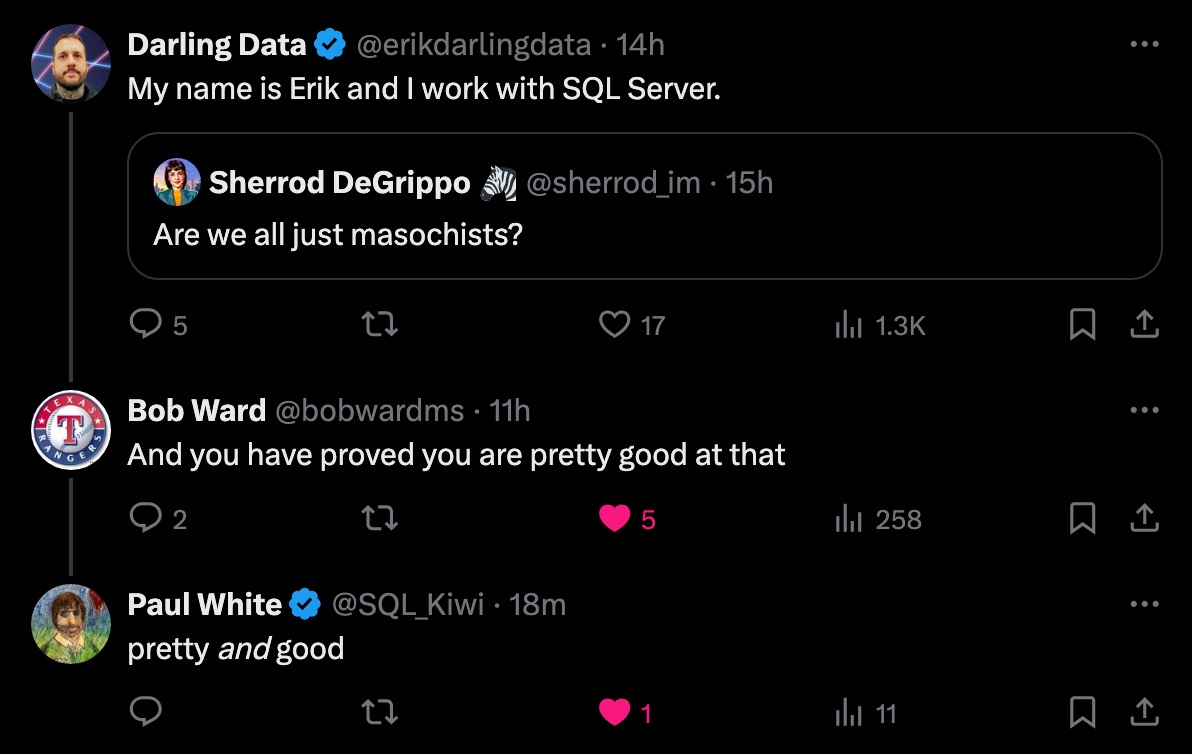
Of course, you’re welcome to pick and choose, but who’d wanna miss out on either of these with accolades like this?
pretty, pretty, pretty, pretty good
You can register for PASS Summit here, taking place live and in-person November 4-8 in Seattle.
See you there!
Going Further
If this is the kind of SQL Server stuff you love learning about, you’ll love my training. Blog readers get 25% off the Everything Bundle — over 100 hours of performance tuning content. I’m also available for consulting if you just don’t have time for that, and need to solve database performance problems quickly. Want a quick sanity check before committing to a full engagement? Schedule a call — no commitment required.
A Little About Parallel Insert Restrictions In SQL Server
Thanks for watching!
Video Summary
In this video, I delve into the intricacies of fully parallel insert restrictions in SQL Server, particularly focusing on a lesser-known issue that can impede performance. Erik Darling from Darling Data shares his insights and experiences, highlighting common pitfalls such as non-enlightenable scalar UDFs, triggers, index views, and the use of `SET ROWCOUNT`. He also discusses how columnstore indexes can affect parallel inserts due to row group compression requirements, suggesting strategies like using `ROW_NUMBER()` instead of identity or sequence columns for better performance. Throughout the video, I provide practical examples and tips on optimizing your insert operations, ensuring you get the most out of SQL Server’s powerful features.
Full Transcript
Erik Darling here with Darling Data. It just never gets better. Never gets worse either. In today’s video, we’re going to talk about fully parallel insert restrictions. There’s pretty good documentation in general around the stuff that will prevent you from getting a fully parallel insert plan.
But in this case, I’m going to talk about one that I haven’t seen written up anywhere, which I’ve seen bite a lot of people in the butt. Now, fully parallel inserts are very, very useful if you need to move a lot of data from one place to another, especially into temp tables because a lot of people use fairly big amounts of data in temp tables.
And it’s usually a good thing if you can do that insert across multiple threads because you can often reduce the total runtime of your insert query when it does that. So it’s a good thing to have.
It’s a little trickier when you start dealing with inserts into tables that have columnstore indexes on them, especially clustered columnstore indexes, because of the compression stuff. Now, for columnstore indexes, you need to have a certain number of rows get inserted for it to qualify for compression on insert.
Otherwise, it ends up in these uncompressed row groups. And so if your fully parallel insert splits the rows up too finely, if there’s too few rows per thread, each one of those threads will end up inserting into a new uncompressed row group.
And that can slow things down, actually. But for inserting into either a rowstore heat table, I’m not sure if there’s a columnstore heat table. Probably not.
Or inserting into a rowstore clustered index. That will certainly be beneficial even with multiple threads because you don’t necessarily have to worry about any of the columnstore stuff. But before we do that, of course, we need to do my usual song and dance about me and you and our lives together moving forward.
If you like this content, because it’s free, you can continue to appreciate this free content by liking and commenting and subscribing. If you would like to support this channel and my endeavors to bring you high quality, in-depth SQL Server information, you can sign up for a very low cost membership.
There’s a link below in the video description. And if you can spare four bucks a month, you know, that’s cool too. You will pay for… Well, I don’t really go out for coffee.
Most of my coffee consumption is via my espresso machine. But if you want to help me pay off my espresso machine, you can give me four bucks a month. If you need help with your SQL Server, if you are having performance or health issues or anything else really, let me know.
My rates are reasonable. If you need some high quality, low cost SQL Server training, because you maybe don’t want to hire someone, you just want to learn and do it on your own. Maybe you just want to get better at SQL Server generally.
You can get all of my training, 24 hours of it. Beginner, intermediate, and expert level training for about $150 US dollars for life with that there discount code. There is a link, of course, in the show description, video description.
I’m almost sure if this qualifies as a show to do that. If you would like to see me live and in person, you can do that in Seattle, Washington this November 4th and 5th. I will be there co-hosting two days, not one, but two full days of performance tuning madness with Kendra Little.
If there’s an event nearby you that you think I would be a good fit for, let me know what it is. If I can get a pre-con submission accepted, I’ll show up and do my song and dance just for you. I mean, if one person buys a ticket, I’m not sure that that would qualify.
Not just for you, but for hopefully a room full of people eager to learn more about SQL Server performance. And with that out of the way, let’s do some stuff. Let’s be festive. Let’s enjoy our, let’s enjoy ourselves what we can.
Now, a while back, there was a blog post about this published at that URL. That will also be in the video description. It’s not there yet because the video doesn’t exist.
But once it does, that link will be there. And there are some good things, there’s some good information in that blog post about what’s not allowed. So if you’re on 2016 or Azure SQL DB or Managed Instance, you need to be in compat level 130 or better in order for this to take effect.
Well, that’s partially true. You can use the option use hint database compatibility level thing and set that to 130 for this to work. There’s kind of a funny note after that that says, In addition, it is recommended to use a suitable SKU from the premium service tier to ensure that the IO and CPU requirements of parallel insert are satisfied.
Well, you know, if, you know, Microsoft, if I have to buy a premium service tier to make sure that a parallel insert is, you know, properly satisfied from a CPU and IO perspective, I think we need to talk a little bit about how you’re doing these service tiers. I think you might be taking us for a ride a little bit.
Hmm? I think maybe this is kind of crappy rent seeking behavior on your part. You know? Just saying.
So there’s some other more common things that will prevent a parallel insert, like the usage of any non-enlightable scalar UDFs. So that would be a problem generally. If there are triggers on the table or index views reference the table, then the parallel insert goes away because that would really make life difficult on both triggers and index views.
I can only imagine the insanity and deadlocking that might occur. Set row count. If you’re still using set row count, God bless.
It’s time to join the future. And by the future, I mean like 2012 or something. Don’t use set row count.
Goofy. The output clause only affects the table that is being output to. Now, this is, I mean, well, it’s not exactly a departure. So with output, you do have to be careful because if you output to the client, right?
So like if you just put an output clause in your, you know, modification query, insert, update, delete, or merge, and you just return that data out to SQL Server Management Studio, then that will force the entire plan to be single threaded. Ditto if you output to a table variable because outputting to a table variable has the same restrictions that modifying a table variable does in any other way, where modifications to a table variable force the whole query plan to run on a single thread.
They disallow parallel plans. In this case, though, outputting to another table that is not, obviously not SSMS because it’s a table, or a table variable, just means that the insert from the output portion will be single threaded, but the insert select to the normal table will be parallel.
Parallel insert is only used when inserting into a heap without any additional nonclustered indexes. It is also used when inserting into a columnstore index. So that’s fun there.
You know, I could have sworn that I’ve seen it for empty rowstore clustered indexes, but, you know, I could be goofy on that. In any case, it might be a good idea to, if you are the type of person, and I like the type of person who thinks about indexing temp tables, it might be a good idea in that case to do your insert and then create your clustered index later.
Sometimes the timing difference is worth it. So, you know, often, you know, if you do the insert with a empty clustered index on there and you don’t get the fully parallel insert, you might want to do the insert, then create the clustered index, because it might, like, depending on how long it takes a clustered index to create, you might see an improvement there.
And also, watch out when identity or sequence is present, because either one of those will mess things up. What I greatly prefer for this is rather than use identity or sequence, and this is a neat trick that I picked up sort of along the way, is to use row number instead. Right?
So, if you are inserting into a table that has an identity or a sequence on it and you want to keep going over that, you do need to sort out what the current max value of that is before you, you know, do the row number thing, because you have to add that value to the row number.
If you just want to, like, dump a whole bunch of data into a table and you want to have, you know, just like a surrogate primary key on it, like you’re going to loop over stuff in the table or you just want it there for whatever weird, safe reason you find helps you sleep better at night, use row number instead of an identity or sequence on there because you’ll get better performance on the insert.
So, let’s talk about one thing that’s not in this list, because this is an important thing. So, let’s pretend that we have a really important process that wants to do a parallel insert and we create a table called parallel insert. Again, it is an empty heap table.
There is nothing, no indexing going on here. And if we look at the query plan for this, now I just have the enable parallel plan preference hint on here to make things easy. We’re going to insert into that table with a tab block hint because, you know, that’s always a good idea to make sure you get that fully parallel insert.
Select into will almost always get you that in compat level 130 or better as long as the plan qualifies. But, the tab block hint certainly helps urge things along. If we look at the estimated plan for this, we’ll see that the insert is before the gather streams, right?
So, we have our insert right here and then our gather streams right here. So, the insert happens within the parallel zone. The thing that’s not documented is if you do something like this.
So, let’s say that, you know, you do, you know, you do, you know, various passes on a table or something and you do, you reference your table somewhere else in the query. Like, you say, and not exists because you don’t want to put stuff in there that already exists. Even if, you know, both, like I haven’t put any data in the parallel insert table, so there should be nothing.
There’s really no not exist to happen. But if you look at this, you’ll see that now the insert is outside of the parallel zone. There’s a gather stream.
Now there’s a gather streams here and a table insert here. So, this would certainly prevent that from happening. So, a lot of the times when I see processes like this running, you know, I want to see if the parallel insert would be useful. I have to put data into yet another table and reference that table in the not exists in order to make sure that, you know, we aren’t getting screwed up there.
So, just a couple quick notes on parallel insert stuff there. You know, not a whole lot to say beyond that. I hope you enjoyed yourselves. I hope you learned something.
I hope that you will continue to watch this channel and keep me in bats company over here because I don’t know what we’d do without you. You would get very lonely just talking to each other all day, wouldn’t we, bats? Yes, we would!
Mwah! Love you, bats! Anyway, thank you for watching. Goodbye. Bye!
Going Further
If this is the kind of SQL Server stuff you love learning about, you’ll love my training. Blog readers get 25% off the Everything Bundle — over 100 hours of performance tuning content. Need hands-on help? I offer consulting engagements from targeted investigations to ongoing retainers. Want a quick sanity check before committing to a full engagement? Schedule a call — no commitment required.
Another Trick For Working Around Scalar UDF Inlining Restrictions In SQL Server
Thanks for watching!
Video Summary
In this video, I dive into another fascinating UDF inlining restriction trick, this time focusing on scalar UDFs and their limitations when it comes to string aggregation functions like `STRING_AGG`. I explain how Microsoft introduced the SQL Server 2019 feature of UDF inlining, which aims to improve performance by treating certain scalar UDFs as inline code. However, there are restrictions—specifically with XML methods and the `STRING_AGG` function—that can prevent this optimization from occurring. To address these limitations, I demonstrate how you can replicate `STRING_AGG` behavior using XML without breaking scalar UDF inlining. The video also covers practical examples of rewriting scalar UDFs as inline table-valued functions to maintain performance benefits while avoiding the restrictions. Whether you’re looking for tips on optimizing your SQL Server queries or just curious about the intricacies of UDF inlining, this video has something valuable to offer.
Full Transcript
Erik Darling here with Darling Data, doing some Darling Data stuff. Boy, oh boy. My arm’s tired. In this video, we’re going to be talking about another UDF inlining restriction trick. I’ve talked to, I don’t know, I think I have a few other videos about how Microsoft around SQL Server 2019 introduced this new query processor feature called SQL Server. UDF inlining, where it would attempt to take some of your scalar UDFs and basically treat them as inline versions of the code, reducing some of the performance problems that you’d see there. Again, typical performance problems with scalar UDFs is they disallow parallel execution plans from the query that calls them, and they don’t run once per query. They run once per row that the function has to process, which could be way more or way less than you’re thinking of, then based on where the function is in the query. If it’s in the select list, it’s typically the number of rows returned by the query. If it’s somewhere weird, like in a join or where clause, you could have to process way, way more rows to produce a result and then compare it to either another column in the join or a predicate in the where clause. So before we get into all that, though, let’s talk about you and me. Let’s talk about getting serious here. No, not actually serious. We don’t, we, you know. Well, the things we talk about are serious. We don’t talk about them.
in an overly serious manner because you would get sick of me real quick if I was, if I was a bore. So if you would like to say thank you in some small way for producing all of this content, you can subscribe to the channel with a membership for $4. There is a link to do so in the video description. If you can’t do that for whatever reason, because everyone has reasons, you can like, you can comment, you can subscribe, and, you know, you can keep me company in between, in between recording takes. You can, you can, make me a happy fella. If you need help with SQL Server, I’m really good at all this stuff and my rates are reasonable. If you need help with something else involving SQL Server, let me know what it is. My rates will remain reasonable. If you would like some very high quality, very low cost SQL Server training to the tune of 24 hours of it that will last you for the rest of your life without the need to renew a subscription, you can get all of that stuff from me for about $150.
Again, there is a link for that in the video description. It’s a good, good way to spend your money. If you would like to see me live and in person, right now, the only thing on my calendar is Past Data Summit in Seattle, Washington, where I will be co-hosting two days of performance tuning excellence with her excellence, Ms. Kendra Little. So you should, you should come to that. If you can’t make it to that. If you can’t make it to that, but you go to other events and you think, boy, it’d be great if Erik Darling came to these other events, you can tell me what they are and I’ll show up. This is assuming they need a pre-con speaker because that’s, that’s how I pay for some of my flight and hotel to get there. Independent consulting does means I don’t have a company paying for it. That’s not me. So we make the trade off.
Anyway, let’s talk about scalar UDF inlining and all the more restrictions that it has. So the two things that I want to highlight from the scalar UDF inlining docs are here. UDF doesn’t reference XML methods and here. UDF doesn’t reference the string ag function.
There’s another XML thing down here about namespaces, but we don’t care so much about that one. I am always going to laugh at this one though, because CTE, such garbage. They’re so bad. They had to get disallowed from UDF inlining.
Who would have thunk it? Anyway, what we have here is an example of a scalar UDF that references the string ag function. Right. And the only reason that I have this one is because I need to show you that you can replicate the string ag behavior using XML without breaking scalar UDF inlining.
Now, if, now, usually when I’m writing scalar UDF, or sorry, when I’m writing XML, like string concatenation stuff, I’ll do something like this. Because this gives me a lot of type safety and, you know, just gives me like pretty much the simplest version of an XML query plan that you can get. The problem is that using this is the type of XML method thing that scalar UDF inlining gets mad about.
So this dot value clause, right? The dot value thing in there messes that up. So since we can’t use that, we have to change our XML query a little bit. We can’t use for XML path comma type, and we can’t use the dot value thing to produce a scalar value from the XML.
So we have to do these two things like this. I’m just going to make sure that both of these functions are created the way that I intended them to be, since I am the god of the SQL Server. That’s just what we have to deal with.
Now, the first thing that I’m going to show you is something that I feel like I have to caution everyone about when they first start rewriting scalar UDF’s inline table valued functions. And that is that you really have to mind your indexes when you do this. If you haven’t minded your indexes when you do this, you will end up with awful query plans.
So what I’m going to do is I already have compat level set to 150. So if I run these two queries, we’re going to see some slight differences in here. The one down the bottom is the scalar UDF version, where we see the query that calls the scalar UDF, right, which is this thing right here.
And this thing is going to have all of the standard scalar UDF problems. If you look at the properties, we’ll see a non-parallel plan reason. And because I’m on SQL Server 2022, I have the T-SQL user defined function, not parallelizable reason.
If you’re on an earlier version or a non-cloud version of SQL Server, you’ll just see you’ll just see could not generate valid parallel plan. We’ll also have this compute scalar. And the compute scalar will be responsible for calling the scalar UDF over here.
And this will, again, like run once per row that the query returns, right? So good, good, good. We have all that figured out.
Since we’re selecting 5,000 rows out, that function will have run 5,000 times. For the first query plan, we see this big parallel view, right? Look at all this stuff it’s doing with all this parallelism.
Isn’t that wonderful? Isn’t that great? We just parallelize the whole thing. It’s fast. It’s wonderful. Ooh, blah, blah. Really put those CPUs to work. The problem is that we don’t have a good index on the badges table.
So we’re going to end up with this eager index spool over here. And this eager index spool is going to slow things down. If you are replacing T-SQL scalar UDFs with inline table valued functions, T-SQL inline table valued functions, you really need to pay attention to the query plans. Because if your query slows down even more so than it did with the scalar UDF in there, this is the kind of query plan pattern that you have to watch out for.
In our case, it’s pretty simple to fix. All we need to do is add an index to the badges table, and both of those will go away. Or rather, that eager index spool will go away.
So if we look at these two plans now, just the estimated ones, we’ll see the eager index spool is gone from here. All right. So now, how does this work?
How much better is one than the other? Well, we’re going to let these run. And we’re going to hang out and do some stuff. And we’re going to have, I mean, the results are correct for both.
I’ve, you know, I’ve validated that the results are correct for both of these. But if we look at the query plans, our query plan that calls the inline table valued function is at about 1.6 seconds. And our query that calls the non-inlineable string ag version of the function takes almost 7 seconds.
And if you pay careful attention to some of the operator times in here, you’ll see about 3.6 seconds here. And then a little time here and a little time here and a little time here. And then the rest of the time.
So 6.7 minus 3.6 is about 3 seconds even. So we spend about 3 seconds just in the scalar UDF right here. Because remember, this compute scalar is where the scalar UDF gets invoked.
All right. So this is where, oops, I forgot to expand that. This is where string ag gets called in here. And this is where things get messy for our query.
This is what causes the majority of our query problems. So if you are writing or rewriting T-SQL scalar UDFs and the purpose of one was to do some string aggregation stuff and come up with some sort of delimited list of text, and you’re really excited about using maybe the new string ag function and maybe some of the new enhancements to the string ag function like ordering within groups and stuff, it’s going to suck for you.
You can’t do it in a function and still get UDF inlining. You could, of course, rewrite it as an inline table-valued function, but you wouldn’t get the same sort of, if you felt like it.
It really depends on what you want to do. But if you have just a really big, complicated function and you don’t want to, rather you’re unable to rewrite it as an inline table-valued function, having it remain as scalar UDF can allow you to keep using, or rather to use the XML stuff without the dot value method or anything like that and still get good results.
So string ag in scalar UDF prevents inlining, XML stuff does not, and that can really mean the difference between you having good performance and bad performance. So if you asked me what I would do, I would probably just rewrite it as an inline table-valued function where there are really no restrictions on anything, but you just might not be in a position where you can do that easily or do that without changing a whole bunch of code.
Part of the beauty of the scalar UDF inlining feature is that you don’t have to change the way that your query gets called in the select list like you would if you rewrote it as an inline table-valued function.
So there are some upsides to remaining on a TSQL scalar UDF, but having it be eligible for inlining rather than just doing the full rewrite to an inline table-valued function.
So anyway, with that out of the way, me and Bats are signing off for the night. Thank you for watching. I hope you enjoyed yourselves.
I hope you learned something. I hope that you will continue to watch these videos and all that good stuff. So anyway, I’m out of here. Really, I’m leaving.
Get, what is that, Ferris Bueller? Get, go. Go.
Going Further
If this is the kind of SQL Server stuff you love learning about, you’ll love my training. Blog readers get 25% off the Everything Bundle — over 100 hours of performance tuning content. Need hands-on help? I offer consulting engagements from targeted investigations to ongoing retainers. Want a quick sanity check before committing to a full engagement? Schedule a call — no commitment required.
In this video, I delve into the fascinating world of function rewrites in SQL Server, specifically focusing on scalar UDFs and inline table-valued functions. I share my experience from years of performance tuning work, highlighting common mistakes and providing practical advice to avoid them. By comparing the use of `CROSS APPLY` versus `OUTER APPLY`, and ultimately demonstrating why placing the function call directly in the select list can yield better performance, I aim to help you optimize your queries effectively. Whether you’re a seasoned SQL Server professional or just starting out, this video offers valuable insights that could save you time and headaches down the line.
Full Transcript
Erik Darling here with Darling Data, and in this video we are going to be talking about one of my favorite subjects, because it’s one that people run into a lot of weird issues with, and that is with function rewrites. If you’ve been working with SQL Server long enough, especially doing performance tuning work, you have no doubt taken a scalar UDF and rewritten it as an inline table valued function. What you did is that you’ve the same thing that you’ve been doing, and you’ve been doing, and you’ve been doing this. What you did next, though, may have been either great or a disaster. It all depends on how smart you are. You might be smarter than me and not make this mistake. I learned from this mistake from making it a long time ago. You know. You gotta learn somehow. So, before we talk about that, if you like this channel and you would like to say thank you to me for spending countless hours producing this content for free, you can give me four four bucks a month. There’s a link to do that in the video description. If four bucks a month is just a bridge too far for your financial situation, liking and commenting and subscribing is equally as heartwarming to me, because I don’t get out much and talk to people. So, talking to people in YouTube comments is, you know, well, not a full-fledged substitute for a social life. It’s better than nothing. Eh?
Better than nothing. Darling data. Better than nothing. If you need help with SQL Server, and you would like something better than the nothing you’re getting right now, my rates are reasonable, and I do all this stuff really well. So, you should hire me to do that. Buy my time. If you would like to purchase some time that I’ve already spent, you can get 24 hours of high-quality, low-cost SQL Server content for the rest of your life. You know, I don’t know how long your life is going to be, but you can figure that out with me, together. You can get for about $150 US dollars. If you would like to see me live and in person, doing my song and dance, live and in person, I think I already said that, you can catch Kendra Little and I, me and Kendra, Kendra and me, however that works. I don’t, um, sometimes I forget English. Uh, November 4th and 5th in Seattle, Washington at Past Data Summit, delivering two, uh, wild stallion days of query tuning.
So, that’ll be fun. Uh, and aside from that, uh, we are ready to begin our, our query tuning fiesta for this video. So, all right, let’s get down to it. Now, I’ve got some indexes in place. They’re good enough. Now, let’s pretend that this function used to be a scalar UDF, right? Uh, it’ll grab a start date thing. It’ll grab some information from the users table for a specific user, and it’ll find their total posts, and then it will calculate their average posts per day for, uh, the span of time that we care about here. Right? So, cool. Uh, that’s what the function does. You can think what you want of its utility. That’s not really the point. The point is that when it used to be a scalar UDF, we could call it right in the select list like this.
Right? Average posts per day, stick a user ID in there, and we were good. Right? It would just, I mean, we weren’t good. We were slow. Um, you know, this query, this, that scalar UDF would force our query, uh, to not be able to use a parallel execution. Plan would be disallowed because of that. Uh, and, uh, that query, sorry, that function would be called once per row, not once per query. So that would put us in a bad way. And because of that stuff. The thing is, when, whenever you rewrite a scalar UDF as an inline table valued function, the first thing that occurs to a lot of people to do with it is to cross apply it to their data.
The thing is, that’s not logically correct. Cross apply is immediately out because cross apply will restrict rows if nothing, if we don’t find matches in there. Right? And we don’t want that. That’s not going to be the case for this query based on the logic of it because we’re looking for high reputation people. And we’re not going to like miss any, we’re not going to find anyone who has a high reputation that doesn’t have like the, the average post per day thing that we’re looking at.
Uh, so that’s, that’s kind of out here, but in general, you can’t safely do that because you might restrict rows using cross apply that you’re not allowed to. So logically, if you want to bake this into a query, the only thing that you can do is use outer apply. The thing with using outer apply is SQL Server is free to take that, that outer application and make it part of join reordering and all that other kind of crazy kooky stuff that it does.
And it could put that crop, that outer apply in a really bad, bad spot in the query plan. Um, that doesn’t happen here because my indexes are very good. SQL Server pretty much has one choice, but that’s, that’s okay.
I’m not going to, we’re not going to show you any tremendous plan differences, but even without any tremendous plan differences, there is a bit of a performance difference where you want to put things. Is in the select list. So even though it’s not quite as intuitive as sticking just the name of the scalar UDF and the select list, like we were able to up here, uh, you can put this, you can put the inline table valued function in the select list.
Just like that is a funny kind of funny looking little sub query type thing. And this will get you both the logical correctness of the query by not, by not restricting any rows. Uh, and the nice thing about queries in the select list is that SQL Server does tend to, uh, save them for later.
Uh, and by save them for later, I mean, after you’ve done all your joins and your where clause filtering and all the stuff that you relationally do with your data to restrict rows and return a result. Uh, SQL Server usually sends, uh, saves stuff that the little scalar sub queries like this in the select list for like the minimum amount of rows that will be projected out of the query through the select list. So you can actually end up with things being a little bit quicker.
And that does end up being the case here, not by a ton, but you know, by just enough for me to say, Hey, it’s an okay demo that shows how this thing can be better. So in the outer apply version of the query, this thing takes 6.2 seconds. And in the, uh, sub query in the select list version of the query, it takes about five seconds.
So we save about 1.2, 1.3 seconds, uh, just by putting this, the function in the right part of the query. Now, I don’t understand why that’s not terribly intuitive to everyone. Um, I think some people may be biased against, uh, sub queries in the select list.
Um, probably they got some bad advice from someone on LinkedIn about that. Uh, like never use sub queries, always use CTE. Everyone on LinkedIn who is a data engineer and posts stuff like that should probably quit LinkedIn, quit data engineering.
There are plenty of good trade jobs out there that you could get where you could actually, I don’t think I want them in the trades. They’d probably get someone killed. I don’t know.
Uh, I haven’t quite figured that out. Maybe join your local pickleball team. Maybe that’s a safer outcome for you because, uh, the amount of just hilariously bad advice that these people dish out on LinkedIn is, uh, I, sometimes I can’t comprehend. Sometimes the LinkedIn tab closes as quickly as it opens.
But anyway, uh, for some reason, it’s not terribly intuitive or some people have a bias against putting, um, sub queries in a select list. But using apply, uh, in this, in this case, even though it would have been logically correct because the outer apply won’t restrict any rows where cross apply would have. SQL Server still comes up with a slightly better, faster query plan, uh, with the skate, with the sub query in the select list rather than outer applied to the query.
So, uh, whenever you’re rewriting scalar UDFs is in line table valued functions, which you should be doing, uh, do try to keep the, uh, the function call in the same place that you found it. You just have to replace, you just have to do some slight manipulations with the query syntax in order to get it working. So in this case, it was just putting the select in here like this, which was exactly where it was, which is exactly where it got called as a scalar UDF.
It was just a little simpler to do because we don’t need to, you know, treat it like a, uh, select because this is treat, this inline table valued function just has to be called a little bit differently. So anyway, thank you for watching. I hope you enjoyed yourselves.
I hope you learned something. I hope you see that I only have one tab left after this and then I get to go the hell to bed. Uh, perhaps, perhaps my, my words earlier were just because I’m a little bit cranky, but that that’s okay. Where you’re, you’re, you’ll love me when I’m cranky.
You can’t handle me at my well-rested self. You don’t deserve me at my unrested self. I think that’s, that’s what, that’s what they say, right?
Okay. Anyway, thank you for watching. Thank you.
Going Further
If this is the kind of SQL Server stuff you love learning about, you’ll love my training. Blog readers get 25% off the Everything Bundle — over 100 hours of performance tuning content. Need hands-on help? I offer consulting engagements from targeted investigations to ongoing retainers. Want a quick sanity check before committing to a full engagement? Schedule a call — no commitment required.
Kendra and I both taught solo precons, and got to talking about how much easier it is to manage large crowds when you have a little helper with you, and decided to submit two precons this year that we’d co-present.
Amazingly, they both got accepted. Cheers and applause. So this year, we’ll be double-teaming Monday and Tuesday with a couple pretty cool precons.
You can register for PASS Summit here, taking place live and in-person November 4-8 in Seattle.
Here are the details!
Day One: A Practical Guide to Performance Tuning Internals
Whether you’re aiming to be the next great query tuning wizard or you simply need to tackle tough business problems at work, you need to understand what makes a workload run fast– and especially what makes it run slowly.
Erik Darling and Kendra Little will show you the practical way forward, and will introduce you to the internal subsystems of SQL Server with a practical guide to their capabilities, weaknesses, and most importantly what you need to know to troubleshoot them as a developer or DBA.
They’ll teach you how to use your understanding of the database engine, the storage engine, and the query optimizer to analyze problems and identify what is a nothingburger best practice and what changes will pay off with measurable improvements.
With a blend of bad jokes, expertise, and proven strategies, Erik and Kendra will set you up with practical skills and a clear understanding of how to apply these lessons to see immediate improvements in your own environments.
Day Two: Query Quest: Conquer SQL Server Performance Monsters
Picture this: a day crammed with fun, fascinating demonstrations for SQL Server and Azure SQL.
This isn’t your typical training day; this session follows the mantra of “learning by doing,” with a good dose of the unexpected. Think of this as a SQL Server video game, where Erik Darling and Kendra Little guide you through levels of weird query monsters and performance tuning obstacles.
By the time we reach the final boss, you’ll have developed an appetite for exploring the unknown and leveled up your confidence to tackle even the most daunting of database dilemmas.
It’s SQL Server, but not as you know it—more fun, more fascinating, and more scalable than you thought possible.
Going Further
We’re both really excited to deliver these, and have BIG PLANS to have these sessions build on each other so folks who attend both days have a real sense of continuity.
Of course, you’re welcome to pick and choose, but who’d wanna miss out on either of these with accolades like this?
pretty, pretty, pretty, pretty good
You can register for PASS Summit here, taking place live and in-person November 4-8 in Seattle.
See you there!
Going Further
If this is the kind of SQL Server stuff you love learning about, you’ll love my training. Blog readers get 25% off the Everything Bundle — over 100 hours of performance tuning content. I’m also available for consulting if you just don’t have time for that, and need to solve database performance problems quickly. Want a quick sanity check before committing to a full engagement? Schedule a call — no commitment required.