A Little About Loops In Dynamic SQL

A Little About Loops In Dynamic SQL


Thanks for watching!

Video Summary

In this video, I dive into some fascinating techniques using output parameters and dynamic SQL in SQL Server to loop through items like databases or tables. It’s particularly useful when dealing with non-contiguous IDs or missing values, ensuring you can dynamically find the next value without having to manually increment a counter. By leveraging these tricks, you can write more robust scripts that adapt to different database versions and configurations, making your analysis queries more reliable and less prone to errors in front of clients.

Full Transcript

Erik Darling here with Darling Data. And, uh, sorry, I had to delete a video that I didn’t like. Uh, no, no, it wasn’t this video. It was a different, different thing. Don’t worry. This, this one’s going to be great the first time through. Uh, anyway, uh, in today’s video, we’re going to talk a little bit about some cool stuff you can do with output parameters and dynamic SQL that you use to loop through things. Now, a lot of the times when you’re using dynamic SQL, it’s to like, make sure that the right thing happens at the right time based on like contextual stuff. Um, you know, if like, you’re like, I mean, if you’re like me, a lot of people like me, and you write a lot of SQL Server analysis scripts, you might find that different versions and additions of SQL Server might support different views and columns and, you know, bits of information. And you don’t want to hit errors when you run an analysis query because you’re doing it in front of a client. And gosh, that’s embarrassing. Uh, uh, so a lot of the times dynamic SQL is used to sort of detect object existence before like including a view or a table or a column or something, uh, in your query. And also is very, very, very useful for directing queries to the correct database, right? So you say, I want to do this in this database. And then when you get real crazy with dynamic SQL and you have it run across multiple databases, you can, you know, also have that happen. Uh, but you know, sometimes when you write dynamic SQL, it’s because you have to iterate over, like a bunch of stuff like databases and you want to make sure that you do that in the right order. And you want to make sure that the next value that you look for is the right one. Like you, like, it doesn’t always work to say like, you know, uh, like plus one, right? Cause you might have non-sequential IDs or something. Right. And that you would look very silly if you were like, you know, like, Oh, loop one ID one. And then there’s no ID, no more IDs until like 140, or maybe there’s no ID one.

And then you just keep running that loop over like the next incremented number because you just incremented your loop plus one. Cause isn’t that what everyone does in their, in their computer science labs? They, when they, they write their, their while loops and for loops and whatnot, they just say, Oh, plus one. Not the next, not the actual next number, just plus one, throw it on out there. Anyway, before we talk about that, uh, if you, if you like me and you like my free SQL Server content, and you would like to say thank you with money, uh, which I guess would make the SQL Server content, not free. Technically, uh, it would just, it would, it would just be a moderately priced. Thank you.

Uh, I have low cost memberships where you can say thank you to the tune of like four bucks a month. If you don’t have an extra four bucks a month, that’s totally cool. Um, I probably wouldn’t give an extra four bucks a month to some random guy on YouTube either. Uh, depending on how cute he is, who knows? Right. Uh, if you, if you would like to say thank you, in a different way, uh, you can like, you can subscribe, uh, you can, you can leave comments. And while that won’t exactly buy me a bottle of wine, that it’ll give me at least something nice to look at while I drink my wine. So if you have a, an unhealthy, angry, slow, begrudgingly awful performance, SQL Server issue, SQL Server performance issue words in the right order, please. Thank you. Uh, you can hire me to, to consult for you.

Uh, I do all of this stuff and more, and my rates are reasonable. Uh, if you want very low cost training for the rest of your life, uh, you can get all 24 plus hours of my content for, uh, 75% off. That’s about 150 bucks, us, us dollars, uh, after, after, uh, after the discount code kicks in. So, uh, that, that, that, that’s a good handy thing to do. And of course, as always, there is a link that, itself applies that coupon code right in the, in the video description. So, uh, and no, before I forget, this is why I do this stuff. Cause I forget a lot. I even forgot that this slide was next, even though I’ve been staring at this awful chat GPT image for, I don’t know how long, uh, Friday, September 6th, I will be in Dallas for data Saturday. Uh, I will have a full day pre-con about, all about SQL Server performance stuff. And I will also actually be at the actual main event on Saturday as well. Big breath, November 4th and 5th, I will be at past data summit in Seattle with Kendra Little doing two days of SQL Server performance pre-cons, uh, November 4th and 5th.

You should come spend some time with us there. And now, deep breath, let’s get on with the show. So, cause that’s what we do. We get on with shows here at Darling Data. So I’ve got what looks like a pretty standard while loop for SQL Server. Uh, but you’ll notice that there’s one thing that’s missing from this while loop. And that while loop is missing anything that increments I after the thing executes down the bottom there. Pretty wild, right? The way that I do that is with the magic of output parameters in dynamic SQL. Now I know there is almost no business case for this particular thing to be dynamic SQL, except to show you how this works. It’s wonderful. It’s fantastic.

So up way up at the top of, ah, come on, zoom it. Come on, zoom it. Wake up. Uh, at the, at the top of the, the, the, the loop, I have a pretty standard set of things being declared. I have at I, cause everyone names that thing at I, uh, I have at E, which I actually named at E after me. No, it’s, it’s for end, right? That’s the end number. Um, I guess, I don’t know what I is. I guess I should have named I S for start, but, uh, it’s too late now. Um, maybe in the next, maybe in the next world. Uh, and then of course I have an S well, shoot, I already have an S no wonder I didn’t name I S that would have, that would have just been terribly confusing. Um, that was, that’s going to hold our dynamic SQL. And of course our well formatted planned out thoughtful dynamic SQL, uh, is held in S with this. We’re going to select the top one at I, right? So we have at I as a parameter inside the dynamic SQL that gets, uh, that gets declared actually for the dynamic SQL down here. Awesome and amazing. And then we’re also saying where database ID is, is greater than at I. So in this dynamic SQL block, not only are we setting at I up here, but we’re filtering on at I down here. And then when we execute our dynamic SQL in the loop, we’re saying at I is an output parameter and we’re passing in, uh, at I is, uh, I mean, we’re, it has to be shown as an output parameter here so that we get the right value out, but it’s, it’s, it’s both, it’s an output parameter for, for the dynamic SQL and also an input parameter for the dynamic SQL.

And then down here, we’re just going to, you know, have a nice little message print out that says, Hey, this is where we’re at in the loop. Uh, and if you’re, if you’re the type of person who writes dynamic SQL that does any sort of looping or, you know, whatever, um, I would highly suggest using raise error with no weight, uh, over print for like status update stuff in your dynamic SQL, uh, because that tends to work a lot better. Uh, like print on its own has like weird buffer stuff that it has to deal with. And if you don’t fill those buffers up, the print statements can get weight lagged way far behind using raise error with no weight print stuff out just about immediately. If you need to print longer dynamic SQL out, I wouldn’t suggest using raise error because there are more strict limitations on the number of bytes that it can print out at a given time. I think it’s 4,000 or 2,000 something. I, I, 2,048 maybe. I forget. Uh, maybe that’s the max length of the message. Anyway, it’s much shorter than print. Print can do, uh, 8,000, uh, non-unicode bytes or 4,000 unicode bytes. And since dynamic SQL with SP execute, SP execute SQL is always unicode. You have some pretty strict limitations there, but much, much more open than, uh, than with raise error. So, uh, yeah, do that. And then if you have a real long dynamic SQL string, you can like get the length of it and like write a silly, another silly while loop that prints out the chunks of that until you have reached the end of the string. So without further ado, and I, again, I want to make perfectly clear, there is nothing in this that I, I, there is no set at I plus equals one, right? There’s no increment going on here.

So if we run this, I, when it gets passed into here, starts with a value of zero from up here, but then when I gets passed out of the dynamic SQL block, it has the next ID that’s greater than zero. So it actually increments itself by nature of just grabbing the next highest value.

This can be really, really useful when you don’t know what the next highest value is, right? Like, like in our case with, with sys.databases, we are very lucky that we print out one, two, three, four, five, six, seven, eight, right? But if you, if we were dealing with like real user data, where maybe it was one, two, three, 5029, you wouldn’t want to rerun, try to run a loop for all those things that don’t exist. So using the output parameter in this way can help you get to the next value if they’re non-contigious, right? So if even, even if you have an identity column or a sequence object, you may find that you’re, they are not like, like you don’t have an exact, like one, two, three, four, five, six, seven, eight, nine, 10, you can miss, you might have missing numbers in there.

So, you know, fun, fun, fun stuff abounds. The SQL Server. Thanks, SQL Server. You’re, you’re a real, real, real sport. So, well, this doesn’t exactly show off the, the, the amazingness of finding the next value if they’re non-contigious. It does kind of get the point across that this is a good way to do that should you find yourself in that situation. And then again, all you have to do is pass some values out of the dynamic SQL so that you know what the next one to go to is. Anyway, I think that’s pretty neat. I think that’s a kind of a neat trick with dynamic SQL because now you don’t have to sit there worrying about working out what the absolute next value is. You can just go right to it and make your life easier. It’ll make, make everyone happy. You can show this to someone that you’re romantically keen on. I don’t know. Maybe they’ll fall in love with you. Maybe, maybe, maybe this, maybe this is your happy moment in life. I don’t know. You can never predict these things. So anyway, thank you for watching. I hope you enjoyed yourselves. I hope you learned something and I hope that you will continue to watch this amazing free SQL Server content five days a week or maybe just watch it all one day a week. Because to be honest, I tend to like set aside some time and record a bunch of videos in one day. So that’s why, that’s why like you might see blocks of videos where you’re like, wow, that Erik Darling doesn’t change much. And you’re like, well, that’s, that’s because all these things are about five minutes apart. So tricks of the trade, as they say, tricks of the trade. Anyway, uh, I’m going to upload this. And then when this is done uploading, I’m going to record something else. Amazing how that works, isn’t it? All right, cool. Thank you for watching.

Going Further


If this is the kind of SQL Server stuff you love learning about, you’ll love my training. Blog readers get 25% off the Everything Bundle — over 100 hours of performance tuning content. Need hands-on help? I offer consulting engagements from targeted investigations to ongoing retainers. Want a quick sanity check before committing to a full engagement? Schedule a call — no commitment required.

A Difference Between ISNULL And COALESCE You Might Care About In SQL Server

A Difference Between ISNULL And COALESCE You Might Care About In SQL Server


Thanks for watching!

Video Summary

In this video, I delve into the nuanced differences between `ISNULL` and `COALESCE` in SQL Server queries, specifically focusing on their performance implications and practical usage. Erik Darling from Darling Data provides a detailed analysis of these functions, highlighting that while both can be used interchangeably for most cases, `ISNULL` offers some unique advantages due to how it interacts with non-nullable columns. I also discuss the potential pitfalls of using these functions in join or where clauses, emphasizing their unnecessary use and the resulting suboptimal query plans. Additionally, I share my personal insights on consulting services and training opportunities, offering a discount code for those interested in cost-effective SQL Server education.

Full Transcript

Erik Darling here. That was very unclear. Erik Darling here with Darling Data. Look at all the Darling Data we have. It’s amazing. You’ve never seen so much Darling Data in your life. In today’s video, we’re going to talk about a substantive, substantial difference between isNull and coalesce in your SQL Server queries. Before we get into that, we’re going to talk about a substantial difference between isNull and coalesce in your SQL Server queries. So, just a few things up front about that though. Just a few things up front about my life. If you like this channel, there are low-cost ways to say, thanks for recording videos and publishing videos for free constantly. Which I guess kind of makes them not for free, but otherwise you would have to do other things to say thank you. Like, like, or comment or subscribe. So, you know, there’s that. If you are in need of SQL Server consulting, if you are having health performance emergencies, if you need someone to fix your crap for you, or if you need someone to train your developers so they stop producing crap. I’m pretty good at all of those things. If you need something else, let me know what it is. My rates are reasonable.

If you need some training that doesn’t cost a billion dollars a year, you can get all of mine for life for 75% off with that discount code. And of course, there’s a link with the discount code baked right into it in the description of the video. If you click on that, or maybe copy and paste it, I’m not quite sure what the mechanic is there. You can get everything for about 150 US dollars. So, that’s a pretty good deal. As far as, like, where I’ll be going in my life, well, Friday, September 6th, I have a full day pre-con for Data Saturday Dialist. You can show up there, you can learn about SQL Server, and then you can leave and forget about SQL Server until you need it. But that’s the beauty of it.

And then, November 4th and 5th, I will be at Past Data Summit in Seattle, co-presenting two wonderful days of SQL Server performance pre-cons with Kendra Little. We are going to kick butt. And now, let’s get on with the show here, apparently. That’s what our job is, getting on with shows. All that good stuff. So, when it comes to IsNull and Coalesce, there are, like, functional differences, where, like, Coalesce takes multiple inputs. Great.

But, you know, whenever you read on the internet, like, what’s faster, IsNull or Coalesce? People will do the same stupid performance tests, where, like, they’re just in a select list. And you’re really not going to find much of anything when you just stick IsNull and Coalesce in a select list.

It’s trivial. The real difference for me between IsNull and Coalesce is that IsNull has some superpowers that Coalesce does not. See, Coalesce has an ANSI standard function, and under the covers, it’s a case expression.

And if you dig a little bit deeper, a case expression is just an if statement way down deep. But that’s what it is. It’s not special.

Well, Microsoft is want to do. Didn’t really, like, improve upon Coalesce or even attempt to. They just made it write a case statement out behind the scenes, and that’s all you’ve got. So, one thing that IsNull can do that I think is a superpower is when you have a column that is actually not nullable, you do not allow nulls in that column, SQL Server can skip the IsNull.

And say, well, whatever, it’s not null anyway. It can’t do that with Coalesce. Coalesce still builds out the case expression in either case.

So, I did the needful, and I ran these two queries before I started recording, because you can’t see it, but if we go to the armpit zone, that’s probably a bad name for it. I should call it the rib meat zone, maybe. The Cote de Boeuf.

If, then, you’ll see that there’s about a minute and nine seconds of execution time under there, and, I mean, well, I am fully capable of blathering on for a minute and nine seconds. I didn’t feel like it. I just wanted to cut to the chase a little bit.

So, let’s look at these two query plans. Ah! Stop doing that. You murdered me. Now, we have an index on the votes table on creation date comma vote type ID. So, creation date is the leading column in the index.

This is, of course, the bigger deal for Sorgability stuff, like when the leading column of the index is the thing that you put the function on. Residual predicates, it’s like, well, no, whatever anyway. Like, it’s going to be probably a residual predicate almost no matter what you do.

So, whatever. I mean, SQL Server can do multi-seeks, but if you look in my video history, you’ll find some videos about multi-seek query plans where things don’t go well. They evaluate a lot of data depending on how they’re written.

So, looking at these two things, rather, let’s go back to these query plans here. For the first query, which is pretty fast, right? It’s about two seconds.

We seek into that index, right? Even though we have that creation date column wrapped in is null, since creation date is not a nullable column, SQL Server throws it out and we still seek right into the index, which is a pretty good plan, right? Look at that.

There is no mention of is null in this predicate whatsoever. Nothing. Nothing at all. It’s wonderful, right? It’s great. There’s no is null.

It’s just a scalar operator. Wonderful. Good for us, right? We figured it out. We cracked the case. If we go look at the index scan down here, you will see a case expression. All right?

You see that? All this case expression in here. Oh, you know what? Of course, I covered up the… There’s the case and there’s the end. And… Coalesce doesn’t shortcut or short circuit the way is null does.

And that leads us to get a really terrible query plan. In this case, the terrible query plan that we’re concerned about is a top above a scan. I can’t begin to tell you how many times I’ve seen this particular pattern in a query plan.

And the query is awful. A top above a scan is almost never a good sign. And if you run the query and get the actual execution plan, you can almost guarantee that this will be the absolute slowest part of the query.

So, what did we learn today? Coalesce? Just a case expression.

No superpowers. Is null. If you, you know, for some reason… And, you know, you see this with developers a bit where they don’t actually know their data. They don’t love their data.

They don’t spend any quality time getting to fall in love with their data. They just, you know, do random things. Write random queries. Copy stuff from other places and paste it in. Ask chat GPT to write a query for them.

And a lot of the times the result is going to be the same. There’s going to be just unnecessary is nulling of things. I see it quite a bit.

And it’s depressing every single time. So, if you’re trying to choose between which function to use, assuming that there is no functional requirement for you to use Coalesce, I generally do prefer to use is null because SQL Server can do some stuff with it that it can’t do with Coalesce.

If we’re talking about preferences generally, you shouldn’t have is null or Coalesce in a join or where clause because you’re asking for trouble. But, at least with is null, Microsoft can at least bail you out of a little bit of that trouble when the query runs because it will look at the column and say, hey, that column can’t be null anyway.

We don’t need to mess around here. So, there we go. I hope you enjoyed yourselves.

I hope you learned something. I hope that you will continue to not put is null and Coalesce in your join and where clauses. And, well, I suppose that’s probably the bigger lecture point is don’t use either one.

But, if you’re going to be that dumb, be a little bit less dumb and probably just use is null. Yeah. So, there we go.

We got a little bit less dumb today. That’s the goal, right? A little bit less dumb every day. Less dumber by the day. That’s us. All right.

Cool. I’m going to record some other stuff now. You might see some file names up at the top that might indicate what we’re going to be getting after over some of the next few videos.

And, well, it’s going to be a grand old time. So, anyway, once again, thank you for watching. Thank you.

Going Further


If this is the kind of SQL Server stuff you love learning about, you’ll love my training. Blog readers get 25% off the Everything Bundle — over 100 hours of performance tuning content. Need hands-on help? I offer consulting engagements from targeted investigations to ongoing retainers. Want a quick sanity check before committing to a full engagement? Schedule a call — no commitment required.

In Memory Table Variables In SQL Server: Still Pretty Stupid

In Memory Table Variables In SQL Server: Still Pretty Stupid


Thanks for watching!

Video Summary

In this video, I delve into the often-overlooked world of in-memory table variables, particularly focusing on their behavior within SQL Server. Starting with a lighthearted introduction to my database named “Trash,” where I’ve set up memory-optimized data and created a simple procedure to demonstrate the quirks of these variables, I aim to highlight both their limitations and potential pitfalls. Through detailed query plans and cardinality estimations under different compatibility levels, I explore how SQL Server handles these table variables, revealing that even with full knowledge of the row count, it often fails to optimize queries effectively. By comparing behaviors across compat levels 140 and 150, I underscore the importance of understanding the implications of these changes for your database performance.

Full Transcript

Erik Darling here with Darling Data, and uh, doing my best to look like a real serious, real serious, take me seriously consultant. I’m gonna stand, look tough, right? I’m gonna butch things up a little bit. I’m not really sure what else I could do aside from get some face tattoos, but I don’t know. I think, I don’t think my mother would like that very much, so we’ll, we’ll probably skip on upsetting Mrs. Darling at this, at this point in her life. We’ll, we’ll wait, we’ll wait until it’s safe. Then, then we’ll get face tattoos. Alright. In this video, we’re gonna talk about how stupid in-memory table variables are. Uh, every once in a while, you know, some, some, some, some Microsoft added in-memory stuff to SQL Server in 2014, and every once in a while, they’ll write some, like, some, like, just lethargic driftwood blog post. Like, please use these, please use this feature. Someone, someone, please use this thing. Uh, there, there, there are, like, two good use cases for in-memory anything in SQL Server. Uh, I’ve yet to find a really good use case for in-memory table variables. Uh, in-memory regular table, tables, not table variables, regular in-memory tables can be pretty good shock absorber tables. You might find online gambling companies use them to some great effect. You might find, uh, online ordering companies use them to some great effect during, like, very busy times, like, you know, holidays, you know, special events, things like that. Um, where you have a small amount of in-memory data that stays hot for a short amount of time, which can then be transferred out to a disk-based table, uh, where once it’s, like, past the point where all the locking and latching stuff that, that goes on, uh, once that stops, right? Like, once, once the, once the hotness is over, once, like, you know, all the bets have been placed, you don’t need to avoid all the locking and latching anymore, because from then it’s just people figuring out if they want or not. It’s just a bunch of selects. It’s, uh, mostly the, the, the locking stuff and the latching stuff that people, people will care about for that.

In-memory table variables, I just never found a reason to care about them. Mostly because, uh, they’re not that different from regular table variables in a lot of important ways. So that’s what we’re going to look at today. So, before, before we get into that stuff, uh, if you, if you like the channel and you don’t want to start seeing, like, Geico commercials or something before, in the middle of, after every video, uh, you can, you can sign up for a, a, a membership here. They’re, they’re, they’re cheap. It’s, like, four bucks a month or something.

If you can’t do that, which I understand, not everyone can. Not, not, not everyone has an extra four bucks in their pocket at the end of the month. Uh, there was a time in my life when I, I, I usually didn’t have an extra four bucks in my pocket ever. Um, it was, it was all dedicated to a bar tab. Uh, you, you can do other things to, to let me know you care. Uh, you can like videos, you can comment on videos, and you can subscribe to the channel and join nearly 4,200 other data darlings out there in the, in the, in the, in the world who get notified when, when I publish these videos.

Uh, if you are in need of, uh, SQL Server Consulting of the performance, health, tuning, emergency, training variety, well, I got you covered on all that. If you need something else, let me know. My rates are reasonable. Uh, if you need low cost training, I got that too. You can get, well, 24 hours of performance, tuning content at the beginner, intermediate, and advanced levels.

I guess that says expert, huh? Expert levels, uh, for about 150 bucks US when you apply these, the discount code spring cleaning. Um, when I set that code up, uh, I, I, I had just switched to a new video platform. Um, and, uh, it was springtime for Eric and, uh, I used that code cause it seemed funny and it’s just kind of stuck since then.

So, even though it’s at least currently August 15th or so, middle, mid August, uh, it’s, it’s always springtime at the darling data sale. So, um, it’s springtime for you as well. Now, uh, I, I will also be speaking in person at a couple events in the near future.

Friday, September 6th, I will be at Data Saturday Dallas. The full day pre-con on the 6th and at the Saturday event on the 7th where I will be, uh, delivering a couple regular sessions. And then November 4th and 5th, I have two full day pre-cons at PASS Summit in Seattle, uh, where me and Kendra Little will be teaching you really all that you need to know about SQL Server performance tuning over, over the course of a couple days.

So, if you want to, if you want to get a whole lot of performance tuning knowledge, a nice condensed block of time, there are a couple great ways to do it. I can also teach you how to make great images that make a lot of sense with AI. ChatGPT never lets you down.

Um, you know, ChatGPT is a funny thing because, uh, a lot, a lot of people are really pushing AI hard, Microsoft included. You know, the whole, the whole co-pilot thing. And, um, you know, I think one thing that’s really a good exercise for anybody, especially executives, who are like, AI is going to change the world, um, spend some time with it.

Ask it questions about something you know really well. Uh, ask it to do something you know a really great way how to do. And, and see, see if AI gives you an answer that, that is correct.

Or, uh, gives you a process that, that is, that is correct. Because I think you’ll be really surprised to find most of the time it doesn’t do the, most of the time you ask the, you know, any, any AI LLM tool to do something.

Or you ask it about something where you have a significant amount of experience, knowledge, and you can, you can, you have a good BS detector about this stuff. The answers you get back would terrify you.

I know they terrify me. Uh, one thing that gives me hope about AI is that whenever I ask it to write a query, it does all the same dumb stuff that regular developers do.

So I feel like me as a performance tuning consultant, I love AI. Because I’m going to be fixing the same 12 problems over and over and over again. Because no one knows any better.

Not even AI. AI messes everything up. All the same stuff that like a junior developer would mess up, AI messes up. It’s wonderful for me.

The future is so, I mean, I don’t know if the future is so bright, but these recording lights are very bright. I’m not going to start wearing sunglasses on video like some kind of antisocial, but man, I’m excited.

I’m excited to see what happens. So anyway, let’s look at how stupid in-memory table variables are. All right.

So, on to SQL Server Management Studio, where you’ll see that I have created a database called Trash. And I’ve created a database special for this because Microsoft, in its infinite wisdom, despite having 10 full years to work on this SQL Server feature, have not given us a way to turn off in-memory anything once we enable it for a database.

You can’t turn it off. It’s on forever. It’s there forever and ever.

You’re stuck with it. It is like a herpy. It does not leave your body. It’s just always there. It’s like a Lego piece that you stuck up your nose when you were seven.

Things never coming out. You’re just going to have to live with it. I think I have a Lego piece on this side. At least it feels that way most days.

So, I’ve created a database called Trash for this specific exercise because I want a database that I can drop and not think about ever again. Right?

And I’ve told SQL Server that this database contains memory-optimized data. And I have created a file group for this memory-optimized data that should give you a really good sense of exactly how I feel about in-memory table variables.

So, after I did that, and there was really not a whole lot of reason to revisit a lot of this stuff, what I did was create just a very abridged version of the post table in the Trash database with just a couple columns in it.

I don’t want to recreate the whole thing. I don’t need the whole table to show you how silly this is. And then I inserted all the data that I have from the Stack Overflow 2013 post table for those two columns.

And I updated statistics with a full scan. The reason why I wanted to do this is because I want to show you that SQL Server gets cardinality right at first. And then as soon as it’s in that table variable, it gets kind of forgetful.

Right? So, after that, I created a type, a table type, that is memory-optimized with an index on the two columns in the table. So, apparently memory-optimized things don’t like clustered indexes.

That’s fine. Not everyone likes clustered indexes. A lot of people who have paid me a lot of money to tell them they need clustered indexes didn’t like clustered indexes at first either.

So, like, I totally get it. You’re in the same camp, right? Just dumb people, right? And now I have a procedure called table variable test. And this table variable test takes a single integer called ID.

And inside of the store procedure, we declare a table variable as the post thing table type that I created up there.

And we also create just a simple local variable in here that I’m going to use to swallow results, right? Because this thing doesn’t need to return results.

I just need to show you the query plan stuff from it. And so, what I do is I insert into my memory-optimized table type variable here for any records that match the ID column.

And then I get a simple sum from the table type variable where the ID equals the ID that I pass in. And then I get a full sum from everything in there, right?

So, absolutely everything in there gets summed up, right? So, the first thing I’m going to do is I’m going to show you what happens under compat level 140.

And this is important because Microsoft changed some stuff about table variables in compat level 150 assuming that you have paid Microsoft money, Microsoft enough money to like you, which is by using Enterprise Edition.

So, when we run this and we look at what happens in the query, starting the query plans, we already know what happens in the query. Insert some data in the sum sum data.

Sum sum data. SQL Server knows exactly how many rows are going into the table variable here. Here.

2,000… 27,901 rows. Enter our table variable. Over here, right? Now, one table variable limitation that I end up talking to a lot of people about is that when you modify data in a table variable, you cannot use a parallel execution plan.

Granted, for this particular insert, a parallel execution plan would probably not bias anything. It’s already short and small and fast and we don’t really need to worry too much about it.

But I’ve run into a lot of situations where people would willy-nilly choose table variables or temp tables, just flip a coin, use whatever, I don’t know, you know, kind of two-face it.

And they would be very surprised when queries that they had that ran very fast to like, you know, say the select portion of an insert slowed down a lot when they started inserting data into a table variable.

They couldn’t quite figure out why. And usually it’s because the insert query that does a whole lot of work to get the rows together that you need to insert can’t go parallel anymore.

If you see this big, oh, actually my finger disappears a little, pretty early on, trying to point up that way. But if you look at the long word up there over my head that is in desperate need of some spaces, you will see a non-parallel plan reason that table variable transactions do not support parallel nested transactions.

Huh. Kind of missing something at the end there. So anyway, in-memory table variables have the exact same limitation in that regard as regular table variables.

Bummer. Okay. Well, do they have any good sides? Not that I can figure out. So under compat level 140, both of these queries, despite SQL Server having full knowledge of the 27,901 rows entering the table variable here, make no attempt at doing any better here.

When we ask it how many rows will qualify for the owner user ID that we just used up here, SQL Server still says one. When we ask it about the whole entire table, SQL Server still says one.

Thanks, SQL Server. Great, great use of, great use of resources there. Great use of all the smart people, all the mathematicians, all the PhD students, all the everyones who have ever worked on SQL Server.

One. One. That’s it. Under compat level 150. Wow, compat level 250? What version of SQL Server will that be?

If things follow along, let’s see, vNext would be 170, because that would be the next highest one. So that would be 180, 190, 200, then 1, 2, 3, 4, 5.

So that would be eight versions from now. So we would probably be somewhere around SQL Server 2045 or 2050 if we had compat level 250.

Unless Microsoft does a 1, 2, skip a few, because, for whatever reason, I don’t know, maybe counting by tens would get boring. Maybe, maybe, I don’t know, whoever is in charge of SQL Server will get bit by something and end up with 20 fingers, and they’ll start counting compat levels by 20.

I don’t know. I can’t possibly, I can’t possibly guess why that might happen. So, under compat level, starting with compat level 150, again, assuming that you have paid Microsoft’s friendship tax, so they pretend to like you, like that Patrick Dempsey movie where he, that girl spills red wine on her suede, mother’s suede outfit, and he pays to get it dry cleaned, so she pretends to be his girlfriend for the summer.

If you’ve paid Microsoft’s Can’t Buy Me Love tax, that’s the name of the movie, if you’ve paid Microsoft that tax, they will do something a little bit better for you, starting with compat level 150.

Let’s just make sure that ran. Where, it’s not that, SQL Server will allow a parallel execution plan to a table variable.

No, we still don’t support table variable transactions and not support parallel nested transactions. It’s not that. Does this get much better?

Wow. 27,901 of an estimated 167. Again, even though we are reusing this here and we are reusing this here.

Uh, 167. Thank you. Thank you.

Thank you. Thank you. Where things do get somewhat better is here. where now we get without a where clause we get full table cardinality.

So we say SQL Server says, oh, well, 27,901 rows went into that table. I guess 27,901 rows are going to come out.

The funny thing is that now table variables are sort of like parameters where you can get table variable sniffing.

So if we do this, right, and we look at what happens, well, now we reuse this plan, right, because this is totally what happened before in SQL Server with parameters sniffing.

But the first time we ran this, 27,901 rows came out. This time we only got nine rows. So SQL Server used the cardinality estimate from before for this plan. Well, the thing is that now it uses it again for this plan, right?

So now we get nine out of the 167 that it guessed before. And now we get nine of the 27,901 that it guessed before.

So even the small favor that Microsoft did for us starting with Compat Level 150 in SQL Server 2019, again, assuming that you’ve paid Microsoft the Can’t Buy Me Love tax, we’ll just call it the Patrick Dempsey tax for short.

Now, instead of just worrying about parameter sniffing, now you have to worry about table variable sniffing. So ain’t life grand?

Ain’t life just grand? So things haven’t really gotten the lot in life for table variables has not really improved all that drastically.

Now, that’s about all I have to say here. I need to go drop this database immediately because I’m starting to feel dirty. I don’t want this cold sore on my server anymore.

We’re going to take some Valtrex and rub some Abriva on this thing. Get it in there good. Fix it all up. Hopefully never to return again.

Is there a herpes vaccine? I don’t know. I’m not a doctor. I’m not qualified to say if there is or if there isn’t. Anyway, I hope you enjoyed yourselves.

I hope you learned something. I hope you will not fall for terrible blog posts promoting the use of memory-optimized table variables because gosh, they are useless and gosh, you don’t want to turn on this feature for your database that you can’t turn off again and I still don’t understand that.

I still don’t understand that feature, that decision, whoever’s decision that was. Man, I hope they work for Boeing now.

About it there. What did I say? I hope you enjoyed yourselves. I hope you learned something. I hope that you will like and subscribe and comment and buy training and hire me to do consulting and all that other good stuff.

And I’m going to go, I don’t know, this is, I think, this is the last one I’m going to record today because honestly, this one has gotten me down a little bit. So I need to go pep myself up.

I’m going to, I don’t know, I’m not sure what I’m going to do yet. Something that makes me feel better. Anyway, thank you for watching.

Going Further


If this is the kind of SQL Server stuff you love learning about, you’ll love my training. Blog readers get 25% off the Everything Bundle — over 100 hours of performance tuning content. Need hands-on help? I offer consulting engagements from targeted investigations to ongoing retainers. Want a quick sanity check before committing to a full engagement? Schedule a call — no commitment required.

Signs You Need Dynamic SQL In Your SQL Server Queries

Signs You Need Dynamic SQL In Your SQL Server Queries


Thanks for watching!

Video Summary

In this video, I dive into some key signs that indicate your SQL queries might benefit from using dynamic SQL. Starting off big and moving to the specifics, I cover scenarios like when you frequently use local variables in your WHERE clauses or have conditional logic based on parameters. These situations often lead to suboptimal query plans due to how SQL Server handles cardinality estimates for local variables and if-logic during compilation. To illustrate these points, I walk through a few examples and show how adding the RECOMPILE hint can sometimes solve performance issues temporarily, but ultimately, dynamic SQL is the more reliable solution for long-term optimization. Additionally, I share some upcoming events where you can catch me in person, including Data Saturday Dallas and Pass Data Summit, as well as discuss other ways to support my channel through memberships or by simply liking, commenting, and subscribing—because every bit of engagement helps keep the content flowing!

Full Transcript

Erik Darling here with Darling Data, doing my Darling Data damnedest to keep you educated and entertained about SQL Server. Alright, that was pretty good. Nailed that. I think that’s a one taker. I should just cut the video off now. It’s not going to get better than that. In today’s video, we’re going to talk about some signs that you need Dynamic SQL. Now, there are of course signs beyond this, beyond the ones that I’m going to show you. that may become apparent in what you need to do with the query. Like, if you need to pass in like a schema, table, database, server name, something like that, for multiple different database. Let’s start, let’s start, let’s go big to small server, database, schema, table names. That’s a good use of Dynamic SQL. What we’re going to focus on in this video are some signs that for query performance, you are likely to need Dynamic SQL. Before we get into that, just a few casual reminders for the viewers out there at home. All of this content is free. You can freely watch it. If you feel strongly about supporting my channel, I have very, very low cost memberships for like four bucks a month. Eventually, I’m going to expand the offering and make it a little bit more enticing. But for now, getting a YouTube video like five days, five days out of the out of every week seems pretty good. I don’t know. We’ll see. We’ll see what comes up in the future. If you are unable to participate in a monetary exchange for whatever reason, maybe maybe you drank it all. I don’t know. I don’t know what goes on in your life.

I don’t know. Maybe you just bought a cool new car or something. Maybe the price of gas is killing you. I don’t know. But I promise you I will never cost $4 a gallon. If you’re unable to participate for whatever reason, other ways to make me feel all warm and fuzzy and fluffy inside are to like, comment and subscribe. Wonderful things that you can do for free. Make me feel good. If you are in need of SQL Server Consulting, these are things that I help people with on a daily basis. I can do other stuff too. But this is what I like the best. If you need something else, I don’t know. My rates are reasonable. We can discuss whatever you need.

If you are in need of SQL Server training, perhaps, because you just don’t get enough from these videos. I have dedicated focused performance tuning training that goes from beginner to intermediate to advanced. With the discount code spring cleaning, you can get the whole caboodle, the shebang, the enchilada. I don’t know. You can get the meat lovers for about $150. So that’s a pretty good way to spend $150 if you get $150 burning a hole in your pocket.

I will be live and in person at a couple events coming up. Friday, September 6th, I will be at Data Saturday Dallas doing a full-day pre-con. November 4th and 5th, I will be at Pass Data Summit doing double-team pre-cons with Kendra Little. So if you’re going to be in Dallas or you’re going to be in Seattle and you would like to see me, these are times you can do it.

If you’re not, I forgive you. We can still be friends, maybe. Now, let’s talk about these dynamic SQL worm signs. Now, these are all things that I end up using dynamic SQL to fix for performance problems with, client queries with, also demo queries, in case you haven’t noticed.

In case this is the first video you’ve seen on this channel, I do this in like a billion other videos. We’ll go through these things because they’re important. So one of the first signs that you probably need dynamic SQL is if you use a lot of local variables in your code and you end up using those local variables in where clauses.

I suppose you could also use them in join clauses. I don’t often see them there, but they would have a profound effect there as well. Local variables do not get treated the same as parameters or literal values.

SQL Server does not use the smart part of the histogram to give you cardinality estimates for local variables. It uses some dumb fuzzy math to figure that out. So one very good sign that you need to, if you have a query that’s slow and you’re using a local variable, the first thing to do to figure out if you’re having a problem there is put a recompile hint on it.

If it’s still slow, if you still get crappy plans from it, you have another problem. If the recompile hint fixes it, then you should invest in some dynamic SQL to get better cardinality estimates to have a properly performing query. Another very, very big sign that you might need dynamic SQL or that you probably need dynamic SQL or you need to hire me as a consultant to figure it out is if you have if logic that executes important queries based on the outcome of some parameter value.

Unfortunately, for you, not for me, for you, when SQL Server compiles query plans for some batch, whether that batch is some queries like this or in a store procedure, it compiles execution plans for all the queries, regardless of whether they will actually execute for that compilation or not. So you get cardinality estimation for that compilation, which might not make a whole lot of sense if you follow the if branch up there the first time and the if branch down there the second time.

Because the if branch down there is probably not going to get anything very good. Right. So this is another great sign that you might need dynamic SQL because if you change these raw SQL queries to dynamic SQL, they will only compile plans when they execute, not when they don’t execute.

So you can get much, much, much, much more reliable query performance if you use dynamic SQL here instead of just running whatever select. Another great sign that you need dynamic SQL is if you do stuff like this. Now, again, like I said in that first example, one way to test if this is your problem and whether dynamic SQL is going to be a good option for any of these things is to try them with the recompile hint.

The recompile hint fixes them. You can, of course, just use the recompile hint. I don’t care.

It might just be the easiest thing for you to do at the time. Stick option recompile at the end of the query. The problem solved. I don’t know. Maybe just call it there. You could do that. But not everyone can just recompile every query all the time.

Eventually, you hit some limit with that where you might be unhappy with the way SQL Server is spending its CPU time. So, again, if you test any of this stuff with a recompile hint and find a positive effect and you rewrite it as dynamic SQL, you get much better sort of long-term benefit from that. So, again, this is another good sign that you might need.

Oh, why did you do that to me? That you might need dynamic SQL is if you have this sort of conditional where clause logic in your queries where you’re saying, oh, is score greater than this parameter or is this parameter known? What can we ascertain from this?

Great use of dynamic SQL is to just build the where clause you want. Great use of dynamic SQL is to just execute the query you need when you need it. All right?

Good stuff there. Another one that I see quite often when I’m working with clients is some conditional join logic. So, you might see a bunch of joins out to a bunch of tables, but not every join will always be used. I cover this in a video about startup expression predicates where we resolve the majority of our issues with, again, say it with me.

Dynamic SQL. It’s great. Wonderful for this stuff because then you just join to the tables you need when you need them.

And you don’t have to deal with weird cardinality estimation issues if these are sometimes one and sometimes zero. And you reuse execution plans. And sometimes they’re good.

And sometimes they’re bad. That’s not exactly parameter sniffing. It’s, oh, you just being a jerk. Another thing, another sign that you might need dynamic SQL would look something like this.

It’s conditional existence check. If you’ve noticed a theme here, a lot of the times when you need dynamic SQL is when you are asking the optimizer to come up with a good execution plan based on some conditional logic at compile time. And this will bite you in the behind just about every single time.

This sort of decision making stuff does not make for a happy optimizer. I’m going to repeat something that I’ve said in a lot of videos. Again, if this is the first video that you’ve ever seen from me, this might blow your mind.

Anything that makes your job easier makes SQL Server’s job harder. So doing cute little things like this and some of the other conditional stuff and the local variable thing, you know, it’s a really nice shortcut for writing a query. But it’s just not going to perform well over time.

The bigger your data gets, the worse these problems get. The more of this stuff you have to clean up, the harder your job is. Because eventually you have to make SQL Server’s job easier so that your job will be easier. Otherwise, you’re just going to spend the rest of your life firefighting performance issues.

Well, maybe not the rest of your life. Depending on your employment contract or other local factors, you might get fired or go get a new job before you actually have to fix all this stuff. You might see things starting to get difficult and say, I’m out of here.

I need to go screw something else up from the ground floor, right? It might happen for you. But this is another case where, you know, you would want to write dynamic SQL to just tack this where exist clause on if check post is something that you want to do for the query.

If check post is not something you want to do for the query, you don’t need to put this anywhere near your query. It’s ridiculous. Who would do such a thing?

Now, we’ve talked about some of the most common signs that I see in client queries where dynamic SQL is a great way to fix a performance problem. Again, if you apply an option recompile hint to a query suffering from any sort of conditional logic or from any sort of local variable weirdness and your query suddenly speeds up, it’s probably a pretty good sign that you need to buckle down and rewrite some of that beautiful SSMS red text that builds strings dynamically and executes them based on precisely what the requirements of the query are and not just a, well, any old thing.

We don’t really know. We’ve got to be flexible. We’ve got to make sure everyone can do everything all at once.

Well, that’s not really good for your query plans and that’s not really good for your SQL Server performance. If you’re doing any of this stuff currently in your queries, test with the option recompile hint. If that helps, rewrite that as nice parameterized dynamic SQL.

If you don’t know how to do that, you can hire me to do it. I love dynamic SQL. It’s one of my favorite things in the world. Someday I will have a yacht named dynamic SQL.

It would be cool if I could get a private jet named dynamic SQL, but I sort of realized the limitations there. Maybe I’ll have a private jet named entity framework. That seems more feasible to me.

So I’ll have a yacht named dynamic SQL and a private jet named entity framework. And I still won’t be able to retire. Someone’s got to keep putting gas on those things, right?

Anyway, thank you for watching. I hope you enjoyed yourselves. I hope you learned something. I hope that you too will learn to acknowledge the greatness, the grandiosity, the grandeur of dynamic SQL when it’s properly applied, constructed, and used in SQL Server. I’ve had great luck with using it over the course of my career.

One thing that people always ask about is, well, if I use dynamic SQL, will SQL Server reuse the query plans? Yes, when it should. Using sp-execute SQL for dynamic SQL gets you just about equivalent plan reuse as if you write a store procedure.

Store procedures, reuse execution plans. So does dynamic SQL when used with sp-execute SQL. If you just use exec some SQL thing, maybe, probably not.

But the other one, but sp-execute SQL, mwah! K-bet. Lots of plan reuse there. Because sp-execute SQL is a store procedure.

It’s executing a query, parameters. All right. Cool.

I’m exhausted. Okay. But I’m having a good time. So I just keep going. I just keep trucking. All right.

I think that’s enough for this one. I’m going to go think about what I want to record next. It might be something about is null and coalesce, and it might be something about in-memory table variables, and how they’re not that great either.

So who knows what’s going to happen? It’s going to be wild. It’s going to be crazy. Hopefully, hopefully no one spills lube on the floor again. Anyway, thank you for watching.

Going Further


If this is the kind of SQL Server stuff you love learning about, you’ll love my training. Blog readers get 25% off the Everything Bundle — over 100 hours of performance tuning content. Need hands-on help? I offer consulting engagements from targeted investigations to ongoing retainers. Want a quick sanity check before committing to a full engagement? Schedule a call — no commitment required.

Demo Materials For Data Saturday Dallas #DataSaturdayDallas

If You Missed the Links


Here are the demo downloads for my two sessions at Data Saturday Dallas.

And of course, the demo database lives here.

Thanks for attending!

Going Further


If this is the kind of SQL Server stuff you love learning about, you’ll love my training. Blog readers get 25% off the Everything Bundle — over 100 hours of performance tuning content. Need hands-on help? I offer consulting engagements from targeted investigations to ongoing retainers. Want a quick sanity check before committing to a full engagement? Schedule a call — no commitment required.

Join Me And @Kendra_Little At @PASSDataSummit For 2 Days Of SQL Server Performance Tuning Precons!

Last Year


Kendra and I both taught solo precons, and got to talking about how much easier it is to manage large crowds when you have a little helper with you, and decided to submit two precons this year that we’d co-present.

Amazingly, they both got accepted. Cheers and applause. So this year, we’ll be double-teaming Monday and Tuesday with a couple pretty cool precons.

You can register for PASS Summit here, taking place live and in-person November 4-8 in Seattle.

Here are the details!

Day One: A Practical Guide to Performance Tuning Internals


Whether you’re aiming to be the next great query tuning wizard or you simply need to tackle tough business problems at work, you need to understand what makes a workload run fast– and especially what makes it run slowly.

Erik Darling and Kendra Little will show you the practical way forward, and will introduce you to the internal subsystems of SQL Server with a practical guide to their capabilities, weaknesses, and most importantly what you need to know to troubleshoot them as a developer or DBA.

They’ll teach you how to use your understanding of the database engine, the storage engine, and the query optimizer to analyze problems and identify what is a nothingburger best practice and what changes will pay off with measurable improvements.

With a blend of bad jokes, expertise, and proven strategies, Erik and Kendra will set you up with practical skills and a clear understanding of how to apply these lessons to see immediate improvements in your own environments.

Day Two: Query Quest: Conquer SQL Server Performance Monsters


Picture this: a day crammed with fun, fascinating demonstrations for SQL Server and Azure SQL.

This isn’t your typical training day; this session follows the mantra of “learning by doing,” with a good dose of the unexpected. Think of this as a SQL Server video game, where Erik Darling and Kendra Little guide you through levels of weird query monsters and performance tuning obstacles.

By the time we reach the final boss, you’ll have developed an appetite for exploring the unknown and leveled up your confidence to tackle even the most daunting of database dilemmas.

It’s SQL Server, but not as you know it—more fun, more fascinating, and more scalable than you thought possible.

Going Further


We’re both really excited to deliver these, and have BIG PLANS to have these sessions build on each other so folks who attend both days have a real sense of continuity.

Of course, you’re welcome to pick and choose, but who’d wanna miss out on either of these with accolades like this?

twitter
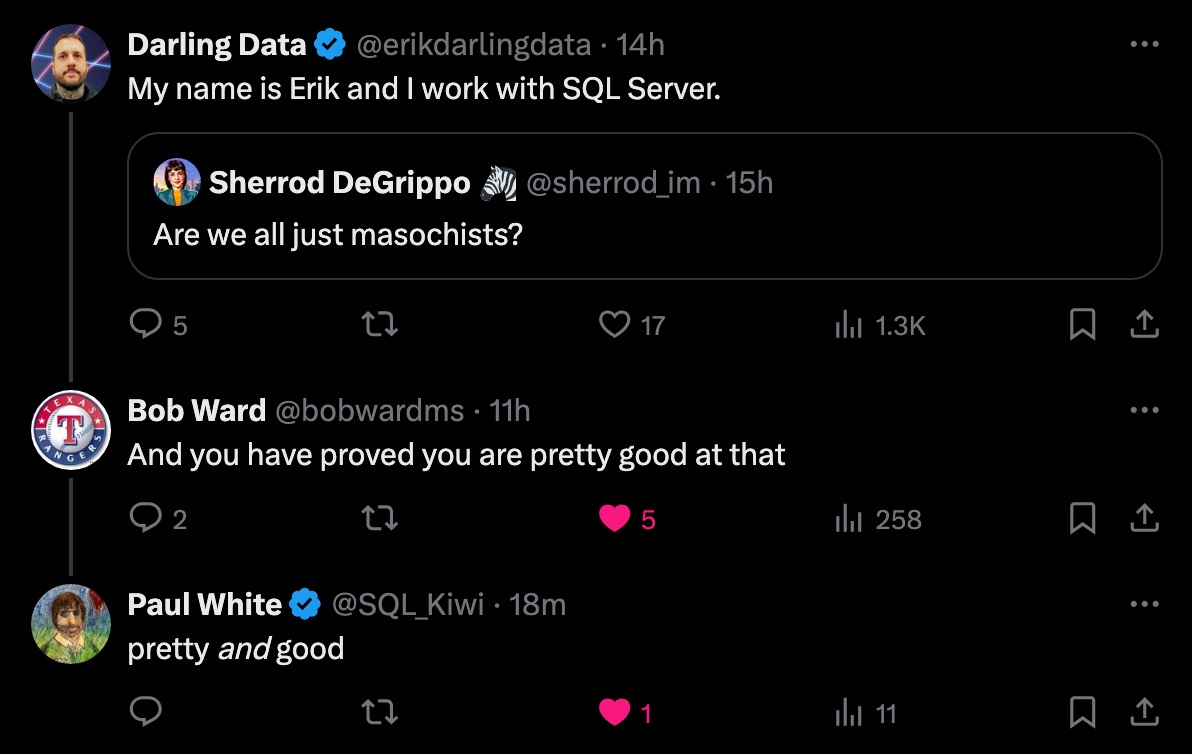
pretty, pretty, pretty, pretty good

You can register for PASS Summit here, taking place live and in-person November 4-8 in Seattle.

See you there!

Going Further


If this is the kind of SQL Server stuff you love learning about, you’ll love my training. Blog readers get 25% off the Everything Bundle — over 100 hours of performance tuning content. I’m also available for consulting if you just don’t have time for that, and need to solve database performance problems quickly. Want a quick sanity check before committing to a full engagement? Schedule a call — no commitment required.

A Foreign Key Join Elimination Limitation In SQL Server

A Foreign Key Join Elimination Limitation In SQL Server


Thanks for watching!

Video Summary

In this video, I dive into a peculiar limitation involving foreign keys and join elimination in SQL Server, which can be quite frustrating when it occurs. I share my thoughts on why foreign keys are generally useful for ensuring referential integrity but caution against using cascading foreign keys due to the underlying serializable isolation level that can slow down operations. The video also touches on how SQL Server behaves differently depending on whether you’re checking if data exists or non-existent data, leading to unnecessary joins even when a foreign key should guarantee otherwise. If you found this topic interesting or have any questions, feel free to like, comment, and subscribe for more content.

Full Transcript

Erik Darling here with Darling Data. You know, it’s cool when you and your logo are both handsome. See, I see a lot of consulting companies out there where neither the logo nor the consultant are handsome. So really getting the total package from me is worth every single penny. In this video, we’re going to be talking about a really annoying, I guess, maybe the plural, maybe that S shouldn’t be there. It’s a sort of an annoying limitation with foreign keys and joint elimination. Now, the first thing I want to say about foreign key joint elimination is that it happens under such limited circumstances anyway that you should stop trying to meme people into using foreign keys by saying it’s a thing. Like, it’s… it happens so rarely and so rarely in useful circumstances. I don’t understand the point of even bringing it up. It’s almost like when people talk about other facilities in SQL Server with this, like, like, like, meme white knighting of what makes… why they’re okay when they’re… they kind of suck.

Things like, you know, like, you know, like, you know, like, you know, CTE being more readable, table variables being only in memory, things like that. Things like that. Things like that. Okay, sure. Yeah, you read a LinkedIn post where someone said that and now you’re just gonna ride and die with that. Okay. All right. Fine. Fine. Foreign key joint elimination is right up there with that. Now, foreign keys and SQL Server do work as long as they’re not, you know, disabled.

And as long as they’ve been re-enabled correctly, they will totally, you know, make sure that you have referential integrity between two tables. They will make sure that rows exist or, you know, are present in one table that have to be present in another table. It’s fine. They do that. They also, you know, you know, if you’re… I mean, God, don’t put them in a data warehouse. One thing I gotta say up front is data warehouses are not the place for these things.

Your OLTP data is the place for these things. And your data warehouse should just follow whatever, you know, ETL processes are necessary to take, to, you know, honor whatever uniqueness or referential integrity or other constraints exist in your relational data, your OLTP data. Your data warehouse should just be a big, beautiful, massive columnstore indexes where you don’t. Mess with things that slow down data loads.

All right. You put those things in your data warehouse, you’re asking for things to be slow. Take care of them somewhere else. Do not, do not put these things in your data warehouse. It’s stupid. Stupid, stupid, stupid, stupid.

Anyway, if you like this channel and you would like to support this channel with money, you can do that. I have very, very low cost member sponsorship options. I have a hair on my neck somewhere. It feels very strange. If you are unable to participate in the money thing, other things that make my heart go pitter patter are likes and comments and subscribes.

You can hear it from here. That might be arrhythmia. I don’t know. It’s hard to tell. It’s a reason I take a lot of blood pressure medication. All right. If you need SQL Server consulting help, these are the things that I usually help my clients with.

If you need something else, we can negotiate. But if you need any of this stuff, I can pretty much do this right out of the box for you. If you need some SQL Server performance tuning training, I have a very low cost option where you can get about 24 hours of it for just about $150 US if you use that discount code over there.

I’m not sure where my finger, ah, there goes the finger. But there’s a link to get that coupon code applied directly for you down in the video description. I will be out in the world. I will be out in the world speaking to real live people on two dates in the near future.

Friday, September 6th, I will be at Data Saturday Dallas doing a full day pre-con. I also have a couple of regular sessions on September 7th. Then November 4th and 5th, I will be at Past Data Summit doing a big old double team high five with Kendra Little on two days of pre-cons there.

So all great things to show up to and all great events to support with your very presence, your mere presence. You can support me and countless other speakers who show up and organizers who put these things together. And it’s a nice thing to do for the data community because you are part of the data community, aren’t you?

You’re one of us. You’ve been bored in, right? So let’s get on and talk about something that really irks me with far and keys in SQL Server. And I don’t know why this thing gets so tiny when I close out.

It doesn’t look that small normally, so it’s a little strange. Alright, so let’s start by setting things up. Alright, we are going to drop some tables if they exist, and they did up until a minute ago.

They were there. They were live and present. And then we are going to create two tables. One called, I forget why I named it this.

Maybe I was just mad at Connecticut that day. Because, you know, that kind of speaks for itself. And then both of these tables have clustered primary keys on this column called ID, obviously.

And they have two date columns that we are not going to really do much with. And then, I think I already did this. I think this was part of the initial highlight. Yep, I already did that. Good for me.

SQL Server is working correctly. It said that foreign key already exists. So we’ve created a foreign key on CT that references the ID column. Or, sorry, on the ID column in the CT table that references the ID column in the CT underscore FK table.

Alright, so we have that there. And if we do a little background check on our foreign key, we will see that it is present in the database. It is not disabled.

And it is not not trusted. It’s the old double negative here. Whatever Microsoft person decided to phrase it this way, I wish that I could spend some time with you where there are no video cameras and no other recording devices. Because why the hell would you do this?

Why would you just not call it is trusted? Why is it is not not trusted? Now we have to say is it not not trusted or is it is trust trusted? You know?

Is you is or is you ain’t? We don’t know. But that’s a zero. So it is trusted or not not trusted. It’s great news for us. Now, this is where things get funny for me.

If we run this query and we say, hey, does stuff in the CT table exist in the FK table? Is it there? Is you is or is you ain’t?

Well, in this query plan, you’ll notice that we only have to touch one table. Right? Even though we say, hey, there’s stuff in here. SQL Server says, we know it’s there.

We got you. It’s fine. Don’t worry. Don’t sweat it. We’re good. We’re fine. We don’t need to go check over there. It’s obviously there.

It’s a foreign key. Foreign key is enabled and not not not on is is untrust untrust. It’s very trustworthy foreign key. Okay?

Let’s leave it at that. It’s very trustworthy. But now when we say, hey, SQL Server, is there anything here that that’s not not in that table? SQL Server, SQL Server loses some of its confidence.

It loses some of its moxie. Moxie, someone someone knocked the cool right out of SQL Server’s walk because now we end up having to check both tables to figure out if stuff’s there or not. SQL Server all of a sudden does not trust.

Lozen does not trust that foreign key so much anymore, does it? We no longer eliminate that join. And that’s a very strange thing to happen because just a second ago when we asked if stuff was there, SQL Server was very sure of itself. Cock sure, you might even say.

And now now we say, is anything not there? Well, who can tell? We have to go check both tables to figure it out. So this is one of those dumb things.

And this actually sort of aligns with a video that I did. Well, at this point it may have been published two or three days as of when you see this. But it almost kind of goes back to the video I did about what annoys me about computed columns and filtered indexes where if you don’t ask the exact right question in the exact right order, it’s all of a sudden SQL Server’s like, I don’t know you.

I can’t use that filtered index. I can’t use that computed column. Can’t do that. Nope. Nope.

You didn’t do things right. Can’t use it. Which is pretty ridiculous, right? And so if you haven’t seen that video, you should go watch that video to see another way in which SQL Server is utterly, patently ridiculous. All right.

So this is a short one because, you know, I don’t want to spend too much time picking on foreign keys. They are useful for ensuring referential integrity. I hate saying those words.

I guess if I had, if I had to, you know, one more word of wisdom slash caution with them is, if you’re, if you’re the type of person who gets these grand ideas in their head about using cascading foreign keys, just be very careful because cascading foreign keys behind the scenes use a serializable isolation level to make sure that everything maintains that referential integrity. So when you update or delete and that cascading foreign, or that foreign key action cascades out, you’re using the, behind the scenes SQL Server is like, nope, serializable.

Which is another great reason to make sure that your foreign keys are well supported by indexes because you don’t want that going on for a very long time. That can be quite a misery. So anyway, thank you for watching.

I hope you enjoyed yourselves. I hope you learned something. I hope you find this troublesome and annoying the way I do. Uh, if you remember all the stuff that I said about the liking, the subscribing, training, consulting, great.

If not, you can rewind and get, get reacquainted with all that, that, that vast expanse of knowledge. Anyway, um, I think that’s about it for this one. I have, I have some other videos that I’m going to record.

Uh, you can, you might, you might be able to guess some of the topics by looking at some of the tab names up here. Some of the tab names are none of your business. Don’t look at those.

Some of them will be in, be in upcoming videos. So it’ll be, it’ll be a surprise to you, but not to me. It might, some of the ones that don’t show up might be, might be a disappointment to you, but. All in good time, my friends, all in good time.

Anyway, uh, thank you for watching. Goodbye.

Going Further


If this is the kind of SQL Server stuff you love learning about, you’ll love my training. Blog readers get 25% off the Everything Bundle — over 100 hours of performance tuning content. Need hands-on help? I offer consulting engagements from targeted investigations to ongoing retainers. Want a quick sanity check before committing to a full engagement? Schedule a call — no commitment required.

When To Use DBCC DROPCLEANBUFFERS When You’re Tuning SQL Server Queries

When To Use DBCC DROPCLEANBUFFERS When You’re Tuning SQL Server Queries


Thanks for watching!

Video Summary

In this video, I delve into how to determine if a query has been effectively tuned, addressing common questions from clients and colleagues alike. I discuss various initial steps like using recompile hints or experimenting with cardinality estimators before diving deeper into the query logic. The video also explores the use of `DROP CLEANBUFFERS` as a tool for demonstrating server performance issues, particularly when queries exhibit inconsistent speeds due to varying data availability in memory. By running this command and comparing query execution times, I illustrate how hardware limitations can significantly impact query performance, even with well-optimized indexes. This practical demonstration helps highlight the importance of balancing index design with sufficient server resources to ensure reliable query execution.

Full Transcript

Erik Darling here with Darling Data. And in this video, we’re going to talk about how to tell if you’ve tuned a query. Now, this is a question that I get a lot when I’m working with clients, the nice people who pay me to, you know, be able to afford this nice equipment to make these nice videos for you and to not run commercials during my videos and stuff like that. Because, you know, like when I’m tuning a query, there’s a lot of different stuff I’ll try to do. Some of it might be some upfront stuff just to see where things are at. Like, I might throw a recompile hint on there. I might mess with the cardinality estimation model. I might, you know, either force the new cardinality estimator or more commonly force the legacy cardinality estimator to see if I can improve things. There are a lot of different things that you want to try before you start, like, really digging in and restructuring stuff, unless there are some very obvious structural issues with that. The query. Obvious structural issues would fall under the domain of things like joins that have OR clauses in them, CTE with, like, multiple references throughout the query, where you might want to, like, you know, fix the OR clause in the join to do, like, you know, out or apply union, union all type thing.

You might want to dump CTE into a temp table. You know, you might throw a recompile hint on there if you want to test the efficacy of, you know, maybe you have a local variable in the query. Maybe there’s a table variable in the query.

You know, and, you know, maybe using a table variable, you know, you might want to dump that into a temp table and go from there. So, like, there are some obvious, like, some obvious, like, tweaks that don’t involve really messing with the query logic all that much. There’s some domain knowledge stuff that, you know, some of the developers that I work with have about the nature of the data that can make, like, a query, that can make a query tuning exercise a lot easier.

You know, sometimes a developer will come along and say, we actually don’t even need to run that, or this query doesn’t make any sense. Like, I can’t imagine why we’d be doing this. Other times they’ll say, oh, we don’t actually need to join to this other table, which is slowing things down.

We have that column in this other smaller table. It’ll be much easier to go get it from here. You know, there’s some domain knowledge stuff that’s good to have, you know, when I’m working with clients because they can point these things out.

In this video, we’re going to talk a little bit about a question that I get a lot, where it is, you know, someone will say, oh, you know, I thought I made the query faster, but every time I run drop clean buffers, it’s slow again. Okay, well, that’s fair, because when you drop clean buffers, which hopefully you’re not doing in production, you do clear out all the data that’s currently in the buffer pool, which is really only a fair test if you are doing something like, if you’re on a server that has, you know, queries are showing lots of high physical reads, when you look at their metrics from the plan cache or inquiry store, and that’s backed up by a very, very high page IO latch underscore SH or EX weights, where that shows that queries are constantly going out to disk to bring data into memory before they can run.

So, a little bit of housekeeping, as the professionals say. If you like my channel and you want to support me in a very minor way, there are very low-cost memberships that you can sign up for. If this is beyond your means, if the dollar sign is not something that you can contribute, likes, comments, subscribes are equally as profoundly gratifying to me, because I like the engagement, to be honest with you.

I like knowing that every time I put a video out there into the world, lots of people are going to be able to benefit from it. So, if you are in the market for SQL Server Consulting, these are the kind of things that I typically help clients with. If you need something else, let me know what it is. We can figure that out, too.

If you need training that is affordable, that lasts a lifetime, you can go to that link up there. There’s also a link down in the video description where you can purchase my training with the 75% off code. It brings all that stuff down to just about $150 USD, which is also a plenty fine way of buying me a bottle of wine.

Well, you can also do that. I do have some live events coming up in, oh boy, just about two weeks. I will be at Data Saturday Dallas, Friday, September 6th, doing my full-day pre-con, and also at the main event on Saturday, September 7th.

And then November 4th and 5th, I will be co-presenting two days of pre-cons with Kendra Little on November 4th and 5th. And that’s, of course, in Seattle. There are no online versions of these things, so if you want to go, you’ve got to show up.

One is in Dallas, one is in Seattle. If those are helpful locales for you, well, I look forward to seeing you. So now let’s get on with the show here.

Let’s talk about when I might use drop-clean buffers to show people the kind of state that their server is in. Now, for the other stuff that I talked about, recompile, cardinality estimation, temp tables versus table variables, I’ve covered a lot of that stuff in a lot of other videos.

What I haven’t really talked about is how you can use drop-clean buffers to show people how their server, like what’s hurting queries on their server. So sometimes when you do this, one thing that you have to keep in mind is that you might not have good indexes to support your queries.

We’ll talk about that. Let’s say you have a query that’s usually fast, but sometimes it’s slow. So you might blame parameter sniffing, so one thing that you might try is a recompile hint, which is fine. If you try the recompile hint, and sometimes it’s fast and sometimes it’s slow, you probably don’t have a parameter sniffing issue.

What you might have is just sort of a more pathological server configuration issue. One of the places you might look is, like if you look in the query plan and you see, oh, I have good indexes for everything, nothing is particularly painful with anything that I’m doing.

It’s just sometimes seeking into this index takes like five or ten seconds, and sometimes seeking into this index takes a few milliseconds, and you might ask why. Well, this is a pretty good example of why.

What I’m going to do is I’m going to run drop-clean buffers, and then I’m going to run the same count query twice. And so we’ve cleaned the buffers, we’ve scrubbed them clean, we’ve gotten a little soft toothbrush and some toothpicks and q-tips and stuff.

We’ve really gotten the crevices, we’ve detailed those buffers, and they are so clean now. They are spotless, they are sparkling, they are just magnificent buffers.

And if you look at the query plans for these two things, we have, you know, two very different query timing things here. This one runs for about 6.3 seconds, and this one runs for about 631 milliseconds.

That’s a big difference, right? Like if you multiply the 631 milliseconds by some number with a few zeros in it, you will get to about 6.3 seconds like we have up in the first query.

If you have people complaining that queries are sometimes slow, one thing that, you know, some things that you want to dig into on the server are, okay, well, you know, if you have a specific query to look at, you can look at that query and you can look at the resource usage of that query in QueryStore, which SPQuickieStore, MyStore procedure, makes very easy for you.

Or you can look at the plan cache, and you can check out the physical reads for that server. And if you notice that sometimes it’s doing a lot of physical reads, like it might have a high, like, max physical reads and a low min physical reads, that’s a pretty good sign that this query runs sometimes, and all the data that it needs is already in the buffer pool where it’s helpful.

And sometimes it’s not in the buffer pool where it’s not helpful, and you have to go to disk to get it. When you have to go to disk to get it, sometimes this query is going to take 6.3 seconds.

When you don’t have to go to disk to get it, sometimes that query is going to take 630 milliseconds. So this is, drop clean buffers is a pretty good way to say, okay, if I already have good indexes in place, and sometimes this thing is fast and sometimes this thing is slow, maybe we just don’t have enough memory on this server to accommodate the workload we’re asking it to run.

Right? That can totally happen. Depending on the size of the table and index that you’re dealing with, even reading a big nonclustered index can be pretty painful.

So always keep an eye on that. And for the sake of this argument, let’s just say that we quite obviously don’t have a good index.

Both of the queries that ran above, regardless of whether data was in memory or not, both of those queries were saying, hey, an index, please.

S’il vous plaît, as they say in bonjour land. So we can create an index. And when we create an index, we make it easier for a SQL Server to read the amount of data, a smaller amount of data, right?

The post table is a pretty big, gnarly table with like a lot of string data in it, including a big and bar car max column. And even just like reading through all that stuff can be pretty slow when you’re reading straight from disk.

With drop clean buffers in place, what we see is a much different situation. Even when we have no data in memory, right? We drop clean buffers, we select a count, and we do this, we’re able to seek to just the data that we care about.

If this index were set up a little bit different, let’s say that there were another column in the key of the index before score, so that we had to scan the whole index.

The one that reads from disk would take a little bit longer. When we can seek to write to what we care about, we sort of take away some of the pain of having to go to disk for anything. Not only do we have to read far less from disk into memory.

Remember, when you do a seek into an index, you only have to go and get those relevant pages. It’s when you have to scan a whole index. And I don’t mean like a scan with a top or an offset fetch in it where you can stop reading pages after a certain point.

I mean a true index scan where you actually have to scan through the entire thing. Even reading a big enough nonclustered index can be pretty slow. I could create another index and put the body column from the post table in the includes and slow it down even more because I would be inflating that index size.

So obviously, when you’re tuning queries, make sure that you have a reasonable index to find your data with. If you don’t have that, if that is for some reason eluding you, always go with creating the indexes first.

If you already have good supporting indexes for your query and the query is still slow, sometimes, sometimes, fast, sometimes, then one thing that you want to keep an eye on for the workload as a whole are weight stats.

You want to always be looking at the page.io latch underscore something something weights. If those are more than like, you know, 10, 15, 20% of your server’s uptime, that means that most of it, like that percentage of time that queries are running, they’re going out to disk.

So like, let’s say that page.io latch weights are 25% of your server’s uptime. That means that 25% of the time, your queries are a lot slower than usual, right?

Just doing some brute force math there. I’m not that good at like statistical probability stuff, but if page.io latch weights are 25% of your server’s uptime, one out of every four times your query runs, it could be slow.

The other three times that it runs when data’s already in memory, it could be fast. Pretty wild to think about. Another brute force way to think about this is that every time you double memory, you will cut page.io latch weights in half.

So if you have 64 gigs of memory and you go up to 128 gigs of memory, you might see those page.io latch weights go from 25% of your server’s uptime to 12.5% of your server’s uptime.

Yeah, I did it math. On the spot, on the fly. 12 plus 12 is 24 plus 0.5, 225.

I did it. I did it just for you. So these are things to consider. When you’re dealing with, depending on the server situation that you’re dealing with, these are the kind of things that you might have to prove out to either your boss or if you’re a consultant like me that you might have to prove out to clients to say, hey, if you want this to be reliably fast, well, we’ve already got the good indexes in place.

What we need now is hardware that can actually accommodate the workload that it’s running on. You can even run those exact same numbers by them. You can say, hey, page.io latch weights are 30% of your server’s uptime.

We double the memory, it’ll go down to 15%. We’ll have queries that are, instead of being, you know, slow once every three times, they’ll be slow once every some other number of times.

That math I completely skipped out on. So sorry about that. Anyway, these are the kind of stuff, these are the kind of things that you might have to deal with either if you’re a full-time employee or a consultant or, you know, you’re just some schlub that got pulled in off the street and someone said, hey, you look like you can tune a query.

What’s your name? Come look at this. You might be able to find all of these things. You might be able to present reasonable options for them. The use of drop clean buffers, specifically, can help illustrate what happens to a query that, like, you know, one out of every, however many executions, the data isn’t in memory.

And that can be a really powerful thing to show people to get them to buy into either, you know, changing the indexes so that we have a better index to support the query or adding memory to a server so that we have a less variable workload where some, like, we increase the odds that the data that we care about is already in the buffer pool and we don’t have to go to disk for stuff.

So, that is when I use drop clean buffers during a query tuning exercise is to either say, look, we can add an index and we can have it be pretty reliably fast or if we already have good indexes and we still have that variability, say, this is what happens when our data isn’t in memory, this is what happens when it is in memory because going back to that first example and I’m just going to backtrack a little bit here, you know, and, you know, these numbers are pretty small because I am on fantastic hardware.

Fantastic hardware. But let’s say that, you know, you’re on less fantastic hardware or let’s say that you have, there are way more tables involved and these things are way more out of control.

You know, just showing someone that, you know, a query is this slow when the data isn’t in memory, which happens once out of every however many executions depending on what those page IO latch weights are and this is how fast the query is when everything’s already in memory can be a really good tool for showing someone that, you know, either, again, we don’t have good indexes in place or we don’t have a good amount of memory in place.

So you don’t need to use drop clean buffers all the time. Drop clean buffers, recompile, cardinality estimation hints, these are all very situational tools that you want to use to fix very specific problems or to see if, to see if you can, see if, like, adding that in addresses whatever the problem with the query is, right?

There are all sorts of things that, you know, recompile can help with that might say, okay, well, you know, we can recompile this query all the time or we can turn it into dynamic SQL or a substore procedure or something like that.

So there’s all sorts of very situational query tuning tools that you can use for this stuff. Drop clean buffers is one of them, but it’s not going to, it’s not going to make your, it’s not going to prove that you tuned a query by using it necessarily.

It might actually just show that, you know, what is wrong with the query sometimes, right? So keep this stuff in mind. You know, I think, you know, it’s really important, it is important to show that a query is faster sort of regardless of where data lives, but it’s also important to show that the data might not always be where you want it to be and you might have to, you just might need more memory or you might need to make better use of the memory you have with better indexes, better index compression, stuff like that.

Anyway, thank you for watching. I hope you enjoyed yourselves. I hope you learned something. I hope that you will like and subscribe and hire me. I hope that, I don’t know, I just, I want the best for us both as a wise Canadian lady once said.

Or, that wasn’t quite it. She was being a little bit meaner about that, wasn’t she? Yeah, she was mad about something about a movie theater. I forget the details.

I haven’t heard that song in a very long time. Anyway, I’m going to go, oh crap, I got work to do so I’m going to do that. Anyway, thank you for watching.

Going Further


If this is the kind of SQL Server stuff you love learning about, you’ll love my training. Blog readers get 25% off the Everything Bundle — over 100 hours of performance tuning content. Need hands-on help? I offer consulting engagements from targeted investigations to ongoing retainers. Want a quick sanity check before committing to a full engagement? Schedule a call — no commitment required.

Annoyances With Filtered Indexes And Computed Columns In SQL Server

Annoyances With Filtered Indexes And Computed Columns In SQL Server


Thanks for watching!

Video Summary

In this video, I delve into some of my pet peeves with filtered indexes and computed columns in SQL Server. Specifically, I highlight how the query optimizer’s inability to use inverse logic when working with these features can lead to suboptimal performance, especially on larger tables. For instance, creating a filtered index where `isDeleted = 0` works fine, but trying to use `isDeleted != 1` instead triggers an optimizer error, despite the data being present in the index. Similarly, using computed columns for calculations like `upvotes + downvotes > 10,000` can result in full table scans if you mix up the column order, even though indexing the computed column could theoretically speed things up. These issues underscore the importance of careful query design and planning to ensure that your indexes and computed columns are used effectively.

Full Transcript

Erik Darling here with Darling Data. Getting younger and better looking by the day, I’m told. In this video, we’re going to talk about some of my annoyances with filtered indexes and computed columns. Granted, there are more than this, but this is just one that even a very casual observer may find quite annoying. And mostly, it has to do with the expression matching abilities of SQL Server’s query execution engine. Mostly in that it’s very hard for it to, well, actually, not hard. It is not currently implemented in SQL Server’s query optimizer to be able to use inverse logic and still match expressions to things. It’s really annoying. So we’re going to talk about that. As usual, if you would like to support this channel, there are very low-cost memberships. I think the entry-level one is like $4 a month. And that’s a great way to keep from commercials making their way into the Darling Data ecosystem. If for some reason you’re unable to partake in a $4 a month or more subscription, then great ways to show your support are likes and comments and subscribes because those numbers going up make me just as happy as I’m going to be able to share.

So I think that’s my monthly earnings. My monthly earnings going up, which right now are at $30 and 70-something cents. So, you know, I think the bare minimum for a deposit from YouTube is $100. So every four or so months, I get $100 from this channel. So the other numbers going up is equally as gratifying. We’re not talking millions here. So if you need help with SQL Server from a consulting point of view, from a man with a slightly itchy eye, this is the kind of stuff that I normally do. Health checks, performance analysis, hands-on tuning, responding to SQL Server emergencies, and developer training.

If you need something else, give me a holler. We can talk about something else. But this is the stuff that I typically help clients with. If you need low-cost SQL Server training, you can get all 24 hours of mine for about $150 with the discount code SpringCleaning. Of course, if you just click on the link in the video description, you will get a direct link that applies that coupon code for you. So you can do that.

Some upcoming events. Friday, September 6th, I will be at Data Saturday Dallas doing a full-day pre-con. And November 4th and 5th, of course, I will be at Past Data Summit splitting. Well, I mean, like, I have, like, two pre-cons each day split with Kendra Little.

So November 4th and November 5th, me and Kendra will be double-tag-teaming some pre-con material for all of you lovely folks out there who can show up in Seattle. Now let’s get on with my annoyances with filtered indexes and computed columns. We’re going to start over in my crap database.

And we’re going to create a table called isDeleted. It’s just kind of a transient junk table that I’m going to use to show you my first annoyance with these things. I’m not creating it in the Stack Overflow database because I always forget to get rid of these things.

And then I have a bunch of tables that I don’t want or need in the Stack Overflow database. And we’re just going to stick some data in there using the sys.messages built-in DMV table where SQL Server holds all the error messages that SQL Server has in them. If you’re ever exploring a new or different version of SQL Server, looking for new error messages is a really fun thing to do.

You find all sorts of new things. You also find lots of typos and grammatical errors and incomplete error messages and really unhelpful error messages. The quality of Microsoft everything has slowly been like on this decline.

Some of it more like this. Other of it kind of like a step pattern. But the quality of error messages has really been eating it over the last few years.

Some of the error messages that you get, you’re just like, I can’t possibly do anything with that. How do I fix this? So now we’re going to create an index on this table that obeys all of the rules that filtered indexes need to obey in order for us to be able to use them efficiently.

And mostly that is that we’re creating this filtered index on the column DT. We’re including the isDeleted column so that it is part of the index definition. And we have our where clause to where isDeleted equals zero here because no one needs to see things that are deleted.

So if I were to say zero equals isDeleted like in this one, we would do just fine. I’ll show you all this stuff in a second. But if you use the sort of inverse logic and you say not one equals isDeleted or you say isDeleted not equal to one or anything like this, SQL Server will just say, oh, that’s nice, but I’m just going to scan the clustered index instead of using your filtered index instead.

Now, granted, for a table with 300,000 rows in it, it’s not going to be a big performance hit. This is just to show you the behavior that I’m annoyed with. You can imagine where this would be annoying to you in real life on much bigger tables, particularly where isDeleted equals zero is a fairly sizable portion of the table data.

Or like I talked about in the considerations for soft deletes video, maybe where you’ve set up some sort of view or something in order to get back the data you care about. So we even go a step further here, and if we hint the index on isDeleted, the ISD index on isDeleted, and we tell SQL Server, please use this index. It is a perfectly feasible, usable index to satisfy this where clause.

SQL Server will throw an error, an optimizer error. The query processor, I’m on Zoom at Ketchup. The query processor cannot produce a query plan.

Wow. Wow. It’s just, nah. It freaks out that hard about things. It’s kind of ridiculous that this is still something that people have to deal with here in the year 2024. Of course, if we just say, hey, pretty please, let’s just write this the correct way, then SQL Server will seek into our nonclustered index and find those not deleted records.

So that’s my first annoyance. The optimizer is just not geared to use the inverse logic to still be able to use a filtered index, even though exactly what you’re asking for is in that filtered index. It’s a bit column, right?

There’s no two ways about it. Another thing that I find quite annoying is in relation to computed columns. Now, computed columns have nearly the same problem.

In this case, let’s say that we wanted to look at who has a lot of upvotes in the Stack Overflow database. This is just a short query to show you that there are actually people who up and downvote things a lot, including whoever ID negative one is. That seems like a really powerful user.

And, of course, you know what? This create index statement, I’m going to start running that, but then I’m going to move it up here because it should really be up here because this is the important thing. But if we look at the query plan for this, now I’ve talked about this before where it’s sort of like a sargability thing, right?

Search argumentability. This is one of those patterns that ruins search argumentability for queries, right? If you concatenate two columns, in this case, we’re adding two integer values together.

Even with a perfect index in place on upvotes and downvotes, SQL Server doesn’t track that particular correlation, right? It knows the values in upvotes and they’re in order and it knows the values in downvotes and for, you know, for duplicate values in upvotes, the downvotes are ordered in there. But it’s not tracking what upvotes plus downvotes equals, right?

So there’s no way we can seek to that data. The best that we can do is scan through that data, add upvotes and downvotes together, and then see who has more than 1,000 of them. This should actually be 10,000, I think.

Let’s make this not 10. That’s not a zero. That’s an O. If we run this, we’ll get a slightly lower number. But it’ll still be the same deal. So we scan the entire index that we created on upvotes and downvotes.

We had to read all 2.4 million columns. Sorry, all 2.4 million rows, add those columns together, and then figure out if the result of that matched our, was, you know, was correct for our predicate, right? So this plus this is greater than 10,000, right?

Best index in the world still doesn’t beat that. Now, what you can do is you can create a computed column, and you can, even without persisting it, right? Notice there is no persisted in here.

Even without persisting it, you can index that computed column, right? Another thing that slips by a lot of people is that even if you don’t persist a computed column, you can still get statistics generated on it, which is nice, right? Because, you know, persisting computed columns on big tables can be kind of painful.

But if you go and create an index on that column, then you will, thankfully, write that out. There will no longer be a virtual column in this index. It’s still a virtual column in the clustered index or the table if you don’t have a clustered index.

But in this index, all those values are written down. They are permanente in there. So, if we run this and we search for upvotes plus downvotes is greater than 10,000, we will get a nice index seek into our nonclustered index. It will be quick and fun and painless.

But if we mix up the column order in that and we say downvotes plus upvotes is greater than 10,000, SQL Server can no longer figure out just what the heck to do with itself. We are back to scanning the clustered index, reading all 2.4 some odd million rows, and figuring out how to add those columns together and what they equal.

So, when you’re using computed columns and filtered indexes, do try to write them in a way. And I just want to add, if we tried to hint that nonclustered index up there, we would get the same query processor that we saw with the filtered index example that came first.

So, when you’re making computed columns, you’re making filtered indexes, make sure that whatever queries you want to use them are the basis for those computed columns and filtered indexes. If you have a bunch of different sort of query forms that sometimes look for things on slightly different arrangements, SQL Server will, A, not be able to match them directly to the computed column or filtered index, but, B, you’ll get an optimizer error if you try to tell it to.

So, those are the two things to be very careful about with filtered indexes and computed columns, is making sure that they adhere to the queries as they’re written, or how you’re going to write the queries in the future, or how you’re planning on rewriting the queries to match these things so that they actually work together.

So, those are a couple of things that I find annoying. Actually, it’s kind of one thing that I find annoying about both of them, isn’t it? Same problem, twice.

Same problem, one problem, two different facilities in SQL Server. Two different arrangements where things are not good. So, thank you for watching. Remember, all this stuff, like, subscribe, comment, hire me, all that good stuff.

I have training, and I’m going to be doing live things. If you’ve forgotten any of the details there, you can rewind the video and watch the little housekeeping section at the beginning where I talk about all that stuff.

For now, I’m going to go… Well, apparently, I have a call starting in a couple minutes, so I’m going to go do that, and then I have to record 7 million more videos to make sure that things stay flowing in a nice, even pace.

So, thank you for watching. I’m trying to go pay the bills, as they say. All right. Goodbye.

Going Further


If this is the kind of SQL Server stuff you love learning about, you’ll love my training. Blog readers get 25% off the Everything Bundle — over 100 hours of performance tuning content. Need hands-on help? I offer consulting engagements from targeted investigations to ongoing retainers. Want a quick sanity check before committing to a full engagement? Schedule a call — no commitment required.

Join Me At Data Saturday Dallas Sept 6-7

2024 07 31 22 30 23Spring Training


This September, I’ll be presenting my full day training session The Foundations Of SQL Server Performance Tuning for Data Saturday Dallas.

All attendees will get free access for life to my SQL Server performance tuning training. That’s about 25 hours of streaming on-demand content.

Get your tickets here for my precon, taking place Friday, September 6th 2024, at Microsoft Corporation 7000 State Highway 161 Irving, TX 75039

Here’s what I’ll be presenting:

The Foundations Of SQL Server Performance Tuning

Session Abstract:

Whether you want to be the next great query tuning wizard, or you just need to learn how to start solving tough business problems at work, you need a solid understanding of not only what makes things fast, but also what makes them slow.

I work with consulting clients worldwide fixing complex SQL Server performance problems. I want to teach you how to do the same thing using the same troubleshooting tools and techniques I do.

I’m going to crack open my bag of tricks and show you exactly how I find which queries to tune, indexes to add, and changes to make. In this day long session, you’re going to learn about hardware, query rewrites that work, effective index design patterns, and more.

Before you get to the cutting edge, you need to have a good foundation. I’m going to teach you how to find and fix performance problems with confidence.

Event Details:

Get your tickets here for my precon!

Register for Data Saturday, on September 7th here!

Going Further


If this is the kind of SQL Server stuff you love learning about, you’ll love my training. Blog readers get 25% off the Everything Bundle — over 100 hours of performance tuning content. Need hands-on help? I offer consulting engagements from targeted investigations to ongoing retainers. Want a quick sanity check before committing to a full engagement? Schedule a call — no commitment required.