Random Assortment
Sometimes it’s hard to get people to understand the scale of a number without some commas.
I don’t know why that is, but that’s why I added the option to format numbers.
You can do that by running the procedure like so:
EXEC dbo.sp_QuickieStore
    @database_name = 'StackOverflow',
    @expert_mode = 1,
    @format_output = 1;
Overview
What you get back should look something like this.
This isn’t the most elegant screenshot in the world, I just want to give you an idea of what you should see.
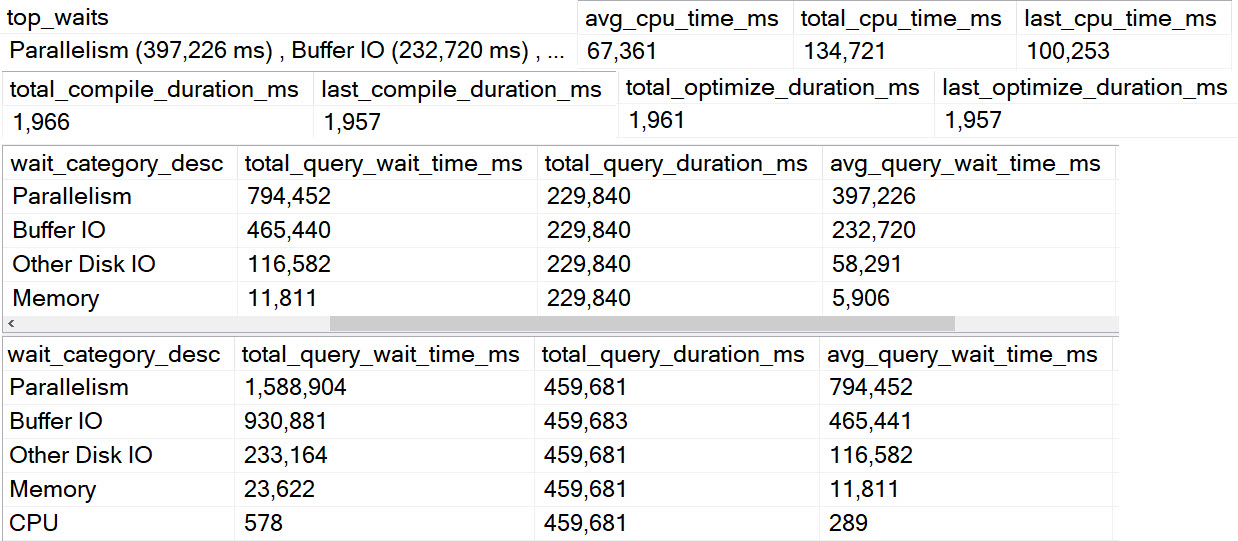
Essentially, if it’s a number, it will get commas inserted into the proper places.
Yep
I know that this is a somewhat Americanized version of things, and that the FORMAT function supports other language stuff.
If that’s something you care about and you’d like to contribute, head over here. Code contributions are always welcome.
Tomorrow, we’ll look at options you have to get help, and troubleshoot code and performance issues.
Thanks for reading!
More From This Series
Going Further
Someone still has to know enough SQL Server to keep the robots in check, and that’s what my training is for.
Related Posts
- How To Find Poorly Performing SQL Server Queries To Tune Using Query Store
- SQL Server Community Tools: The Wrap Up And Combined Link
- SQL Server Community Tools: How To Dig Deeper With Expert Mode With sp_QuickieStore
- SQL Server Community Tools: Formatting sp_QuickieStore Output So It’s Easier To Understand
One thought on “Introducing sp_QuickieStore: Formatting Is Everything”
Comments are closed.