Performance Studio
Stop clicking through SSMS execution plans like it’s 2005.
Performance Studio is a free, open-source plan analyzer that tells you what’s wrong,
where it’s wrong, and how bad it is — from the command line, a desktop GUI,
an SSMS extension, or an AI assistant.
Built by someone who has stared at more execution plans than any reasonable person should.
Windows x64 • macOS (Apple Silicon & Intel) • Linux x64 • .NET 8 • MIT License
Who This Is For
If you’ve ever said “I think it needs an index” while pointing vaguely at a Hash Match,
or if your idea of plan analysis is “that arrow looks kind of wide,” this tool is for you.
DBAs Who Tune for a Living
You already know what a Hash Match spill is. You just want something that finds them faster than scrolling through plan XML in Notepad++.
Developers Who Suspect the Database
Your app is slow. You think it’s the queries. Run them through Performance Studio and find out in seconds instead of hours.
Consultants & Contractors
Batch-analyze a client’s worst queries, generate text or JSON reports, and look like a genius before your first meeting ends.
This Is Not a Monitoring Tool
Performance Studio analyzes execution plans. It doesn’t collect wait stats over time, monitor CPU trends,
or send you email alerts at 3 AM. If you want that, check out
SQL Server Performance Monitor — also free, also open source.
What It Catches
Feed it a query plan and it tells you what’s wrong — with severity levels,
operator node IDs, and enough context to act immediately.
Memory Grant Issues
Flags queries granted 8 GB of memory that used 200 MB. Also catches hash, sort, and exchange spills to TempDB with severity based on volume.
Row Estimate Mismatches
Finds operators where the optimizer estimated 1 row and got 2,889. Because “roughly one” and “almost three thousand” are not the same number.
Missing Indexes
Extracts SQL Server’s index suggestions with ready-to-run CREATE INDEX statements and impact percentages. Copy, paste, done.
Parameter Sniffing
Compares compiled vs. runtime parameter values so you can see exactly when the optimizer made a plan for the wrong data.
Parallelism Problems
Detects thread skew — one thread doing all the work while seven others sit idle — plus ineffective parallelism and serial plan reasons.
Anti-Patterns & More
OPTIMIZE FOR UNKNOWN, NOT IN with nullable columns, leading wildcards, implicit conversions, scalar UDFs, key lookups, late filters, nested loop concerns, and more.
30 analysis rules run against every plan — covering memory, estimates, indexes, parallelism, joins, filters,
functions, parameters, compilation issues, and common T-SQL anti-patterns.
Each rule can be disabled or have its severity overridden via config file.
Four Ways to Use It
Performance Studio meets you where you are — whether that’s a terminal, a GUI,
SSMS, or a conversation with an AI.
Command Line
CLI ToolAnalyze saved ## Analyze a saved plan
planview analyze my_query.sqlplan –output text ## Capture from a live server ## Batch-process a folder |
Desktop App
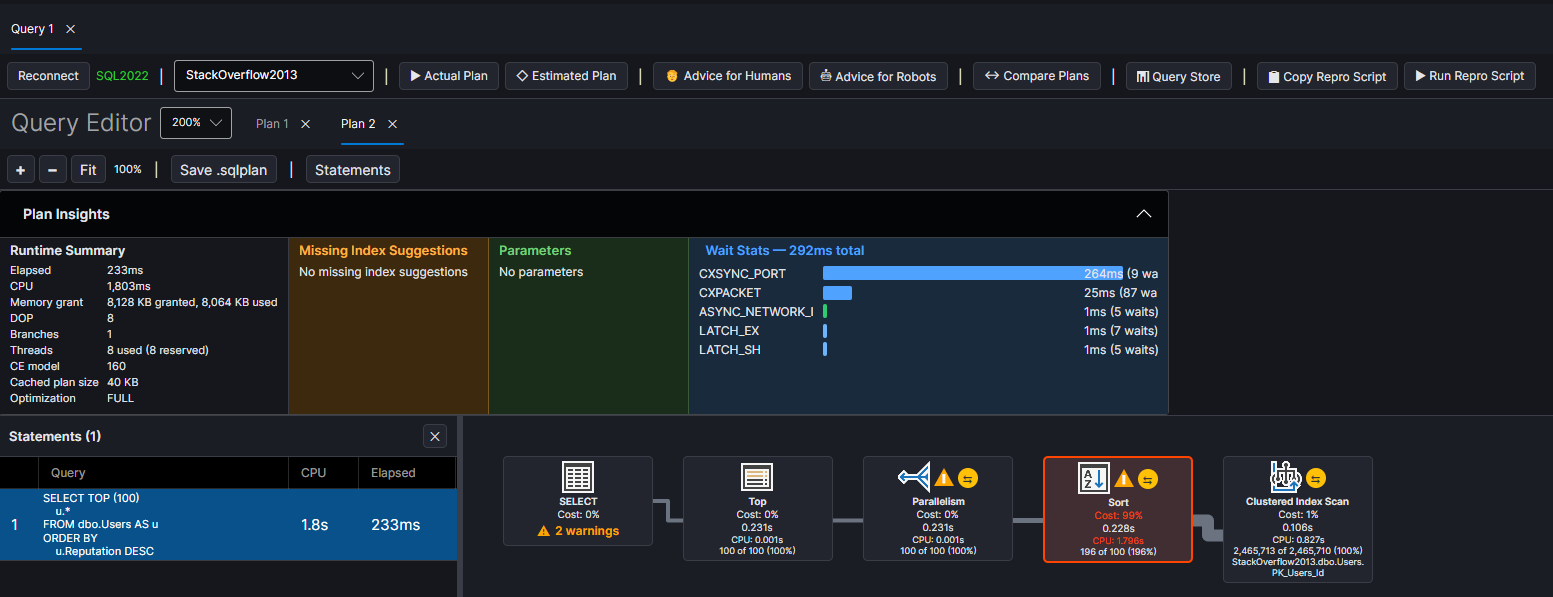
Graphical Plan ViewerSSMS-style operator icons, cost percentages, row counts, and warning badges. Click any operator for full properties. Zoom and pan. Dark theme, because you have taste.
|
||||
SSMS Extension
Right-Click → AnalyzeAdds “Open in Performance Studio” to the execution plan context menu in SSMS 18–22. Right-click a plan, click the button, and the full analyzer opens with your plan loaded. No exporting to XML. No file dialogs. Auto-detects SSMS 21 and 22. Installs into both. Path is saved so you only configure once. |
AI Integration
MCP Server Built-InBuilt-in Model Context Protocol server with 13 tools for plan analysis and Query Store data. Point Claude Code or Cursor at it and ask questions in plain English.
Localhost only. Disabled by default. We’re paranoid so you don’t have to be. |
What the Output Looks Like
Real output from a query against StackOverflow2013 on SQL Server 2022.
Every warning tells you what’s wrong, where it is, and how bad it is.
The CLI produces text for humans and JSON for automation.
The GUI shows the same data in a graphical plan tree with clickable operators.
Both give you missing index CREATE statements you can run immediately.
Batch mode generates three files per query: the raw .sqlplan XML, a structured JSON analysis, and a human-readable text report.
Runtime: 4551ms elapsed, 15049ms CPU
Memory: 8,022,664 KB granted, 2,514,944 KB used
Warnings:
[Critical] Large Memory Grant: 7835 MB granted
Operator warnings:
[Critical] Parallelism (Node 0): Est 1, actual 2,889
[Critical] Sort (Node 1): Est 1, actual 2,889
[Warning] Sort: Thread 1 processed 100% of rows
[Warning] Filter (Node 2): Late filter
Missing indexes:
dbo.Posts (PostTypeId) INCLUDE (Score, Title)
Impact: 74%
dbo.Comments (PostId)
Impact: 19%
Summary: 8 warnings (4 critical), 2 missing indexes
See It In Action
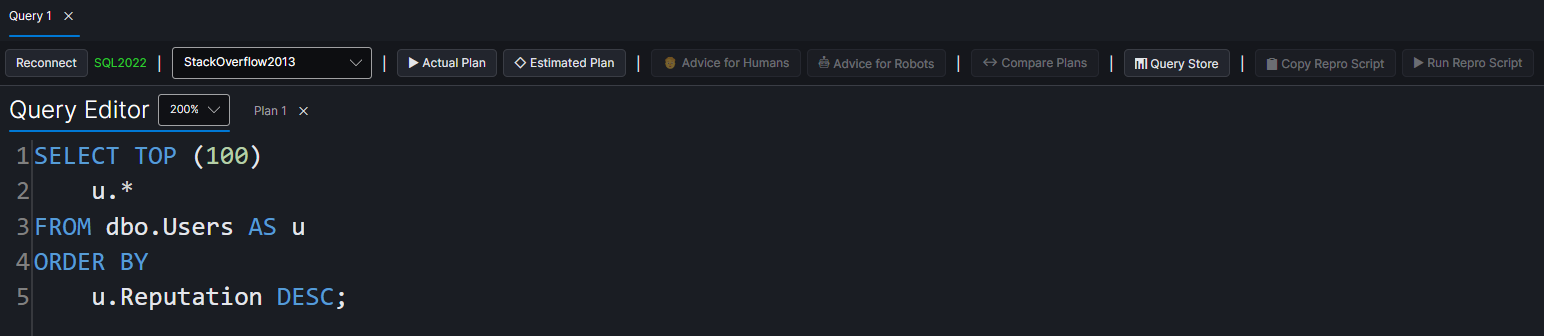
Query Editor — syntax highlighting, SQL completion, one-click plan capture
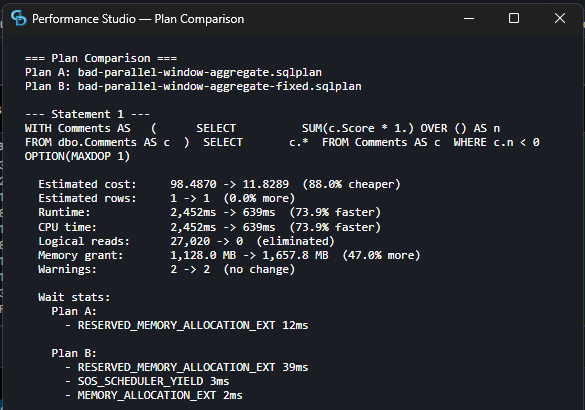
Plan Comparison — side-by-side cost, runtime, I/O, memory, and wait stat diffs
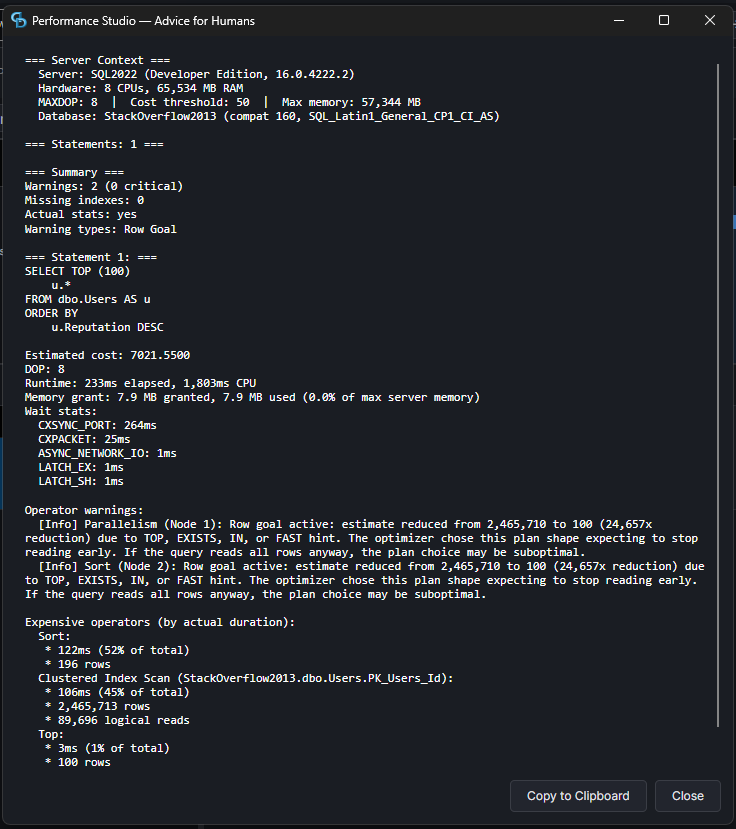
Advice for Humans — one-click text report ready to read or share
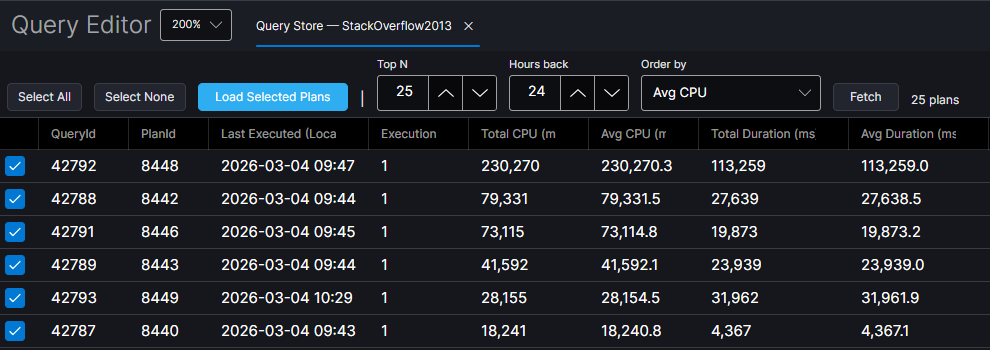
Query Store — fetch top queries by CPU, duration, reads, or memory
30 Analysis Rules
Every rule includes severity (Info, Warning, Critical), the operator node ID,
and enough context to act on immediately.
Memory & Spills
- Large memory grants
- Grant vs. used ratio
- Hash & sort spills
- Exchange spills
Estimates & Stats
- Row estimate mismatches (10x+)
- Zero-row actuals
- Row goals
- Compilation issues
Indexes & Lookups
- Missing index suggestions
- Key & RID lookups
- Scan with residual predicates
- Implicit conversions
Patterns & Smells
- Parameter sniffing
- Scalar UDFs (T-SQL & CLR)
- OPTIMIZE FOR UNKNOWN
- Leading wildcards, late filters
Platform Support
Downloads are self-contained. No .NET SDK required. Extract the zip and run.
Getting Started
Download & Run
|
CLI Quick Start
|
GitHub Sponsors
If this tool saves you time, consider sponsoring development on GitHub.
Ready to Stop Guessing?
Download Performance Studio and start understanding your execution plans today.
Free, open source, and built by someone who actually tunes queries for a living.
Looks cool! I don’t think the Mac distribution is quite right though – the zip file extracts to a folder full of stuff, and none of it seems runnable. Sometimes you can rename a zip file with an app extension instead and it works, but not here in this case either – it says “You can’t open the application PerformanceStudio-osx-arm64 because this application isn’t supported on this Mac.”
Really excited for it though!
Ah crud, I forgot to check that before going to the airport.