Thanks for watching!
Video Summary
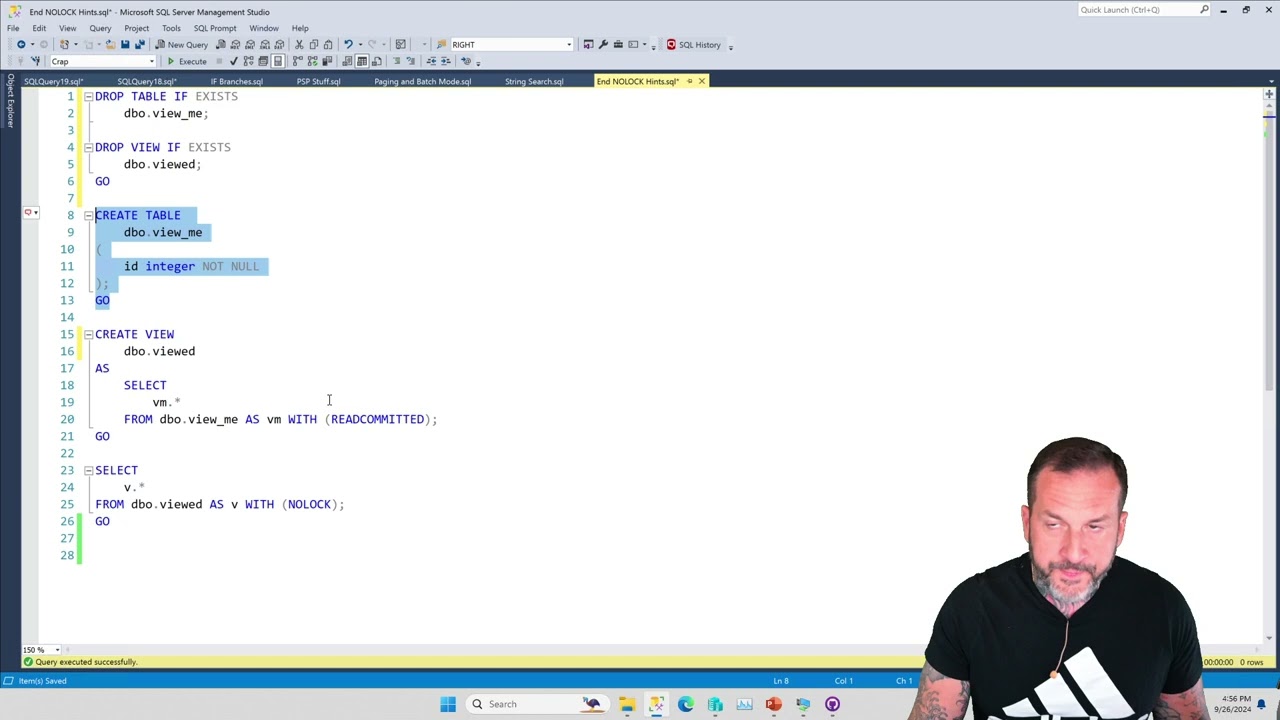
You can keep NOLOCK hints out of your code by renaming each table and putting a view with the original table name on top of it. In my short demo, I create a view over the table and then a second view over that, using a READCOMMITTED hint. When a developer then runs a query with a NOLOCK hint against the view, SQL Server returns an error about conflicting locking hints, so the hint cannot be used.
Full transcript
Erik Darling here with Darling Data. I’m going to show you a little secret to help you keep nolock hints out of all your code. All you have to do is replace all your tables with views and just sort of swap the names. So we’re going to create a view here called ViewMe, and then we’re going to create a view on that table with this readCommit. the view on that table with this readCommit.com. And then the next time some developer comes in and tries to run a query with a nolock hint, they’re going to get an error because there are conflicting locking hints. Pretty cool, huh? All right. It’s our secret.
Going Further
Someone still has to know enough SQL Server to keep the robots in check, and that’s what my training is for.
This is dastardly and marvelous. I love it.
HAHAHA, glad you like it! It’s kinda cute, isn’t it?
It’s like a power move on the Wacky Races cartoon show. Half expecting Muttley the dog to do his evil laugh.