Query Plan Patterns For Windowing Functions: Aggregate Function Atrocities

Query Plan Patterns For Windowing Functions: Aggregate Function Atrocities


Thanks for watching!

Video Summary

In this video, I delve into the fascinating and sometimes perplexing world of aggregate window functions in SQL Server query plans. After wrapping up a trilogy on these complex queries, I explore some of the more peculiar behaviors you might encounter, such as unexpected range clauses and disk-based window spools that can significantly slow down your queries. I also discuss how to leverage batch mode for better performance and introduce non-clustered columnstore indexes as a powerful tool for optimizing paging operations. By understanding these nuances, you can improve query efficiency and overall database performance.

Full Transcript

Erik Darling, one man party here, Darling Data. In this video, we’re going to round out our Peter Jackson-esque trilogy on window function query plans by talking about some weird stuff that you might see when you start looking at aggregate window functions. So stuff like count, sum, average, stuff like that. when you add windowing clauses to them. But before we do that, my spiel of appeals, if you like my channel enough to subscribe, you can do that for like four bucks a month. If you don’t have four bucks a month, or you just hate me, which I understand, you can engage with me in other ways, like liking and commenting and subscribing. All great ways to let me know you hate me. The best way to let me know you hate me is to give me money, though. So if you really don’t like me, sign up for lots of money. If you’d rather spend more money hating me, you can hire me to do actual factual in person SQL Server consulting. Not exactly in person, kinda on Zoom. But I mean, I would show up to offices if anyone had offices anymore. Which is sort of a funny thing to think about. But if you need health checks, performance analysis, hands on tuning, or you’re having some sort of SQL Server emergency, or your developers are causing SQL Server emergencies, and they need training, you can hire me for any of those things. If you just want some cheap training, you can get 24 hours of it for about 150 bucks with that discount code. It’s a great deal. 150 bucks over the rest of your life unless you are ancient or terminally ill, or you sail a little too close to the winds with your personal habits.

That 150 bucks will go a long way. If any of those other three things apply to you, though, what do you care about what you do with 150 bucks? You’re on your way out anyway. I’ll probably be around for at least 150 bucks more worth of fun. Might be nice to leave something behind. If you want to see me in person, I have live events coming up with more ChatGP. JPT created images. Friday, September the 6th, I will be at Data Saturday Dallas doing a full day pre con and then talking way too much of the regular event. And November 4th and 5th, I will be at Pass Data Summit in Seattle, Washington, where you can catch me and Kendra Little coming together to give two days together co hosting SQL Server performance tuning pre con fun. So with that out of the way, let us begin the partying with Erik Darling, the one man party.

All right. We managed to hit the escape button almost flawlessly. I think we’re off to a good start. We can probably just call it here, right? I should have put that down first. So I’ve got a slightly different index here than I had previously. So this index is on user ID, creation date and score because we are doing this with our windowing function and we are summing this.

And sometimes it helps to have data in order for things like aggregates, right? Ordered data goes into an aggregate pretty quickly. Kind of a nice touch. But what you should know is that by default, when you use aggregate window functions, you get this range thing happening.

And the range thing is usually not what anyone wants when they’re using these windowing functions because it sets up weird, you know, sort of, what do you call them? Like segments of stuff. I’ve always found it counterintuitive what range does. At least, you know, by default, it’s always been kind of odd to me.

So it also, when you use range, you have this nasty side effect. And that is that you use a disk-based window spool to do your work. And those disk-based window spools can be quite slow.

If we look at the query plan up here for this first query, and this is a query that I use a parallel hint on because without a parallel hint, I get a single threaded plan that runs for about two minutes. Now, granted, this thing running at DOP 8 for 30 seconds is not like a completely linear scaled-up improvement, right? 33 seconds at DOP 8 versus two minutes at DOP 1.

Those seven DOP threads may be not pulling their weight so great in this one, right? But we have, in this query plan, we have this window spool right here, which is really a large part of our issue. As you can see, we jump from about 17 seconds here to about 30 seconds there.

So this disk-based window spool is not our friend. Another time you will see the disk-based window spool pop up is if you use rows, but you have an absolutely gigantic, enormous framing of those rows, you will probably never need this. I think this is where Microsoft was like, stop here.

We’re going to punish you if you go beyond this. So if you look at the query plan for this query, it is equally as ucky as the last one at 38 seconds. Well, actually, it’s uckier by about six seconds, I guess.

And this query has not one, but two window spools in it. We have one window spool all the way over here. Yeah, no good.

And we have one window spool all the way over here. No good. Now, what’s funny is if you write your query the way most normal human beings would expect to see the data that comes out of this, rows between unbounded proceeding and current row. So not 9,999 in current, but unbounded proceeding and current.

Unbounded. We are rows everywhere. It’s wonderful. You still get a window spool, but it’s not a crappy one.

It’s not the disk-based window spool that adds a whole bunch of time to your query. There’s no real physical indicator about what kind of window spool you’re getting. The only indicator is crappy performance.

So if you get really crappy performance, you’re probably getting a disk-based window spool. If you get mildly acceptable performance, you are probably getting a not disk-based window spool. So windowing functions, man.

World’s a crazy place. Be careful out there. Now, batch mode, once again, what you should be doing with windowing function queries, utilizing batch mode as much as possible, does help with the range issues. If we run this query and we allow SQL Server to use a parallel plan in the most recent, most highest compat level available currently, we will get batch mode on rowstore, and this query will not suck.

This query will not suck because we go from using a crappy disk-based window spool to using a wonderful window aggregate, and the whole thing takes about 1.3 seconds. If the best you can do in row mode is like 30-something seconds for a query that you’ve got things pretty well set up for, you should be using batch mode. It’ll probably be better.

Unless you’re on standard edition and you haven’t paid Microsoft’s fee for liking you and you only get .2 batch mode queries. Isn’t that nice of them? What batch mode will not fix, though, is this query.

I’m not going to rerun the whole thing and make you sit here for nearly 40 seconds. I’m just going to show you that this query plan, the estimated plan for this, is the same as the actual plan for the one that we did run. Batch mode did not change this.

We are forcing, we are saying SQL Server, pretty please here. We do not get any joy there. Another thing where batch mode is a real savior is if you need to do count over. Now, I’m specifically hinting the parallel planting here because I need to show you just how big of an effect count over can have on queries.

Where I see people use count over the most is when they’re doing paging queries. They put count over somewhere in the select list because they want to know the total number of rows that qualified so they can say, you’re on page whatever of whatever that has whatever many results.

So they stick count over in there and then they wonder why performance stinks. So this took 30 seconds. And the reason why it took 30 seconds is because count over happens in a serial zone in the query plan.

Much like if you use a recursive CTE and you have a serial zone in your plan, this is almost exactly the same concept as that. All of these operators run in serial.

Run single threaded. They don’t run in serial like your breakfast cereal is on the table and they’re just like stomping through it. They all run single threaded. Big problem in here, 25 seconds in this lazy table spool.

Why is it so lazy? We don’t know. Impossible to say. But this thing takes about 30 seconds.

And then, of course, when we’re done doing all that hard work, we distribute streams and go parallel. And it has absolutely no effect on it. No effect on making things better.

So that sucks. And you shouldn’t use count over anywhere. Of course, you know, batch mode is very useful when we’re doing count over stuff. Because batch mode fixes nearly everything with crappy windowing function problems.

If you look at this, we have 319 milliseconds versus 33 seconds from before or whatever. Much better arrangement here, I think. So, once again, batch mode to the rescue.

If you are doing page inquiries and you would like to improve the performance of them almost immediately, one of the best things you can do is add a non-clustered columnstore table to whatever, like, the main query, the main table that you do your paging from.

I realize that many page inquiries have joins that, like, maybe even dynamic joins to other tables that might not always get touched. But if you have, like, that one main, like, users table or something like that, stick a non-clustered columnstore index on it.

Encourage SQL Server’s query optimizer to use batch mode or batch mode on rowstore. And you will get not only much better performance from the query, but for the windowing function stuff like count over, or if you’re using row number to do the paging, you will also get better performance almost immediately from that.

All right? Now, there are some, like, maintenance considerations and there are some, you know, design considerations around using columnstore indexes. I’m not going to get into all that here because that’s a pretty big subject.

But most of the time, you can just YOLO a non-clustered columnstore index on a table and not have to think twice about it. It’ll really help queries that do paging and stuff because batch mode is a much better execution engine for, you know, again, large amounts of data and especially anything that requires windowing functions because it really speeds those up by introducing the batch mode sort and window aggregate.

And you can really help those queries along by doing that. You also might find yourself in a particularly cheery scenario where you can get rid of a lot of the non-clustered rowstore indexes that you’ve created over the years to support different variations on your dynamic paging queries because you just don’t need to account for all that anymore.

The columnstore index can just take the place of all of those where SQL Server can read from the individual columns rather than having to use all sorts of different index configurations to help different queries be fast at different times. So, we have now completed our three-part series on windowing function query plans.

If you notice the names of some of the other tabs up here, you can see that we have many other query plan patterns to talk about. These will not take three parts, though.

These will all be one-parters. Some of these videos are not even going to be terribly long because it is just such a fun, obvious thing what happens when different things in query plans go on. So, thank you for watching.

I hope you enjoyed yourselves. I hope you learned something. I hope that when you watch, by the time you’re watching this video, I hope that you are fabulously wealthy.

I hope that, maybe you already are fabulously wealthy. I don’t know. If you are, you should definitely sign up for a membership, though, because the fabulously wealthy have no excuse. The day someone fabulously wealthy watches my YouTube videos, that’ll be something.

I don’t know. Perhaps you’re rich in love. I don’t know. Anyway, it’s time for me to go do some actual work now, so I’m going to go do that, and I will start recording some of these other videos when I’ve finished my works.

My works are vast. All right. Cool. Thank you for watching.

Going Further


If this is the kind of SQL Server stuff you love learning about, you’ll love my training. Blog readers get 25% off the Everything Bundle — over 100 hours of performance tuning content. Need hands-on help? I offer consulting engagements from targeted investigations to ongoing retainers. Want a quick sanity check before committing to a full engagement? Schedule a call — no commitment required.
Query Plan Patterns For Windowing Functions: Indexes And Memory

Query Plan Patterns For Windowing Functions: Indexes And Memory


Thanks for watching!

Video Summary

In this video, I dive into the world of windowing function query plans from a unique perspective: indexing and memory management. I explore how indexing can impact these queries, particularly in batch mode, and highlight some of the downsides when using row mode for windowing functions. I share practical examples to illustrate why parallel execution plans often disappear once you start indexing for windowing functions, and discuss the implications of this change on query performance. Additionally, I delve into memory grants required by sorts within these queries, emphasizing how they can significantly impact overall plan efficiency. By sharing insights from my experience as “the most SQL Server Consultant,” I aim to provide valuable tips and tricks for optimizing your own windowing function queries.

Full Transcript

Wouldn’t you like to get away? Bum bum bum. Erik Darling here with Darling Data. Eh? Eh? Look at that. Look at that logo.

Recently voted by BeerGut Magazine to be the most SQL Server Consultant. I’m not sure if that was an incomplete thought, but I’ll take it. I think being the most anything would be probably pretty good.

Maybe the most dead would kind of suck, but I’ll take being the most SQL Server Consultant. We’re going to continue talking about windowing function query plans, this time from the perspective of indexing and memorying. Because both of those things are important to windowing function query plans.

Without them you would be in quite a bit of trouble. You would not have a good time. So we’re going to do that today.

Important stuff. Alright. Cool. If you like me to the tune of like four or five bucks a month, you can sign up for a membership here. It’s kind of a nice way to say thank you for the countless hours of entertainment and knowledge about SQL Server that I pass along.

If you are somehow short five bucks at the end of every month, I don’t know, maybe you have a gambling problem. Maybe you have a shopping problem. Maybe you just booked too many vacations.

I don’t know. If you just don’t have the five bucks, you can interact with my channel in other ways. You can like. You can subscribe.

You can comment if you’re feeling real crazy. If you’re feeling real engagey, you can do that. And I will engage back with you. Probably.

Sometimes it will just be a thumbs up because, you know, there’s not a lot to respond to. And other times I will personally write you a message. It’s not, I have no interns working for me writing these messages.

So, you have that to look forward to always. If you’ve got SQL Server problems, I’ve got SQL Server answers, questions, answers, solutions. Yeah, I guess I get a little bit of all that.

Health checks, performance tuning, performance analysis. If you’ve got something immediately wrong with your SQL Server or if your developers just need training because they keep putting worse and worse stuff into SQL Server. I may not look like it, but I’m just the guy to help.

And with recent accolades, like being the most SQL Server consultant, it’s hard to say no to that sort of level of confidence that you can have. So, these things, my rates are reasonable. If you need cheap SQL Server training, you can get 24 hours of it for the rest of your life for 75% off.

Think about all of the dumb things you have spent 150 bucks on that you’ve never used. Think about all the hobbies you’ve picked up. All the things that you pretended to got into.

The things you bought that are broken immediately and there was no return policy. They were like, nah, it’s yours. You broke it. You already bought it. You keep it.

Think about all those things. Then think about this. You can actually get better at something in your life by buying this training and using it. Once again, you do have to participate in the training for it to be effective.

It’s like medicine. If you don’t take it, it doesn’t work. So, yeah. If you are so enamored with my physical being, the specimen that I am, you can catch me live and in person.

This Friday. Not this Friday. But the Friday that will be September 6th in Dallas as part of Data Saturday Dallas. I am putting on a full day pre-con.

All about SQL Server performance stuff. Naturally. Because what else would you pay to hear me talk about? So, Monday and Tuesday, November 4th and 5th, I will be at Past Data Summit in Seattle, Washington, with the lovely and talented Kendra Little.

We will be co-hosting two days of kick-ass pre-cons. All about SQL Server performance stuff. Because again, what else would you pay to hear us talk about? It’s a short list.

I don’t really know what else I have going on for me that you would be interested in. If you let me know in the comments, I will do my best to oblige. That’s as much as I can promise.

And I have officially changed on with the show to Let’s Party. I think it’s a far better lead-in, especially to the wild and crazy material we talk about in SQL Server. Okay.

Anyway. In the last video, we talked about sort of the physical appearance differences between row mode and batch mode plans. In this one, I want to talk a little bit about, well, indexing for batch mode, for windowing function queries. And some of the downsides of indexing for batch mode, for windowing function queries.

I don’t know why. I’m so excited to talk about batch mode that it just keeps jumping out of my mouth. But really, it’s just windowing functions.

So I believe this index should already be created. Good, good, good. We’re set there. Now we need to run these two queries. Now, when you start indexing for windowing functions, something kind of disappointing is very likely to happen.

Your beautiful, magnificent parallel execution plans processing those millions and millions of rows cooperatively go away. So before, we didn’t have an index to support the windowing function. I’m going to freeze frame this about right here, because we created this index on the comments table on user ID and creation date, which matches exactly the partition by order by that we’re using in the windowing function.

If we were selecting more columns from the comments table, it is very likely that we would need to have includes for this index with those columns in them. Otherwise, SQL Server wouldn’t choose them. They would think that the effort to do lookups for all that stuff would be far too much.

And it would probably be right. And we want our indexes to be used. Otherwise, they are useless. So now that we have that index in place running these two queries, we are stuck now with these sort of annoying parallel queries.

All right. We, come on, do the grabby thing. There we are.

If we look at these two things, they’re not terribly fast. So I know I’ve said this in other videos, but we’re sitting here looking at it. So an important difference between row mode up here and batch mode down here, query plans, are the way operator times are accounted for. In row mode plans, parent operators include the time spent in the child operators.

So they sort of just add up going from right to left, starting with the index scan and going to the segment and the sequence project in the filter. Notice we no longer have to sort data for this one. We also don’t have to sort data for this one.

Sorry, my hand is getting lost in the void. Which is, you know, I mean, I guess why we created the index. So we don’t have to sort data. We don’t have to worry about memory or spilling or any of that stuff.

These slow down a bit though. In the batch mode plan, each operator accounts for its own time. So the index scan that takes 3.5 seconds, the window aggregate that takes about 100 milliseconds, and the filter that takes about 40 milliseconds.

That’s the total time for the plan. A quicker way of seeing that is to go into properties and to go to query time stats. And then that will tell you just about in total the CPU and elapsed time.

And since this is a serial plan, those numbers are equal for this one. Alright. Cool. Except it’s not cool.

And what’s doubly not cool is what I’m about to show you. We rerun these two queries. Remember the first one took about 5.5 seconds.

The second one took about 3.5 seconds. We’re going to rerun these. And of course we’re going to look at the query plans, because that’s the whole point here, isn’t it? Looking at query plans.

This one ends up being a full second slower. Weird, right? Paralympic is supposed to make stuff faster.

Why did it go a full second slower? Because once again, windowing function stuff in row mode sucks. It’s awful.

Don’t do it. Use batch mode as much as humanly possible. I beg of you. It’s a bad time in row mode.

Something kind of interesting happens with the batch mode query though. No, this wasn’t there before. For some reason, the parallel version of this plan needs to sort stuff.

Perhaps it’s a side effect of parallelism in batch mode. I’m actually not entirely sure at the moment. I’m going to have to dig into that a little bit more and get back to you.

I’m happy saying I don’t know right now. It’s just something that I’ve noticed and I haven’t had time to dig in further into. So, it’s weird, right? Not knowing everything the second you look at it.

It’s strange. Strange stuff, right? But we still have to sort user ID and creation date for that one for some reason. Perhaps it’s a function of reading from the table in batch mode that disorders things.

I’m not sure. Perhaps this is one of those crazy things like when people create columnstore indexes with a max stop one hint to get better compression and ordering and segment stuff.

Maybe, perhaps it’s related to this sort of thing. I need to find out. I need to educate myself here. I need to learn that so I can teach you.

And then someday we’ll all be smart together. Now, what I think is interesting, specifically focusing on the batch mode version, is that the reason why…

Let’s quote that out. Let’s run this. Doop-a-doop-a-doop-a-doop-a-doop-a-doop. And it ran.

And it’s still 3.5 seconds with a cost of… Oh, why’d you leave me? I was hovering. 77.3616 query bucks. If we…

Which beats my cost threshold for parallelism. My cost threshold for parallelism for this is 50. So, 77, definitely higher than 50. If we rerun this with the parallel hint back in there… Again, unsupported, undocumented, not safe for use in production, blah, blah, blah, blah, blah.

I use it in production, because it works and it makes things faster. And I know what I’m doing. I’m qualified.

I am the most SQL Server consultant. Don’t you forget it. This thing has a cost of 124, almost 125 query bucks. So, the addition of the sort in the parallel version of the plan is why SQL Server doesn’t choose the parallel plan for this.

Even though the parallel plan for this does a whole heck of a lot better time-wise, the serial version is 3.5 seconds. This is 1.1 seconds.

I will take any improvement I can. Now, again, batch mode for windowing functions is what you should be aiming for. You should not be relying on row mode windowing functions, except for maybe very small amounts of data.

So, there’s that. Realistically, though, if we’re doing this sort of stuff, we want to have a columnstore index available in order for… Did that throw an error? No, it’s running.

I was like, wait a minute. I thought I broke something. Realistically, if we’re doing this sort of work, we want a columnstore index to help our windowing functions query… windowing function queries. The reason for that, columnstore, great compression.

Minimize I.O. Native batch mode stuff. We don’t have to worry about batch mode for rowstore thinking we’re special. We get the full beauty of batch mode and columnstore together.

They’re wonderful interactive things. They interoperate quite well together. The thing is that, you know, like when we looked at the parallel batch mode, windowing function query up above, we had to sort data.

You know, columnstore indexes don’t really, you know, have data like sorted sorted the way that rowstore indexes do. So, things are a little bit different here. If we run both of these, and chug, chug, chug, chug, chug, there we go.

So, what I have here is one query running in compat level 140, where batch mode on rowstore is not available. And one query running in compat level 160, where batch mode on rowstore is available. What’s nice here is that these both get fully batch mode plans out the gate.

Of course, they both have to sort data, which isn’t awesome. But the presence of a columnstore index gives us enough batch mode goodness that we don’t have to worry about all the performance issues that come from rowstore queries. Everything in these two queries are close enough to being the same time for me that I’m not going to sit there and worry about it.

If you can, if you’re able, adding a non-clustered columnstore index to a table, in real life, you know, you’d probably want to have way more columns in your columnstore index. Because you never, you know, if I know anything about your queries, they are not reliable as to what people want to select and filter on and row number by and sort by and all that other stuff. So, you really want to have more columns in there.

So, SQL Server’s choice of using that columnstore index is far more apparent. It’s a far easier decision to make from a costing perspective. You don’t have to worry about awful lookups involving columnstore indexes.

So, it’s a good thing to avoid. So, as much as possible, you want to use, you want to pair columnstore indexes with your batch, with your window, with your window and function queries. Because that’s where you get the biggest, that’s where you get the biggest gains perf wise.

If you take a look at these two things, look at the time that it took to read from the columnstore table, versus the time that it took to read from the rowstore table, even in batch mode. Right? Far, far, way less time. Almost nothing on that. So, these two queries end up pretty good, at least as far as I can see.

I do apologize for the more frequent coughs today. It is incredibly dry in here for some weird reason. Another thing that you need to be very careful about, and this is, we talked about the indexing, now we’re going to talk about the memorying.

Another thing you want to be very careful about with windowing function queries is which columns you’re selecting. Because, you know, a big topic of stuff that we’ve talked about in this video and in the video before it is sorts. Sorts require memory.

Sorts require an amount of memory based on the number of columns going into this sort and the data types of those columns. So, the width of the rows and the length of the results. So, if we run this query, and we don’t need the legacy cardinality estimator hint for this one.

We will use it for the other one. By the way, if you are query tuning and you’re using compat level, like, what is it, 120 or higher? One of the first things you should always try, like, aside from recompile, is forcing the legacy cardinality estimator.

Because, it works, it truly works wonders on a lot of queries. So, if we look at this thing, it takes, it takes almost 16 seconds, right? That’s about as close to 16 seconds as you can get.

If you blinked, this would have been 16 seconds. This thing asks for a whopping 16 gigs of memory. Now, remember, memory grants for SQL Server can be up to 25% of your server’s max server memory setting.

Unless you use resource governor to nerf that a little bit. So, these queries with these sorts can ask for lots and lots of memory. And, of course, the reason why this sort asks for a lot of memory is if we come over here.

Come on, give me the tool tip. There we are. SQL Server thinks the estimated data size is 17 gigabytes. So, it asks for 16 gigs of memory.

It is probably not correct. It is probably incorrect. The reason for the inflated memory grant is because one of the columns, so, we’re only ordering by user ID and creation date. But, one of the columns that we have to sort is the text column in the comments table.

String columns will make memory grants huge. One way to get around this sort of stuff is to… Actually, we’re going to throw this on the pile for this one.

I like to show off this hint for this query. We’re going to structure this query a little bit different. In our comment table expression, we’re going to do all our row number stuff only selecting the ID column. And then down here, we’re going to join the comments table to itself.

And we’re going to select everything from the joined copy, C2. Notice this is dbo.comments is C2. And this is just comments.

The comment table expression is C. And if we run this, I mean, not only is this going to be faster, I think, twice as fast if I’m remembering correctly, but it’s also going to use a whole lot less memory. Because we don’t have to pass the text column through the sort.

Now, God bless Microsoft for putting operator times in query plans. Really, thank you. I appreciate it. But can you fix it?

Can you please fix it? Like, can I beg you to fix this code? Because if you look at what happens in here, and again, this is all row mode. There’s no batch mode operators in here.

None of these queries are only timing themselves. We start out at 478 milliseconds. We’re going to ignore the repartition streams because it makes things too weird. Then we go to 8.2 seconds, and then 8.7 seconds, and then 8.9 seconds, and then 9 seconds.

And then repartition streams makes things weird. 7.8 seconds. I don’t know where we lost 1.2 seconds in the shuffle.

But we did. And then we remain at 7 seconds here, and 7.8 seconds here, and 7.8 seconds here. Alright. Okie dokie.

And then somehow this ends up at 16.9 seconds. Again, parallelism stuff making things weird. If we go to the properties of this thing, and we go to query time, the elapsed time is only about 9 seconds.

The CPU time is 29 seconds. But the elapsed time is 9 seconds. Alright. So the elapsed time really closely matches about what we had here. That the rest of the query plan completely screws up.

Like it drops by a second where it shouldn’t, and then it goes up by like 8 seconds. Or 7 seconds. Something like that.

Where it shouldn’t. Microsoft, please fix it. We want to be able to tune these queries and know what things mean. This doesn’t help us one bit. But this query only asks for 2200 megs of memory.

Or 16 gigs of memory. Again, because the sort operator here, we don’t have to manage as much. Right?

We don’t have, we’re still ordering by the same two columns, user ID and creation date. But we only have to deal with selecting the ID column. So that asks for far less memory. And the size of this data is far smaller.

Alright? So 538 megs is the estimated data size. There is some additional memory requirement, of course, because we have a hash join back to this thing. If we really wanted to experiment, and this truly is an experiment, because I didn’t try this one before.

If we put a loop join hint on this thing… I don’t know, maybe we’ll ask for less memory. Because the hash join was asking for something. I don’t know.

But, but, but, but, but… Oh, the time is about the same. Oh my goodness! Look! It’s right this time!

The parallelism gathers streams did not screw us up! Great! We can actually see how long that took. Oh, but our sort spilled! Boo! What happened? How much memory did we ask for?

A little bit less. So we went from 2200 to 1800 megs. Um, oh, I don’t know. The loop join asked for a little bit less memory. Kind of a mixed bag there. Maybe it needed that other memory so it wouldn’t spill.

Either way, I’m kinda happy to have shown you that. It was a fun little diversion for me. So anyway. You can see the little hint on the bottom there. That we’re gonna talk about aggregate windowing functions next.

So, uh, we’re gonna stop this video here. Cause we’re over 20 minutes! Good lord! What do we do with ourselves in these 20 minutes? What do we even talk about?

I don’t know. Stop knowing. Anyway. In this video, we looked at indexing for windowing functions. How indexing for windowing functions can lead to serial plan disappointment. Uh, and continued, continuing the effort to get you to only use batch mode for windowing functions.

And of course, uh, be careful which columns you’re selecting because the columns you select directly affect the amount of memory that a sort can ask for, or that a sort will ask for, uh, which is based on max server memory.

So, if you, splitting, sometimes splitting queries up into what you need to order and what you need to show people is a good way to, uh, tune memory grants. Um, we also learned, or continued to push, that the Legacy Cardinality Estimator is usually the best one.

It’s my favorite anyway. I don’t know. Maybe I’m sentimental. Nostalgic old man, but that Legacy Cardinality Estimator gets a lot of things right. Anyway, uh, thank you for watching.

Hope you enjoyed yourselves. I hope you learned something. And I will see you in the next video where we will talk about aggregate windowing functions. Big excitement, big party, big party energy. We’re going to do that as soon as this one is uploaded.

And I have had some water because, uh, I’m, I’m a little raspy. Anyway, thank you for watching. Thank you for watching. Thank you.

Going Further


If this is the kind of SQL Server stuff you love learning about, you’ll love my training. Blog readers get 25% off the Everything Bundle — over 100 hours of performance tuning content. Need hands-on help? I offer consulting engagements from targeted investigations to ongoing retainers. Want a quick sanity check before committing to a full engagement? Schedule a call — no commitment required.

Query Plan Patterns For Windowing Functions: Row Mode vs Batch Mode

Query Plan Patterns For Windowing Functions: Row Mode vs Batch Mode


Thanks for watching!

Video Summary

In this video, I delve into the intricacies of query execution plans when window functions are involved, breaking it down into three parts to ensure that the content is digestible and comprehensive. Starting off by discussing the differences between row mode and batch mode for these queries, I highlight how critical it is to use batch mode for optimal performance, especially with large datasets. I also explore the impact of having or not having a `PARTITION BY` clause in your windowing functions, noting that the absence of this clause can significantly alter the query plan’s parallelism and execution efficiency. Throughout the video, I share practical insights on how to recognize these patterns and optimize queries for better performance, emphasizing the importance of proper indexing and predicate usage.

Full Transcript

Erik Darling here with Darling Data. Feeling real happy at the moment. Extra happy. Probably the happiest I’ve been in, I don’t know, 37, 38 years? No particular reason. Feeling kind of peppy at the moment. And so this is going to be split up into three parts, not six parts, just the last part. three. One, three or the other. Only three, not double three. Because the material’s a little too dense for a single video. I don’t think anyone would stick around for the whole thing. So we’re breaking this one up into three parts. This is going to be talking about query execution plans when window functions are involved. Because it struck me when I was recording something a while back. And I was talking about how I’ve, over time, learned how to predict what will be in a query by looking at the query plan. And I think someone commented that that would be a cool thing to talk about. So I’m going to talk a little bit about query plan patterns for different queries that I can sort of recognize. There’s going to be a bunch of those videos, but there’s three on windowing functions. There’s just about enough to talk about with windowing functions that I think it is worthwhile. There are essentially three different kinds of windowing functions. There’s like the ranking ones, so like row number, rank, dense rank. There’s aggregates, like sum and count and average. And then there’s the analytical ones, like cum dist and whatever discrete something. I can’t keep track of all those things. I don’t think I’ve ever really used them. I guess Entile would be in there. Entile is the only weird one that I’ve used pretty regularly. I dig Entile. I think Entile’s a cool cat. If you don’t use Entile, I don’t know, you should. Team Entile over here with Darling Data. Anyway, what was I going to say? Oh yeah, some some crap that apparently is useful because since I started saying this stuff at the beginning of the videos, things have been picking up. So good job, everyone, for paying attention early on. If you like this content and you feel like it is worth like four bucks a month, you can sign up for a membership to my channel. That’d be cool. If you don’t have the extra four bucks a month, if that’s going into your Happy Meal fund, Lord knows inflation has really messed with the prices of Happy Meals. Maybe that’s why I’m happy. I started thinking about Happy Meals and that brought me back to my youth. Never can tell. Other ways to show your love, support, and enduring allegiance to Darling Data. Humble leader. Likes, comments, subscribes, all nice things that you can do.

If you are in a real pickle and you need SQL Server consulting, I am available to do just about anything that doesn’t involve replication. These are the things that I excel at. I don’t use Excel much, but I do excel at these things. And what do you call it? If you need anything outside of this sort of stuff, well, my rates are reasonable. Anyway, training. It’s another thing. Good to have. Good to buy and actually use. Good to purchase training and then actually go through the training.

Not just say, I’ve got the training. Because it does not through osmosis. Like Edgar Cayce, when he would say he could put a book on his stomach and absorb the knowledge. I’m not quite sure that SQL Server training works in the same way. You do have to participate in order for it to be effective. All right. Good thing to do there. If you are so smitten with me that you want to come see me do things live and in person, where you will see me in something probably other than an Adidas shirt, you can catch me in these places on these dates.

Friday, September the 6th, I will be in Dallas, Texas, doing a full day pre-con for Data Saturday Dallas. And then also on the 7th at the regular event. And then November the 4th and the 5th, I will be in Pass Summit for two days of pre-cons with Kendra Little as my charming co-host.

And that’s not co-host in like Johnny Carson, Ed McMahon sort of way. We are on equal footing. This is not like, you know, there’s like the show leader and then like the charming sidekick.

We are equal partners in these pre-cons. So I look forward to seeing you there with maybe some more ChatGPT created images. I don’t know. That seems like fun.

Anyway, let’s talk about these windowing function query plans. So what I want to go through in this one is sort of two things. One, the difference between row mode and batch mode for window function query plans.

And the other thing is difference in query plans when you have and when you do not have a partition by clause. Because that does change things a bit. Also, the type of predicate that you have on your windowing function, whether it’s equality, less than, greater than, can also change the query plan a little.

So, with all that in mind, gosh, let’s get started. All right, let’s move it on this thing. So I’ve got these two queries already run.

And what I want to show you here is without a good supportive index, both of these queries have to do a bit of work to generate the windowing function stuff. The thing is, the row mode query just plain stinks at it. When you have to do this over a lot of data, when you do a windowing function over a lot of data, you just absolutely should not be doing anything in row mode with it.

So, this query takes 9.3 seconds. This query takes 1.4 seconds. Big difference there. And it’s all because of batch mode.

Now, where things that you should know about window function query plans is that in row mode, you will always see these two operators, the segment and the sequence project. Segment is responsible for the partitioning and the ordering.

And then the sequence project is responsible for the numbering. So you put the data in the order that it needs to be in. If you don’t have an index that already has the data sorted the way it needs to be for the windowing function, then you have that sort there, right where my finger ends, right there.

That puts the data in order. Then the segment sort of does the grouping and then the sequence project sort of does the numbering. At least that’s how it was explained to me.

If someone lied to me, I will find them. Remember Boku Delta Miles over here. Diamond medallion darling data. So we have a sort that puts the data in the order that we need it to.

We have this thing that sort of does the grouping, you know, put stuff, you know, maintains the order. And then the sequence project that does the numbering. So, all well and good.

This is what you will generally see in windowing function query plans in row mode. In batch mode, it will look like this. We still have a sort, but notice that sort doesn’t quite, you know, have the problems that the other sort did. And then we will see a window aggregate.

I’ve said this in other videos, but one of the very cool things about window aggregates in SQL Server query plans is they are the only operator currently that is able to read from a batch mode sort on multiple threads. All the rows come out of the clustered index on the comments table, go into the sort on multiple threads.

The sort occurs on multiple threads, but any other operator would have to read from that sort single threaded. So, kind of a cool thing there about window aggregate operators. So, this is kind of the general physical appearance difference of query plans between row mode up top and batch mode at the bottom.

Batch mode gets the window aggregate. And then row mode has the segment and the sequence project. Because we don’t have an index in place, both of these have to sort.

So, let’s move on a little bit and let’s look at what queries look like when we don’t have a partition by clause. Notice that we are just ordering in this one and this one and this one down here. I’m going to run all three of these at once so we can compare and contrast these wacky query plans.

These wacky dacky doos. One of those things is a little slower than the others, wasn’t it? Now, the big difference between partition by windowing functions and ones that don’t have the partition by clause, they only have the order by clause, is that SQL Server eats up the parallel zone a lot earlier on in the plan.

The query plans that we looked at before were parallel the entire way through to the very end where there was a gather streams. In this one, we gather streams really early on. Both of these things gather streams right after the, well, the row mode.

Both of these things, here I go. Being a knucklehead. The row mode plan gather streams immediately after the sort and does the segment and the sequence project in a serial zone.

The batch mode plan keeps the parallelness through right after the window aggregate. And, you know, the batch mode thing is a little bit faster here anyway, but whatever. This one’s a little bit different because, you know, we really just have to, we don’t have to do as much work as we do with the partition by, especially in row mode.

Curiously enough, emitting the partition by in row mode actually gets it pretty close to on par with batch mode. But, you know, most window function queries that you’re going to use, they’re probably going to have to partition by something. So definitely use batch mode on that.

Now, one thing that I wanted to show you that sort of emphasizes the serial zone in the plan is when you use a greater than filter on a windowing function like we’re doing here. This one is uniquely designed to continue to return zero rows. We have a, what we saw in the other plans where we have, sorry, my head’s in the way.

I’m going to like Mario, boop, the clustered index scan. Then we sort, then we gather streams, then we segment, then we sequence project. And then after that, we reopen a parallel zone.

We have a distribute streams operator here that re-puts things out on parallel threads and then re-filters them. You’ll notice that this thing really slows down. This is not a good time.

This greater than predicate, whatever happens in here, it is no good, right? We are not having fun. We do a lot more work in this query. So, you know, be aware of, you know, how you do that.

Of course, if you use batch mode like any sane normal person would, you don’t have those same problems. Again, row mode query plans for windowing functions are nothing but headaches. I, you know, I will use any trick in the book to get batch mode for windowing function queries because in row mode, they just eat it so often that it’s mind-boggling.

I don’t know how we ever got away with windowing function queries without batch mode. It is truly a dismal experience a lot of the time. So, again, this very fast, even with batch mode in place.

And we don’t have the same sort of weirdness with the, you know, the serial, the parallel zone ends and the segment and sequence reject and then the parallel zone reopens. We just have a parallel plan the whole way through, which turns out a lot better for us from a performance perspective. So, in this video, we have gone over some just kind of physical appearance differences between row mode and batch mode window function plans.

Again, in the row mode plans, you will see the segment and the sequence project with an optional sort if you don’t have an index that supports the partition by order by or just order by clause. We looked at queries that only have the order by and saw that they, you know, while they did have all the same operators, the parallel zone and the only order by clause windowing functions ended a lot earlier. And we also saw that SQL Server has to do some where work when you have a greater than predicate in your windowing function filter.

Think of it like this. If you just have a where row number equals one or where row number is like, you know, equals zero or something, it’s real easy for SQL Server to figure out like where that row number would be, right? It’s going to be at the start of every, you know, either partitioned chunk or at the very start of the results for a query or for the row number, right?

Sorry. For a query without partition by only has order by, there’s only one chance for that to be the equality predicate. When you do greater than, SQL Server has to spend a lot more time putting rows through and generating those row numbers to compare them because it has to go like basically to the very end of the result to do it.

So that’s why there’s just a lot more work involved. Anyway. Hope you enjoyed yourselves as usual.

I hope you learned something as usual also. Thank you for watching. And I will see you in the next video where we are going to talk about, if I sneak down a little bit here, we’re going to talk about indexes and index usage and memory usage in windowing function query plans, which is just going to be a thrill ride.

Edgier seat. Hold on. Better hope you have your wood screws in type stuff.

So. All right. I’m going to go. I’m going to go prep for that. We’ll upload this. It’ll be a good time. All right.

Cool. Great. Good job, everyone. We barely stumbled over words we’ve been saying for all of our lives. Phenomenal on that.

All right. Great. Thank you for watching. Thank you.

Going Further


If this is the kind of SQL Server stuff you love learning about, you’ll love my training. Blog readers get 25% off the Everything Bundle — over 100 hours of performance tuning content. Need hands-on help? I offer consulting engagements from targeted investigations to ongoing retainers. Want a quick sanity check before committing to a full engagement? Schedule a call — no commitment required.

Troubleshooting Security Cache Growth In SQL Server (USERSTORE_TOKENPERM And TokenAndPermUserStore)

Troubleshooting Security Cache Growth In SQL Server (USERSTORE_TOKENPERM And TokenAndPermUserStore)


Thanks for watching!

Video Summary

In this video, I delve into a peculiar issue that has plagued several client servers—security cache growth leading to various transient problems such as CPU spikes, plan cache issues, and memory-related anomalies. I explain how the security cache, meant to simplify login and permission handling, can balloon out of control if not managed properly. To help you tackle this problem, I share a detailed walkthrough on identifying and troubleshooting security cache issues using specific queries and scripts. Additionally, I discuss trace flags that might offer some relief, but emphasize that they need to be set as startup flags for effective management. For those looking for more proactive solutions, I provide stored procedures and agent jobs that can automatically clear the cache when it exceeds a certain size, ensuring ongoing performance stability.

Full Transcript

Erik Darling here with Darling Data. And I remembered to turn my microphone on, so we’re off to a great start here. In today’s video, we’re going to talk about a very weird problem that I’ve seen crop up on client servers a number of times now and lead to all sorts of weird transient issues. CPU spikes, plan cache stuff, just weird memory things, stack dumps, you name it. I’ve seen this thing be the root cause of all sorts of weird problems. And of course that weird thing is the security cache. It sounds like this nebulous little doohickey that is supposed to make life easier by caching security information about logins and whatnot, but if it grows unchecked, it can cause some real big problems. Before we get into all that, of course, we need to talk a little bit about you and me. And things that I like when people sign up for memberships and contribute just a little bit to making sure that this channel stays free and open source for everyone to use. It’s like four bucks a month at the low end. If you don’t have four bucks a month, I totally understand.

You know, there are things that I’d probably rather spend four bucks a month on too. But if you don’t want to do that, liking, subscribing, commenting, all that good stuff is just another way to make my little heart go all aflutter. Shut up, Intel drivers. If you’re in need of SQL Server consulting, that’s my job. Apparently, I do all this stuff and more and my rates are reasonable. So you can hire me to do what I’m going to show you today for you. It’s fun. It’s really great, fulfilling, really just life-affirming work. If you need training in the SQL Server performance tuning space, you can get about 24 hours of it for about $150 when you use the discount code SPRINGCLEANING. If you look in the video description, there’s a link with SPRINGCLEANING baked right into it and you can use that. It’s amazing technology. The advanced URL technology here at Darling Data.

If you want to see me live and in person, and who wouldn’t? I’m even better in person because you can throw things at me. And, I don’t know, give real likes and comments. You can comment in real life, in real time. I think that’s called a conversation. Weird. Weird. I’ll be in Dallas Friday, September the 6th, doing a full-day training session.

And, November 4th and 5th, I will be at PASS Data Summit in Seattle with Kendra Little doing two days of SQL Server performance pre-cons. So you should come see us at those and you should come see me in Dallas if you happen to be in the neighborhood. So now, let’s get on and talk a little bit about how we can troubleshoot security caches.

Now, my good and dear friend, Josh Darnell, who is an application developer, was able to figure out this part of the demo. I don’t take a lot of credit here aside from doing some nice formatting on it, even though there are a couple things that could use some work, apparently. You know, it’s hard to find good help these days.

And, the whole point of this thing is to inflate our security cache. So, that’s what I’ve done. I have inflated the security cache by using SetAppRoll over and over and over and over again in a loop.

I actually had this loop run. Actually, the first run of it got me to about, like, a gig. So, I ran this a few times to get it up a little bit higher.

Just because it made things a little bit more interesting for me. Not because it’s, you know, really all that fun or interesting or cool for you. But, that’s what I did.

So, what we’ve got here are a couple queries that will help you look at security cache stuff. If you look at this one, you will see that things were cruising along going just fine for a while. And, then at some point, the security cache grew.

So, that’s about 2.3 gigs plus about another gig from the ACR cache store. So, that’ll be about 3.2 gigs total from there. So, this is a tough query to remember.

It’s not very portable. It’s not very interesting. I mean, it’s kind of interesting. Actually, you know, if you look at it and you actually click on the XML column, you can get a lot more information out. I don’t like parsing this stuff out from the XML to show in the tabular result because it makes a lot of, like, duplicate lines that are just kind of messy.

I generally just zoom into where, like, things grew or when things grew or, like, if they, you know, spike up from, like, a lower number to a higher number or a high number to another higher number. And, then I sort of just dig around in here because you can see all sorts of interesting stuff about, you know, entries getting put in but not removed and the size of things. And, it is, you know, mildly interesting if you have this particular fetish.

If you want an easy way, excuse me, an easy way of figuring out if your system cache, if your token and perm user store is growing a lot, you can use my free store procedure SP pressure detector. I’ve got it set up here to only look at memory and to skip some other stuff that’s not really pertinent to us. But, if you run that right at the very top, you will have this section here and you will see user store token perm is about 3.2 gigs total, which I believe is about what we talked about it being from the XML.

When we did the XML query, it was, like, you know, 2.3 plus 0.9 something gigs. So, that’s the size of the token perm store there. Now, you can clear this out manually by running this, DBCC free system cache token and perm user store.

So, but the thing is, if this is something that happens regularly because of your application either using set app role or, like, doing impersonation stuff, like, I think execute as is another thing that can really pump this up. Switching users back and forth in queries for different reasons. I’ve seen a bunch of applications that, you know, log in as one user, switch to another user to do something, switch to another user to do a different thing.

Like, they have different permissions and schemas and stuff. All those things will inflate the security caches. So, you can totally run this to clear that out.

If this is a big long-term problem for you, there are a couple of trace flags that can help. The thing is, they don’t help if you just do this. These have to be startup trace flags for them to really make a difference.

So, if you want to look into what 4610 and 4618 do, if you’re having this problem, go crazy. They’re pretty useful if you’re having the issue, but only as startup trace flags. They don’t fix a problem if you just enable them globally.

If this is a problem that you’re having a lot and the trace flags don’t help and your security cache is still growing, over in my GitHub repo, which I’ll have a link to in the video description, I’ve got a few scripts in there that can help. One of them is a store procedure that will run, look at the size of your security cache, and there’s a parameter that you pass in to say how big of a security cache you care about.

If it grows beyond a certain size, it’ll run that DBCC free system cache call and clear it out for you. I’ve also got an agent job to set that up to run. The schedule, I think, is baked in for like every hour or something.

If that’s not often enough, you can, of course, adjust the schedule. But all of this stuff, you can just hit F5 on. And, of course, if you want to inflate your security cache for some reason, or you just want the standalone analysis scripts here, you can use that.

Also in my GitHub repo is SP Pressure Detector right down here, which you can also get totally for free. You don’t have to like or subscribe or comment on that, but you can get that and also view the biggest memory consumers on your server.

And if that user store token perm stuff is up there, you might want to think about running the DBCC command to clear it out, maybe enabling the trace flags, and maybe using this code to set up a job to clear it out on a regular basis, because you might be having all sorts of weird performance issues and reliability issues because this thing grows out of control.

As for like how big it has to be before I worry about it, generally, once it gets past the 2 gig mark is when I see signs of trouble. If it gets up past like 4, 8, 16, 20 gigs, somewhere in there, then you’re just about guaranteed to have some issues.

So I’m usually pretty aggressive on this, and I usually set that to be around like 1, 1 to 2 gigs to clear out for the store procedure there, because like really anything beyond that, you’re just kind of asking for trouble in the long term.

So I hope that this is not a problem that you have. I hope that you don’t have applications that blow out your server’s security cache, because memory is precious, right?

And if you have, you know, 8, 16, 24 gigs of security cache, that’s memory that your server can’t use for other stuff, like caching data pages or query memory grants or having a plan cache or other things like that.

So it’s a bad problem to have. If you are having that problem, you’ve got some trace flags that you can look into. You’ve got some scripts that you can run to clear it out.

If you, you know, I honestly like, you know, I say try the trace flags, but a lot of people can’t just restart SQL Server with new startup trace flags in place. It might be safer for you to just use the scripts there.

Excuse me. So look at your SQL Server with SP Pressure Detector. If you see high user store token perm or anything like over like the 2 gig or so mark, you might want to think about, you know, clearing that out, see if the problem comes back.

If it keeps coming back, I’ve got you on the scheduled stuff with the store procedure right there. The store procedure also does some logging so you can see like, you know, which runs cleared stuff out, how big the security cache was when the run cleared. So there’s some diagnostic data in there too that’s pretty helpful.

Anyway, thank you for watching. I hope you enjoyed yourselves. I hope you learned something. I hope that all your dreams come true. I hope that you just get everything you want from life.

It’s a short endeavor and feeling like you are missing out on stuff is never a good feeling. So I hope you’ve got no FOMO. I hope that you get everything that your heart desires, including this video coming to an end.

That’s what I desire right now because I feel like I’m sticking the landing a little bit here. Anyway, thank you for watching. I’m going to upload this and figure out what to do with my life next.

All right. Cool. Thank you.

Going Further


If this is the kind of SQL Server stuff you love learning about, you’ll love my training. Blog readers get 25% off the Everything Bundle — over 100 hours of performance tuning content. Need hands-on help? I offer consulting engagements from targeted investigations to ongoing retainers. Want a quick sanity check before committing to a full engagement? Schedule a call — no commitment required.

Catch Me On The Azure DevOps Podcast: Technical Debt

Professional Rambler


I met The Azure DevOps Podcast host Jeff Palermo (X|L) at Red Gate Summit in NYC, where we were on a panel discussing database stuff, ‘natch.

A few days later, he invited me to be on his podcast. Here’s the episode:

If you prefer to listen another way, here’s a link to the episode with a bunch more options.

If you’re an Appler, you can listen here.

Thanks for listening!

Going Further


If this is the kind of SQL Server stuff you love learning about, you’ll love my training. Blog readers get 25% off the Everything Bundle — over 100 hours of performance tuning content. Need hands-on help? I offer consulting engagements from targeted investigations to ongoing retainers. Want a quick sanity check before committing to a full engagement? Schedule a call — no commitment required.

Join Me And @Kendra_Little At @PASSDataSummit For 2 Days Of SQL Server Performance Tuning Precons!

Last Year


Kendra and I both taught solo precons, and got to talking about how much easier it is to manage large crowds when you have a little helper with you, and decided to submit two precons this year that we’d co-present.

Amazingly, they both got accepted. Cheers and applause. So this year, we’ll be double-teaming Monday and Tuesday with a couple pretty cool precons.

You can register for PASS Summit here, taking place live and in-person November 4-8 in Seattle.

Here are the details!

Day One: A Practical Guide to Performance Tuning Internals


Whether you’re aiming to be the next great query tuning wizard or you simply need to tackle tough business problems at work, you need to understand what makes a workload run fast– and especially what makes it run slowly.

Erik Darling and Kendra Little will show you the practical way forward, and will introduce you to the internal subsystems of SQL Server with a practical guide to their capabilities, weaknesses, and most importantly what you need to know to troubleshoot them as a developer or DBA.

They’ll teach you how to use your understanding of the database engine, the storage engine, and the query optimizer to analyze problems and identify what is a nothingburger best practice and what changes will pay off with measurable improvements.

With a blend of bad jokes, expertise, and proven strategies, Erik and Kendra will set you up with practical skills and a clear understanding of how to apply these lessons to see immediate improvements in your own environments.

Day Two: Query Quest: Conquer SQL Server Performance Monsters


Picture this: a day crammed with fun, fascinating demonstrations for SQL Server and Azure SQL.

This isn’t your typical training day; this session follows the mantra of “learning by doing,” with a good dose of the unexpected. Think of this as a SQL Server video game, where Erik Darling and Kendra Little guide you through levels of weird query monsters and performance tuning obstacles.

By the time we reach the final boss, you’ll have developed an appetite for exploring the unknown and leveled up your confidence to tackle even the most daunting of database dilemmas.

It’s SQL Server, but not as you know it—more fun, more fascinating, and more scalable than you thought possible.

Going Further


We’re both really excited to deliver these, and have BIG PLANS to have these sessions build on each other so folks who attend both days have a real sense of continuity.

Of course, you’re welcome to pick and choose, but who’d wanna miss out on either of these with accolades like this?

twitter
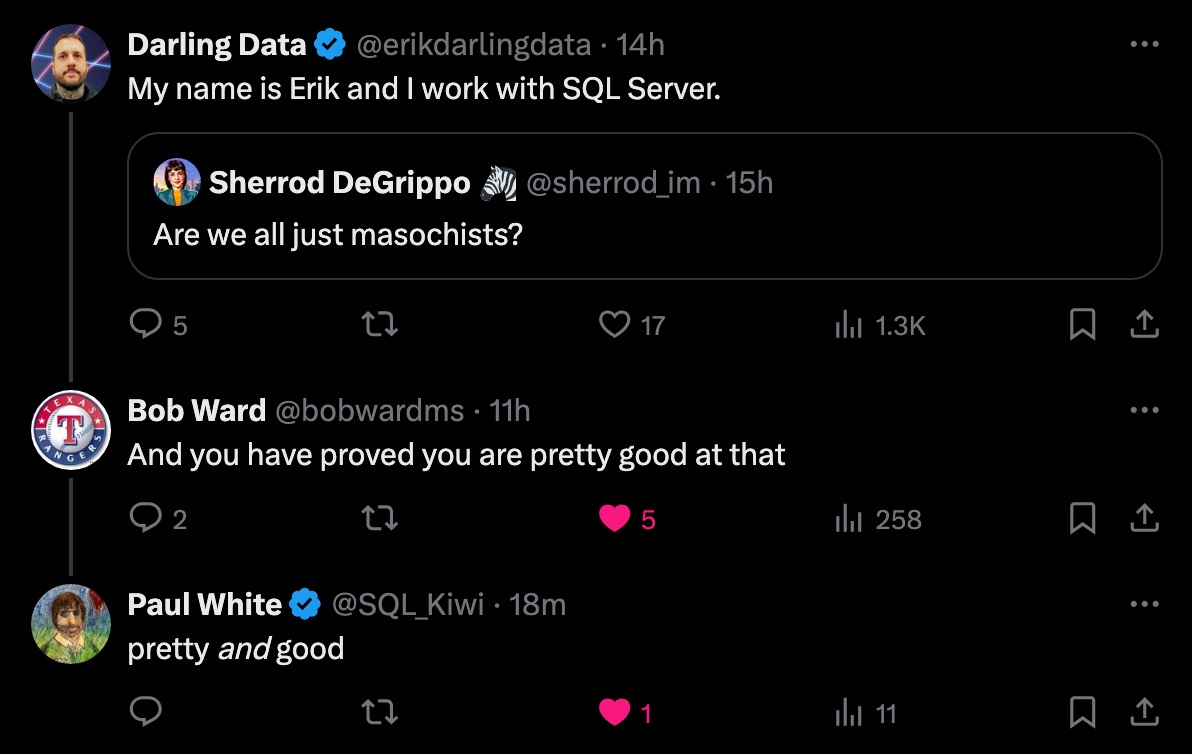
pretty, pretty, pretty, pretty good

You can register for PASS Summit here, taking place live and in-person November 4-8 in Seattle.

See you there!

Going Further


If this is the kind of SQL Server stuff you love learning about, you’ll love my training. Blog readers get 25% off the Everything Bundle — over 100 hours of performance tuning content. I’m also available for consulting if you just don’t have time for that, and need to solve database performance problems quickly. Want a quick sanity check before committing to a full engagement? Schedule a call — no commitment required.

A Little About Loops In Dynamic SQL

A Little About Loops In Dynamic SQL


Thanks for watching!

Video Summary

In this video, I dive into some fascinating techniques using output parameters and dynamic SQL in SQL Server to loop through items like databases or tables. It’s particularly useful when dealing with non-contiguous IDs or missing values, ensuring you can dynamically find the next value without having to manually increment a counter. By leveraging these tricks, you can write more robust scripts that adapt to different database versions and configurations, making your analysis queries more reliable and less prone to errors in front of clients.

Full Transcript

Erik Darling here with Darling Data. And, uh, sorry, I had to delete a video that I didn’t like. Uh, no, no, it wasn’t this video. It was a different, different thing. Don’t worry. This, this one’s going to be great the first time through. Uh, anyway, uh, in today’s video, we’re going to talk a little bit about some cool stuff you can do with output parameters and dynamic SQL that you use to loop through things. Now, a lot of the times when you’re using dynamic SQL, it’s to like, make sure that the right thing happens at the right time based on like contextual stuff. Um, you know, if like, you’re like, I mean, if you’re like me, a lot of people like me, and you write a lot of SQL Server analysis scripts, you might find that different versions and additions of SQL Server might support different views and columns and, you know, bits of information. And you don’t want to hit errors when you run an analysis query because you’re doing it in front of a client. And gosh, that’s embarrassing. Uh, uh, so a lot of the times dynamic SQL is used to sort of detect object existence before like including a view or a table or a column or something, uh, in your query. And also is very, very, very useful for directing queries to the correct database, right? So you say, I want to do this in this database. And then when you get real crazy with dynamic SQL and you have it run across multiple databases, you can, you know, also have that happen. Uh, but you know, sometimes when you write dynamic SQL, it’s because you have to iterate over, like a bunch of stuff like databases and you want to make sure that you do that in the right order. And you want to make sure that the next value that you look for is the right one. Like you, like, it doesn’t always work to say like, you know, uh, like plus one, right? Cause you might have non-sequential IDs or something. Right. And that you would look very silly if you were like, you know, like, Oh, loop one ID one. And then there’s no ID, no more IDs until like 140, or maybe there’s no ID one.

And then you just keep running that loop over like the next incremented number because you just incremented your loop plus one. Cause isn’t that what everyone does in their, in their computer science labs? They, when they, they write their, their while loops and for loops and whatnot, they just say, Oh, plus one. Not the next, not the actual next number, just plus one, throw it on out there. Anyway, before we talk about that, uh, if you, if you like me and you like my free SQL Server content, and you would like to say thank you with money, uh, which I guess would make the SQL Server content, not free. Technically, uh, it would just, it would, it would just be a moderately priced. Thank you.

Uh, I have low cost memberships where you can say thank you to the tune of like four bucks a month. If you don’t have an extra four bucks a month, that’s totally cool. Um, I probably wouldn’t give an extra four bucks a month to some random guy on YouTube either. Uh, depending on how cute he is, who knows? Right. Uh, if you, if you would like to say thank you, in a different way, uh, you can like, you can subscribe, uh, you can, you can leave comments. And while that won’t exactly buy me a bottle of wine, that it’ll give me at least something nice to look at while I drink my wine. So if you have a, an unhealthy, angry, slow, begrudgingly awful performance, SQL Server issue, SQL Server performance issue words in the right order, please. Thank you. Uh, you can hire me to, to consult for you.

Uh, I do all of this stuff and more, and my rates are reasonable. Uh, if you want very low cost training for the rest of your life, uh, you can get all 24 plus hours of my content for, uh, 75% off. That’s about 150 bucks, us, us dollars, uh, after, after, uh, after the discount code kicks in. So, uh, that, that, that, that’s a good handy thing to do. And of course, as always, there is a link that, itself applies that coupon code right in the, in the video description. So, uh, and no, before I forget, this is why I do this stuff. Cause I forget a lot. I even forgot that this slide was next, even though I’ve been staring at this awful chat GPT image for, I don’t know how long, uh, Friday, September 6th, I will be in Dallas for data Saturday. Uh, I will have a full day pre-con about, all about SQL Server performance stuff. And I will also actually be at the actual main event on Saturday as well. Big breath, November 4th and 5th, I will be at past data summit in Seattle with Kendra Little doing two days of SQL Server performance pre-cons, uh, November 4th and 5th.

You should come spend some time with us there. And now, deep breath, let’s get on with the show. So, cause that’s what we do. We get on with shows here at Darling Data. So I’ve got what looks like a pretty standard while loop for SQL Server. Uh, but you’ll notice that there’s one thing that’s missing from this while loop. And that while loop is missing anything that increments I after the thing executes down the bottom there. Pretty wild, right? The way that I do that is with the magic of output parameters in dynamic SQL. Now I know there is almost no business case for this particular thing to be dynamic SQL, except to show you how this works. It’s wonderful. It’s fantastic.

So up way up at the top of, ah, come on, zoom it. Come on, zoom it. Wake up. Uh, at the, at the top of the, the, the, the loop, I have a pretty standard set of things being declared. I have at I, cause everyone names that thing at I, uh, I have at E, which I actually named at E after me. No, it’s, it’s for end, right? That’s the end number. Um, I guess, I don’t know what I is. I guess I should have named I S for start, but, uh, it’s too late now. Um, maybe in the next, maybe in the next world. Uh, and then of course I have an S well, shoot, I already have an S no wonder I didn’t name I S that would have, that would have just been terribly confusing. Um, that was, that’s going to hold our dynamic SQL. And of course our well formatted planned out thoughtful dynamic SQL, uh, is held in S with this. We’re going to select the top one at I, right? So we have at I as a parameter inside the dynamic SQL that gets, uh, that gets declared actually for the dynamic SQL down here. Awesome and amazing. And then we’re also saying where database ID is, is greater than at I. So in this dynamic SQL block, not only are we setting at I up here, but we’re filtering on at I down here. And then when we execute our dynamic SQL in the loop, we’re saying at I is an output parameter and we’re passing in, uh, at I is, uh, I mean, we’re, it has to be shown as an output parameter here so that we get the right value out, but it’s, it’s, it’s both, it’s an output parameter for, for the dynamic SQL and also an input parameter for the dynamic SQL.

And then down here, we’re just going to, you know, have a nice little message print out that says, Hey, this is where we’re at in the loop. Uh, and if you’re, if you’re the type of person who writes dynamic SQL that does any sort of looping or, you know, whatever, um, I would highly suggest using raise error with no weight, uh, over print for like status update stuff in your dynamic SQL, uh, because that tends to work a lot better. Uh, like print on its own has like weird buffer stuff that it has to deal with. And if you don’t fill those buffers up, the print statements can get weight lagged way far behind using raise error with no weight print stuff out just about immediately. If you need to print longer dynamic SQL out, I wouldn’t suggest using raise error because there are more strict limitations on the number of bytes that it can print out at a given time. I think it’s 4,000 or 2,000 something. I, I, 2,048 maybe. I forget. Uh, maybe that’s the max length of the message. Anyway, it’s much shorter than print. Print can do, uh, 8,000, uh, non-unicode bytes or 4,000 unicode bytes. And since dynamic SQL with SP execute, SP execute SQL is always unicode. You have some pretty strict limitations there, but much, much more open than, uh, than with raise error. So, uh, yeah, do that. And then if you have a real long dynamic SQL string, you can like get the length of it and like write a silly, another silly while loop that prints out the chunks of that until you have reached the end of the string. So without further ado, and I, again, I want to make perfectly clear, there is nothing in this that I, I, there is no set at I plus equals one, right? There’s no increment going on here.

So if we run this, I, when it gets passed into here, starts with a value of zero from up here, but then when I gets passed out of the dynamic SQL block, it has the next ID that’s greater than zero. So it actually increments itself by nature of just grabbing the next highest value.

This can be really, really useful when you don’t know what the next highest value is, right? Like, like in our case with, with sys.databases, we are very lucky that we print out one, two, three, four, five, six, seven, eight, right? But if you, if we were dealing with like real user data, where maybe it was one, two, three, 5029, you wouldn’t want to rerun, try to run a loop for all those things that don’t exist. So using the output parameter in this way can help you get to the next value if they’re non-contigious, right? So if even, even if you have an identity column or a sequence object, you may find that you’re, they are not like, like you don’t have an exact, like one, two, three, four, five, six, seven, eight, nine, 10, you can miss, you might have missing numbers in there.

So, you know, fun, fun, fun stuff abounds. The SQL Server. Thanks, SQL Server. You’re, you’re a real, real, real sport. So, well, this doesn’t exactly show off the, the, the amazingness of finding the next value if they’re non-contigious. It does kind of get the point across that this is a good way to do that should you find yourself in that situation. And then again, all you have to do is pass some values out of the dynamic SQL so that you know what the next one to go to is. Anyway, I think that’s pretty neat. I think that’s a kind of a neat trick with dynamic SQL because now you don’t have to sit there worrying about working out what the absolute next value is. You can just go right to it and make your life easier. It’ll make, make everyone happy. You can show this to someone that you’re romantically keen on. I don’t know. Maybe they’ll fall in love with you. Maybe, maybe, maybe this, maybe this is your happy moment in life. I don’t know. You can never predict these things. So anyway, thank you for watching. I hope you enjoyed yourselves. I hope you learned something and I hope that you will continue to watch this amazing free SQL Server content five days a week or maybe just watch it all one day a week. Because to be honest, I tend to like set aside some time and record a bunch of videos in one day. So that’s why, that’s why like you might see blocks of videos where you’re like, wow, that Erik Darling doesn’t change much. And you’re like, well, that’s, that’s because all these things are about five minutes apart. So tricks of the trade, as they say, tricks of the trade. Anyway, uh, I’m going to upload this. And then when this is done uploading, I’m going to record something else. Amazing how that works, isn’t it? All right, cool. Thank you for watching.

Going Further


If this is the kind of SQL Server stuff you love learning about, you’ll love my training. Blog readers get 25% off the Everything Bundle — over 100 hours of performance tuning content. Need hands-on help? I offer consulting engagements from targeted investigations to ongoing retainers. Want a quick sanity check before committing to a full engagement? Schedule a call — no commitment required.

A Difference Between ISNULL And COALESCE You Might Care About In SQL Server

A Difference Between ISNULL And COALESCE You Might Care About In SQL Server


Thanks for watching!

Video Summary

In this video, I delve into the nuanced differences between `ISNULL` and `COALESCE` in SQL Server queries, specifically focusing on their performance implications and practical usage. Erik Darling from Darling Data provides a detailed analysis of these functions, highlighting that while both can be used interchangeably for most cases, `ISNULL` offers some unique advantages due to how it interacts with non-nullable columns. I also discuss the potential pitfalls of using these functions in join or where clauses, emphasizing their unnecessary use and the resulting suboptimal query plans. Additionally, I share my personal insights on consulting services and training opportunities, offering a discount code for those interested in cost-effective SQL Server education.

Full Transcript

Erik Darling here. That was very unclear. Erik Darling here with Darling Data. Look at all the Darling Data we have. It’s amazing. You’ve never seen so much Darling Data in your life. In today’s video, we’re going to talk about a substantive, substantial difference between isNull and coalesce in your SQL Server queries. Before we get into that, we’re going to talk about a substantial difference between isNull and coalesce in your SQL Server queries. So, just a few things up front about that though. Just a few things up front about my life. If you like this channel, there are low-cost ways to say, thanks for recording videos and publishing videos for free constantly. Which I guess kind of makes them not for free, but otherwise you would have to do other things to say thank you. Like, like, or comment or subscribe. So, you know, there’s that. If you are in need of SQL Server consulting, if you are having health performance emergencies, if you need someone to fix your crap for you, or if you need someone to train your developers so they stop producing crap. I’m pretty good at all of those things. If you need something else, let me know what it is. My rates are reasonable.

If you need some training that doesn’t cost a billion dollars a year, you can get all of mine for life for 75% off with that discount code. And of course, there’s a link with the discount code baked right into it in the description of the video. If you click on that, or maybe copy and paste it, I’m not quite sure what the mechanic is there. You can get everything for about 150 US dollars. So, that’s a pretty good deal. As far as, like, where I’ll be going in my life, well, Friday, September 6th, I have a full day pre-con for Data Saturday Dialist. You can show up there, you can learn about SQL Server, and then you can leave and forget about SQL Server until you need it. But that’s the beauty of it.

And then, November 4th and 5th, I will be at Past Data Summit in Seattle, co-presenting two wonderful days of SQL Server performance pre-cons with Kendra Little. We are going to kick butt. And now, let’s get on with the show here, apparently. That’s what our job is, getting on with shows. All that good stuff. So, when it comes to IsNull and Coalesce, there are, like, functional differences, where, like, Coalesce takes multiple inputs. Great.

But, you know, whenever you read on the internet, like, what’s faster, IsNull or Coalesce? People will do the same stupid performance tests, where, like, they’re just in a select list. And you’re really not going to find much of anything when you just stick IsNull and Coalesce in a select list.

It’s trivial. The real difference for me between IsNull and Coalesce is that IsNull has some superpowers that Coalesce does not. See, Coalesce has an ANSI standard function, and under the covers, it’s a case expression.

And if you dig a little bit deeper, a case expression is just an if statement way down deep. But that’s what it is. It’s not special.

Well, Microsoft is want to do. Didn’t really, like, improve upon Coalesce or even attempt to. They just made it write a case statement out behind the scenes, and that’s all you’ve got. So, one thing that IsNull can do that I think is a superpower is when you have a column that is actually not nullable, you do not allow nulls in that column, SQL Server can skip the IsNull.

And say, well, whatever, it’s not null anyway. It can’t do that with Coalesce. Coalesce still builds out the case expression in either case.

So, I did the needful, and I ran these two queries before I started recording, because you can’t see it, but if we go to the armpit zone, that’s probably a bad name for it. I should call it the rib meat zone, maybe. The Cote de Boeuf.

If, then, you’ll see that there’s about a minute and nine seconds of execution time under there, and, I mean, well, I am fully capable of blathering on for a minute and nine seconds. I didn’t feel like it. I just wanted to cut to the chase a little bit.

So, let’s look at these two query plans. Ah! Stop doing that. You murdered me. Now, we have an index on the votes table on creation date comma vote type ID. So, creation date is the leading column in the index.

This is, of course, the bigger deal for Sorgability stuff, like when the leading column of the index is the thing that you put the function on. Residual predicates, it’s like, well, no, whatever anyway. Like, it’s going to be probably a residual predicate almost no matter what you do.

So, whatever. I mean, SQL Server can do multi-seeks, but if you look in my video history, you’ll find some videos about multi-seek query plans where things don’t go well. They evaluate a lot of data depending on how they’re written.

So, looking at these two things, rather, let’s go back to these query plans here. For the first query, which is pretty fast, right? It’s about two seconds.

We seek into that index, right? Even though we have that creation date column wrapped in is null, since creation date is not a nullable column, SQL Server throws it out and we still seek right into the index, which is a pretty good plan, right? Look at that.

There is no mention of is null in this predicate whatsoever. Nothing. Nothing at all. It’s wonderful, right? It’s great. There’s no is null.

It’s just a scalar operator. Wonderful. Good for us, right? We figured it out. We cracked the case. If we go look at the index scan down here, you will see a case expression. All right?

You see that? All this case expression in here. Oh, you know what? Of course, I covered up the… There’s the case and there’s the end. And… Coalesce doesn’t shortcut or short circuit the way is null does.

And that leads us to get a really terrible query plan. In this case, the terrible query plan that we’re concerned about is a top above a scan. I can’t begin to tell you how many times I’ve seen this particular pattern in a query plan.

And the query is awful. A top above a scan is almost never a good sign. And if you run the query and get the actual execution plan, you can almost guarantee that this will be the absolute slowest part of the query.

So, what did we learn today? Coalesce? Just a case expression.

No superpowers. Is null. If you, you know, for some reason… And, you know, you see this with developers a bit where they don’t actually know their data. They don’t love their data.

They don’t spend any quality time getting to fall in love with their data. They just, you know, do random things. Write random queries. Copy stuff from other places and paste it in. Ask chat GPT to write a query for them.

And a lot of the times the result is going to be the same. There’s going to be just unnecessary is nulling of things. I see it quite a bit.

And it’s depressing every single time. So, if you’re trying to choose between which function to use, assuming that there is no functional requirement for you to use Coalesce, I generally do prefer to use is null because SQL Server can do some stuff with it that it can’t do with Coalesce.

If we’re talking about preferences generally, you shouldn’t have is null or Coalesce in a join or where clause because you’re asking for trouble. But, at least with is null, Microsoft can at least bail you out of a little bit of that trouble when the query runs because it will look at the column and say, hey, that column can’t be null anyway.

We don’t need to mess around here. So, there we go. I hope you enjoyed yourselves.

I hope you learned something. I hope that you will continue to not put is null and Coalesce in your join and where clauses. And, well, I suppose that’s probably the bigger lecture point is don’t use either one.

But, if you’re going to be that dumb, be a little bit less dumb and probably just use is null. Yeah. So, there we go.

We got a little bit less dumb today. That’s the goal, right? A little bit less dumb every day. Less dumber by the day. That’s us. All right.

Cool. I’m going to record some other stuff now. You might see some file names up at the top that might indicate what we’re going to be getting after over some of the next few videos.

And, well, it’s going to be a grand old time. So, anyway, once again, thank you for watching. Thank you.

Going Further


If this is the kind of SQL Server stuff you love learning about, you’ll love my training. Blog readers get 25% off the Everything Bundle — over 100 hours of performance tuning content. Need hands-on help? I offer consulting engagements from targeted investigations to ongoing retainers. Want a quick sanity check before committing to a full engagement? Schedule a call — no commitment required.

In Memory Table Variables In SQL Server: Still Pretty Stupid

In Memory Table Variables In SQL Server: Still Pretty Stupid


Thanks for watching!

Video Summary

In this video, I delve into the often-overlooked world of in-memory table variables, particularly focusing on their behavior within SQL Server. Starting with a lighthearted introduction to my database named “Trash,” where I’ve set up memory-optimized data and created a simple procedure to demonstrate the quirks of these variables, I aim to highlight both their limitations and potential pitfalls. Through detailed query plans and cardinality estimations under different compatibility levels, I explore how SQL Server handles these table variables, revealing that even with full knowledge of the row count, it often fails to optimize queries effectively. By comparing behaviors across compat levels 140 and 150, I underscore the importance of understanding the implications of these changes for your database performance.

Full Transcript

Erik Darling here with Darling Data, and uh, doing my best to look like a real serious, real serious, take me seriously consultant. I’m gonna stand, look tough, right? I’m gonna butch things up a little bit. I’m not really sure what else I could do aside from get some face tattoos, but I don’t know. I think, I don’t think my mother would like that very much, so we’ll, we’ll probably skip on upsetting Mrs. Darling at this, at this point in her life. We’ll, we’ll wait, we’ll wait until it’s safe. Then, then we’ll get face tattoos. Alright. In this video, we’re gonna talk about how stupid in-memory table variables are. Uh, every once in a while, you know, some, some, some, some Microsoft added in-memory stuff to SQL Server in 2014, and every once in a while, they’ll write some, like, some, like, just lethargic driftwood blog post. Like, please use these, please use this feature. Someone, someone, please use this thing. Uh, there, there, there are, like, two good use cases for in-memory anything in SQL Server. Uh, I’ve yet to find a really good use case for in-memory table variables. Uh, in-memory regular table, tables, not table variables, regular in-memory tables can be pretty good shock absorber tables. You might find online gambling companies use them to some great effect. You might find, uh, online ordering companies use them to some great effect during, like, very busy times, like, you know, holidays, you know, special events, things like that. Um, where you have a small amount of in-memory data that stays hot for a short amount of time, which can then be transferred out to a disk-based table, uh, where once it’s, like, past the point where all the locking and latching stuff that, that goes on, uh, once that stops, right? Like, once, once the, once the hotness is over, once, like, you know, all the bets have been placed, you don’t need to avoid all the locking and latching anymore, because from then it’s just people figuring out if they want or not. It’s just a bunch of selects. It’s, uh, mostly the, the, the locking stuff and the latching stuff that people, people will care about for that.

In-memory table variables, I just never found a reason to care about them. Mostly because, uh, they’re not that different from regular table variables in a lot of important ways. So that’s what we’re going to look at today. So, before, before we get into that stuff, uh, if you, if you like the channel and you don’t want to start seeing, like, Geico commercials or something before, in the middle of, after every video, uh, you can, you can sign up for a, a, a membership here. They’re, they’re, they’re cheap. It’s, like, four bucks a month or something.

If you can’t do that, which I understand, not everyone can. Not, not, not everyone has an extra four bucks in their pocket at the end of the month. Uh, there was a time in my life when I, I, I usually didn’t have an extra four bucks in my pocket ever. Um, it was, it was all dedicated to a bar tab. Uh, you, you can do other things to, to let me know you care. Uh, you can like videos, you can comment on videos, and you can subscribe to the channel and join nearly 4,200 other data darlings out there in the, in the, in the, in the world who get notified when, when I publish these videos.

Uh, if you are in need of, uh, SQL Server Consulting of the performance, health, tuning, emergency, training variety, well, I got you covered on all that. If you need something else, let me know. My rates are reasonable. Uh, if you need low cost training, I got that too. You can get, well, 24 hours of performance, tuning content at the beginner, intermediate, and advanced levels.

I guess that says expert, huh? Expert levels, uh, for about 150 bucks US when you apply these, the discount code spring cleaning. Um, when I set that code up, uh, I, I, I had just switched to a new video platform. Um, and, uh, it was springtime for Eric and, uh, I used that code cause it seemed funny and it’s just kind of stuck since then.

So, even though it’s at least currently August 15th or so, middle, mid August, uh, it’s, it’s always springtime at the darling data sale. So, um, it’s springtime for you as well. Now, uh, I, I will also be speaking in person at a couple events in the near future.

Friday, September 6th, I will be at Data Saturday Dallas. The full day pre-con on the 6th and at the Saturday event on the 7th where I will be, uh, delivering a couple regular sessions. And then November 4th and 5th, I have two full day pre-cons at PASS Summit in Seattle, uh, where me and Kendra Little will be teaching you really all that you need to know about SQL Server performance tuning over, over the course of a couple days.

So, if you want to, if you want to get a whole lot of performance tuning knowledge, a nice condensed block of time, there are a couple great ways to do it. I can also teach you how to make great images that make a lot of sense with AI. ChatGPT never lets you down.

Um, you know, ChatGPT is a funny thing because, uh, a lot, a lot of people are really pushing AI hard, Microsoft included. You know, the whole, the whole co-pilot thing. And, um, you know, I think one thing that’s really a good exercise for anybody, especially executives, who are like, AI is going to change the world, um, spend some time with it.

Ask it questions about something you know really well. Uh, ask it to do something you know a really great way how to do. And, and see, see if AI gives you an answer that, that is correct.

Or, uh, gives you a process that, that is, that is correct. Because I think you’ll be really surprised to find most of the time it doesn’t do the, most of the time you ask the, you know, any, any AI LLM tool to do something.

Or you ask it about something where you have a significant amount of experience, knowledge, and you can, you can, you have a good BS detector about this stuff. The answers you get back would terrify you.

I know they terrify me. Uh, one thing that gives me hope about AI is that whenever I ask it to write a query, it does all the same dumb stuff that regular developers do.

So I feel like me as a performance tuning consultant, I love AI. Because I’m going to be fixing the same 12 problems over and over and over again. Because no one knows any better.

Not even AI. AI messes everything up. All the same stuff that like a junior developer would mess up, AI messes up. It’s wonderful for me.

The future is so, I mean, I don’t know if the future is so bright, but these recording lights are very bright. I’m not going to start wearing sunglasses on video like some kind of antisocial, but man, I’m excited.

I’m excited to see what happens. So anyway, let’s look at how stupid in-memory table variables are. All right.

So, on to SQL Server Management Studio, where you’ll see that I have created a database called Trash. And I’ve created a database special for this because Microsoft, in its infinite wisdom, despite having 10 full years to work on this SQL Server feature, have not given us a way to turn off in-memory anything once we enable it for a database.

You can’t turn it off. It’s on forever. It’s there forever and ever.

You’re stuck with it. It is like a herpy. It does not leave your body. It’s just always there. It’s like a Lego piece that you stuck up your nose when you were seven.

Things never coming out. You’re just going to have to live with it. I think I have a Lego piece on this side. At least it feels that way most days.

So, I’ve created a database called Trash for this specific exercise because I want a database that I can drop and not think about ever again. Right?

And I’ve told SQL Server that this database contains memory-optimized data. And I have created a file group for this memory-optimized data that should give you a really good sense of exactly how I feel about in-memory table variables.

So, after I did that, and there was really not a whole lot of reason to revisit a lot of this stuff, what I did was create just a very abridged version of the post table in the Trash database with just a couple columns in it.

I don’t want to recreate the whole thing. I don’t need the whole table to show you how silly this is. And then I inserted all the data that I have from the Stack Overflow 2013 post table for those two columns.

And I updated statistics with a full scan. The reason why I wanted to do this is because I want to show you that SQL Server gets cardinality right at first. And then as soon as it’s in that table variable, it gets kind of forgetful.

Right? So, after that, I created a type, a table type, that is memory-optimized with an index on the two columns in the table. So, apparently memory-optimized things don’t like clustered indexes.

That’s fine. Not everyone likes clustered indexes. A lot of people who have paid me a lot of money to tell them they need clustered indexes didn’t like clustered indexes at first either.

So, like, I totally get it. You’re in the same camp, right? Just dumb people, right? And now I have a procedure called table variable test. And this table variable test takes a single integer called ID.

And inside of the store procedure, we declare a table variable as the post thing table type that I created up there.

And we also create just a simple local variable in here that I’m going to use to swallow results, right? Because this thing doesn’t need to return results.

I just need to show you the query plan stuff from it. And so, what I do is I insert into my memory-optimized table type variable here for any records that match the ID column.

And then I get a simple sum from the table type variable where the ID equals the ID that I pass in. And then I get a full sum from everything in there, right?

So, absolutely everything in there gets summed up, right? So, the first thing I’m going to do is I’m going to show you what happens under compat level 140.

And this is important because Microsoft changed some stuff about table variables in compat level 150 assuming that you have paid Microsoft money, Microsoft enough money to like you, which is by using Enterprise Edition.

So, when we run this and we look at what happens in the query, starting the query plans, we already know what happens in the query. Insert some data in the sum sum data.

Sum sum data. SQL Server knows exactly how many rows are going into the table variable here. Here.

2,000… 27,901 rows. Enter our table variable. Over here, right? Now, one table variable limitation that I end up talking to a lot of people about is that when you modify data in a table variable, you cannot use a parallel execution plan.

Granted, for this particular insert, a parallel execution plan would probably not bias anything. It’s already short and small and fast and we don’t really need to worry too much about it.

But I’ve run into a lot of situations where people would willy-nilly choose table variables or temp tables, just flip a coin, use whatever, I don’t know, you know, kind of two-face it.

And they would be very surprised when queries that they had that ran very fast to like, you know, say the select portion of an insert slowed down a lot when they started inserting data into a table variable.

They couldn’t quite figure out why. And usually it’s because the insert query that does a whole lot of work to get the rows together that you need to insert can’t go parallel anymore.

If you see this big, oh, actually my finger disappears a little, pretty early on, trying to point up that way. But if you look at the long word up there over my head that is in desperate need of some spaces, you will see a non-parallel plan reason that table variable transactions do not support parallel nested transactions.

Huh. Kind of missing something at the end there. So anyway, in-memory table variables have the exact same limitation in that regard as regular table variables.

Bummer. Okay. Well, do they have any good sides? Not that I can figure out. So under compat level 140, both of these queries, despite SQL Server having full knowledge of the 27,901 rows entering the table variable here, make no attempt at doing any better here.

When we ask it how many rows will qualify for the owner user ID that we just used up here, SQL Server still says one. When we ask it about the whole entire table, SQL Server still says one.

Thanks, SQL Server. Great, great use of, great use of resources there. Great use of all the smart people, all the mathematicians, all the PhD students, all the everyones who have ever worked on SQL Server.

One. One. That’s it. Under compat level 150. Wow, compat level 250? What version of SQL Server will that be?

If things follow along, let’s see, vNext would be 170, because that would be the next highest one. So that would be 180, 190, 200, then 1, 2, 3, 4, 5.

So that would be eight versions from now. So we would probably be somewhere around SQL Server 2045 or 2050 if we had compat level 250.

Unless Microsoft does a 1, 2, skip a few, because, for whatever reason, I don’t know, maybe counting by tens would get boring. Maybe, maybe, I don’t know, whoever is in charge of SQL Server will get bit by something and end up with 20 fingers, and they’ll start counting compat levels by 20.

I don’t know. I can’t possibly, I can’t possibly guess why that might happen. So, under compat level, starting with compat level 150, again, assuming that you have paid Microsoft’s friendship tax, so they pretend to like you, like that Patrick Dempsey movie where he, that girl spills red wine on her suede, mother’s suede outfit, and he pays to get it dry cleaned, so she pretends to be his girlfriend for the summer.

If you’ve paid Microsoft’s Can’t Buy Me Love tax, that’s the name of the movie, if you’ve paid Microsoft that tax, they will do something a little bit better for you, starting with compat level 150.

Let’s just make sure that ran. Where, it’s not that, SQL Server will allow a parallel execution plan to a table variable.

No, we still don’t support table variable transactions and not support parallel nested transactions. It’s not that. Does this get much better?

Wow. 27,901 of an estimated 167. Again, even though we are reusing this here and we are reusing this here.

Uh, 167. Thank you. Thank you.

Thank you. Thank you. Where things do get somewhat better is here. where now we get without a where clause we get full table cardinality.

So we say SQL Server says, oh, well, 27,901 rows went into that table. I guess 27,901 rows are going to come out.

The funny thing is that now table variables are sort of like parameters where you can get table variable sniffing.

So if we do this, right, and we look at what happens, well, now we reuse this plan, right, because this is totally what happened before in SQL Server with parameters sniffing.

But the first time we ran this, 27,901 rows came out. This time we only got nine rows. So SQL Server used the cardinality estimate from before for this plan. Well, the thing is that now it uses it again for this plan, right?

So now we get nine out of the 167 that it guessed before. And now we get nine of the 27,901 that it guessed before.

So even the small favor that Microsoft did for us starting with Compat Level 150 in SQL Server 2019, again, assuming that you’ve paid Microsoft the Can’t Buy Me Love tax, we’ll just call it the Patrick Dempsey tax for short.

Now, instead of just worrying about parameter sniffing, now you have to worry about table variable sniffing. So ain’t life grand?

Ain’t life just grand? So things haven’t really gotten the lot in life for table variables has not really improved all that drastically.

Now, that’s about all I have to say here. I need to go drop this database immediately because I’m starting to feel dirty. I don’t want this cold sore on my server anymore.

We’re going to take some Valtrex and rub some Abriva on this thing. Get it in there good. Fix it all up. Hopefully never to return again.

Is there a herpes vaccine? I don’t know. I’m not a doctor. I’m not qualified to say if there is or if there isn’t. Anyway, I hope you enjoyed yourselves.

I hope you learned something. I hope you will not fall for terrible blog posts promoting the use of memory-optimized table variables because gosh, they are useless and gosh, you don’t want to turn on this feature for your database that you can’t turn off again and I still don’t understand that.

I still don’t understand that feature, that decision, whoever’s decision that was. Man, I hope they work for Boeing now.

About it there. What did I say? I hope you enjoyed yourselves. I hope you learned something. I hope that you will like and subscribe and comment and buy training and hire me to do consulting and all that other good stuff.

And I’m going to go, I don’t know, this is, I think, this is the last one I’m going to record today because honestly, this one has gotten me down a little bit. So I need to go pep myself up.

I’m going to, I don’t know, I’m not sure what I’m going to do yet. Something that makes me feel better. Anyway, thank you for watching.

Going Further


If this is the kind of SQL Server stuff you love learning about, you’ll love my training. Blog readers get 25% off the Everything Bundle — over 100 hours of performance tuning content. Need hands-on help? I offer consulting engagements from targeted investigations to ongoing retainers. Want a quick sanity check before committing to a full engagement? Schedule a call — no commitment required.

Signs You Need Dynamic SQL In Your SQL Server Queries

Signs You Need Dynamic SQL In Your SQL Server Queries


Thanks for watching!

Video Summary

In this video, I dive into some key signs that indicate your SQL queries might benefit from using dynamic SQL. Starting off big and moving to the specifics, I cover scenarios like when you frequently use local variables in your WHERE clauses or have conditional logic based on parameters. These situations often lead to suboptimal query plans due to how SQL Server handles cardinality estimates for local variables and if-logic during compilation. To illustrate these points, I walk through a few examples and show how adding the RECOMPILE hint can sometimes solve performance issues temporarily, but ultimately, dynamic SQL is the more reliable solution for long-term optimization. Additionally, I share some upcoming events where you can catch me in person, including Data Saturday Dallas and Pass Data Summit, as well as discuss other ways to support my channel through memberships or by simply liking, commenting, and subscribing—because every bit of engagement helps keep the content flowing!

Full Transcript

Erik Darling here with Darling Data, doing my Darling Data damnedest to keep you educated and entertained about SQL Server. Alright, that was pretty good. Nailed that. I think that’s a one taker. I should just cut the video off now. It’s not going to get better than that. In today’s video, we’re going to talk about some signs that you need Dynamic SQL. Now, there are of course signs beyond this, beyond the ones that I’m going to show you. that may become apparent in what you need to do with the query. Like, if you need to pass in like a schema, table, database, server name, something like that, for multiple different database. Let’s start, let’s start, let’s go big to small server, database, schema, table names. That’s a good use of Dynamic SQL. What we’re going to focus on in this video are some signs that for query performance, you are likely to need Dynamic SQL. Before we get into that, just a few casual reminders for the viewers out there at home. All of this content is free. You can freely watch it. If you feel strongly about supporting my channel, I have very, very low cost memberships for like four bucks a month. Eventually, I’m going to expand the offering and make it a little bit more enticing. But for now, getting a YouTube video like five days, five days out of the out of every week seems pretty good. I don’t know. We’ll see. We’ll see what comes up in the future. If you are unable to participate in a monetary exchange for whatever reason, maybe maybe you drank it all. I don’t know. I don’t know what goes on in your life.

I don’t know. Maybe you just bought a cool new car or something. Maybe the price of gas is killing you. I don’t know. But I promise you I will never cost $4 a gallon. If you’re unable to participate for whatever reason, other ways to make me feel all warm and fuzzy and fluffy inside are to like, comment and subscribe. Wonderful things that you can do for free. Make me feel good. If you are in need of SQL Server Consulting, these are things that I help people with on a daily basis. I can do other stuff too. But this is what I like the best. If you need something else, I don’t know. My rates are reasonable. We can discuss whatever you need.

If you are in need of SQL Server training, perhaps, because you just don’t get enough from these videos. I have dedicated focused performance tuning training that goes from beginner to intermediate to advanced. With the discount code spring cleaning, you can get the whole caboodle, the shebang, the enchilada. I don’t know. You can get the meat lovers for about $150. So that’s a pretty good way to spend $150 if you get $150 burning a hole in your pocket.

I will be live and in person at a couple events coming up. Friday, September 6th, I will be at Data Saturday Dallas doing a full-day pre-con. November 4th and 5th, I will be at Pass Data Summit doing double-team pre-cons with Kendra Little. So if you’re going to be in Dallas or you’re going to be in Seattle and you would like to see me, these are times you can do it.

If you’re not, I forgive you. We can still be friends, maybe. Now, let’s talk about these dynamic SQL worm signs. Now, these are all things that I end up using dynamic SQL to fix for performance problems with, client queries with, also demo queries, in case you haven’t noticed.

In case this is the first video you’ve seen on this channel, I do this in like a billion other videos. We’ll go through these things because they’re important. So one of the first signs that you probably need dynamic SQL is if you use a lot of local variables in your code and you end up using those local variables in where clauses.

I suppose you could also use them in join clauses. I don’t often see them there, but they would have a profound effect there as well. Local variables do not get treated the same as parameters or literal values.

SQL Server does not use the smart part of the histogram to give you cardinality estimates for local variables. It uses some dumb fuzzy math to figure that out. So one very good sign that you need to, if you have a query that’s slow and you’re using a local variable, the first thing to do to figure out if you’re having a problem there is put a recompile hint on it.

If it’s still slow, if you still get crappy plans from it, you have another problem. If the recompile hint fixes it, then you should invest in some dynamic SQL to get better cardinality estimates to have a properly performing query. Another very, very big sign that you might need dynamic SQL or that you probably need dynamic SQL or you need to hire me as a consultant to figure it out is if you have if logic that executes important queries based on the outcome of some parameter value.

Unfortunately, for you, not for me, for you, when SQL Server compiles query plans for some batch, whether that batch is some queries like this or in a store procedure, it compiles execution plans for all the queries, regardless of whether they will actually execute for that compilation or not. So you get cardinality estimation for that compilation, which might not make a whole lot of sense if you follow the if branch up there the first time and the if branch down there the second time.

Because the if branch down there is probably not going to get anything very good. Right. So this is another great sign that you might need dynamic SQL because if you change these raw SQL queries to dynamic SQL, they will only compile plans when they execute, not when they don’t execute.

So you can get much, much, much, much more reliable query performance if you use dynamic SQL here instead of just running whatever select. Another great sign that you need dynamic SQL is if you do stuff like this. Now, again, like I said in that first example, one way to test if this is your problem and whether dynamic SQL is going to be a good option for any of these things is to try them with the recompile hint.

The recompile hint fixes them. You can, of course, just use the recompile hint. I don’t care.

It might just be the easiest thing for you to do at the time. Stick option recompile at the end of the query. The problem solved. I don’t know. Maybe just call it there. You could do that. But not everyone can just recompile every query all the time.

Eventually, you hit some limit with that where you might be unhappy with the way SQL Server is spending its CPU time. So, again, if you test any of this stuff with a recompile hint and find a positive effect and you rewrite it as dynamic SQL, you get much better sort of long-term benefit from that. So, again, this is another good sign that you might need.

Oh, why did you do that to me? That you might need dynamic SQL is if you have this sort of conditional where clause logic in your queries where you’re saying, oh, is score greater than this parameter or is this parameter known? What can we ascertain from this?

Great use of dynamic SQL is to just build the where clause you want. Great use of dynamic SQL is to just execute the query you need when you need it. All right?

Good stuff there. Another one that I see quite often when I’m working with clients is some conditional join logic. So, you might see a bunch of joins out to a bunch of tables, but not every join will always be used. I cover this in a video about startup expression predicates where we resolve the majority of our issues with, again, say it with me.

Dynamic SQL. It’s great. Wonderful for this stuff because then you just join to the tables you need when you need them.

And you don’t have to deal with weird cardinality estimation issues if these are sometimes one and sometimes zero. And you reuse execution plans. And sometimes they’re good.

And sometimes they’re bad. That’s not exactly parameter sniffing. It’s, oh, you just being a jerk. Another thing, another sign that you might need dynamic SQL would look something like this.

It’s conditional existence check. If you’ve noticed a theme here, a lot of the times when you need dynamic SQL is when you are asking the optimizer to come up with a good execution plan based on some conditional logic at compile time. And this will bite you in the behind just about every single time.

This sort of decision making stuff does not make for a happy optimizer. I’m going to repeat something that I’ve said in a lot of videos. Again, if this is the first video that you’ve ever seen from me, this might blow your mind.

Anything that makes your job easier makes SQL Server’s job harder. So doing cute little things like this and some of the other conditional stuff and the local variable thing, you know, it’s a really nice shortcut for writing a query. But it’s just not going to perform well over time.

The bigger your data gets, the worse these problems get. The more of this stuff you have to clean up, the harder your job is. Because eventually you have to make SQL Server’s job easier so that your job will be easier. Otherwise, you’re just going to spend the rest of your life firefighting performance issues.

Well, maybe not the rest of your life. Depending on your employment contract or other local factors, you might get fired or go get a new job before you actually have to fix all this stuff. You might see things starting to get difficult and say, I’m out of here.

I need to go screw something else up from the ground floor, right? It might happen for you. But this is another case where, you know, you would want to write dynamic SQL to just tack this where exist clause on if check post is something that you want to do for the query.

If check post is not something you want to do for the query, you don’t need to put this anywhere near your query. It’s ridiculous. Who would do such a thing?

Now, we’ve talked about some of the most common signs that I see in client queries where dynamic SQL is a great way to fix a performance problem. Again, if you apply an option recompile hint to a query suffering from any sort of conditional logic or from any sort of local variable weirdness and your query suddenly speeds up, it’s probably a pretty good sign that you need to buckle down and rewrite some of that beautiful SSMS red text that builds strings dynamically and executes them based on precisely what the requirements of the query are and not just a, well, any old thing.

We don’t really know. We’ve got to be flexible. We’ve got to make sure everyone can do everything all at once.

Well, that’s not really good for your query plans and that’s not really good for your SQL Server performance. If you’re doing any of this stuff currently in your queries, test with the option recompile hint. If that helps, rewrite that as nice parameterized dynamic SQL.

If you don’t know how to do that, you can hire me to do it. I love dynamic SQL. It’s one of my favorite things in the world. Someday I will have a yacht named dynamic SQL.

It would be cool if I could get a private jet named dynamic SQL, but I sort of realized the limitations there. Maybe I’ll have a private jet named entity framework. That seems more feasible to me.

So I’ll have a yacht named dynamic SQL and a private jet named entity framework. And I still won’t be able to retire. Someone’s got to keep putting gas on those things, right?

Anyway, thank you for watching. I hope you enjoyed yourselves. I hope you learned something. I hope that you too will learn to acknowledge the greatness, the grandiosity, the grandeur of dynamic SQL when it’s properly applied, constructed, and used in SQL Server. I’ve had great luck with using it over the course of my career.

One thing that people always ask about is, well, if I use dynamic SQL, will SQL Server reuse the query plans? Yes, when it should. Using sp-execute SQL for dynamic SQL gets you just about equivalent plan reuse as if you write a store procedure.

Store procedures, reuse execution plans. So does dynamic SQL when used with sp-execute SQL. If you just use exec some SQL thing, maybe, probably not.

But the other one, but sp-execute SQL, mwah! K-bet. Lots of plan reuse there. Because sp-execute SQL is a store procedure.

It’s executing a query, parameters. All right. Cool.

I’m exhausted. Okay. But I’m having a good time. So I just keep going. I just keep trucking. All right.

I think that’s enough for this one. I’m going to go think about what I want to record next. It might be something about is null and coalesce, and it might be something about in-memory table variables, and how they’re not that great either.

So who knows what’s going to happen? It’s going to be wild. It’s going to be crazy. Hopefully, hopefully no one spills lube on the floor again. Anyway, thank you for watching.

Going Further


If this is the kind of SQL Server stuff you love learning about, you’ll love my training. Blog readers get 25% off the Everything Bundle — over 100 hours of performance tuning content. Need hands-on help? I offer consulting engagements from targeted investigations to ongoing retainers. Want a quick sanity check before committing to a full engagement? Schedule a call — no commitment required.